

Alternatives to VersQ
VersQ transforms your documents with precise AI translations while preserving original formatting and offering unlimited usage for a flat rate.
20 alternatives found
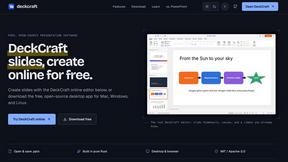
DeckCraft
Free, open-source presentation editor for browser and desktop, with PowerPoint support, themes, layouts, charts, images, notes, and animations.
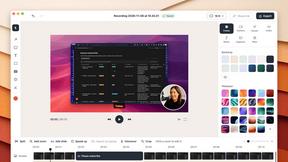
ScreenOtter
A Mac app for screen recordings and screenshots. A zoom on every click, captions made on your Mac, and eight camera layouts. Free to use, pay once.
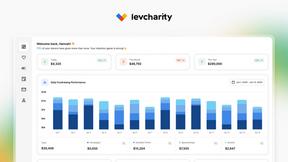
LevCharity
Fundraising platform for nonprofits with donations, campaigns, donor CRM, events, automated communications, reporting, and more.


GigUp
GigUp helps freelancers discover relevant Upwork jobs through AI matching, automated monitoring, and instant alerts.
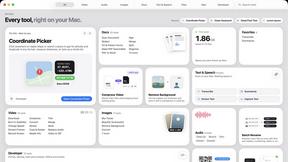
Toolbox
96 private Mac tools in one app: compress video, sign PDFs, remove backgrounds, transcribe. Offline, no account, pay once.

Safe Outreach
AI-powered platform that evaluates the safety of LinkedIn automation tools and helps reduce the risk of account restrictions.

How Long How Many Tool
Timers and hourly checks to figure how out long until a certain time or how many days away.

ButterShare
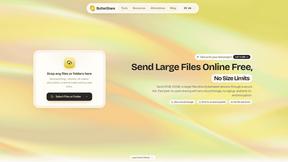
Realtime peer-to-peer file transfer in the browser. Send files directly between devices, no account and no upload to a server.
HandFonty
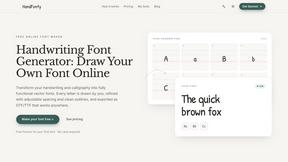
Turn typed text into natural-looking handwriting with customizable fonts, paper, ink, and export options.
Todowing
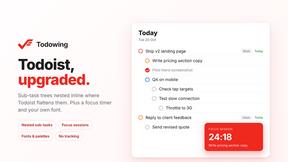
Chrome extension that shows nested sub-tasks inline in Todoist's Today, Upcoming, filter and label views. Free tier, $19.99 one-time unlock.

Uniclip
Clip pages, take full-page screenshots and batch-capture list data to Notion, Feishu, Obsidian, Markdown, CSV or JSON.
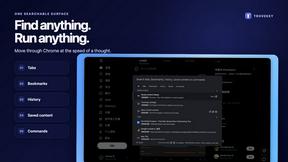
TroveKey
Search tabs, Chrome bookmarks and history, run browser commands, and save webpages and social posts locally—no account.

LightScreen
Free fullscreen light screen tool online. Turn any display into a flashlight, ambient light, or solid-color screen. No download or sign-up.

Context Board
Context Board brings your numbers, docs, clients, content and day into one workspace that Claude and Codex can read and update.

@fuck.it - email with attitude
Private email. Pure. Secure. Exclusive. No ads, no tracking, no data selling. GDPR compliant, EU-hosted.

About VersQ Alternatives
VersQ is an innovative AI-powered document translation platform designed specifically for professionals in the legal, medical, and international business sectors. Its primary focus is to provide accurate, context-aware translations while preserving the original document's structure and formatting. Users can upload a wide variety of file formats, from PDFs to XLSX, and leverage over 50 advanced AI models to ensure the translations meet their specific needs. Despite its robust features, users often seek alternatives to VersQ due to reasons such as pricing, unique feature sets, or specific platform integration requirements. When searching for an alternative, it's essential to consider factors like compatibility with existing workflows, the range of supported file formats, translation accuracy, and the availability of customer support. Identifying what features are most critical for your team can guide you toward a solution that meets your translation needs effectively.
FAQs about VersQ Alternatives
What is VersQ?
VersQ is an AI-powered document translation platform that specializes in providing accurate and context-aware translations for professional environments. It is particularly beneficial for legal, medical, and international business teams that require precise translations while maintaining the original formatting of their documents.
Who is VersQ for?
VersQ is designed for professionals in sectors such as law, healthcare, and global business who need reliable and accurate document translations. Its features cater to teams that handle complex documents and require translations that preserve the nuances and structure of the original text.
Is VersQ free?
VersQ is not a free service; it operates on a subscription model or pay-per-use structure, tailored to the needs of businesses and professionals requiring high-quality translations. Pricing typically reflects the advanced capabilities and extensive features the platform offers.
What are the main features of VersQ?
The main features of VersQ include the ability to upload various document formats such as PDFs, DOCX, and HTML, while preserving original formatting and layout. It offers the use of over 50 AI translation models, ensuring that the translations are both accurate and contextually relevant, making it ideal for professional use.