


AI Email Filter
AI Email Filter sorts incoming mail into folders using plain-language prompts you write. Works with any IMAP mailbox; bring your own LLM if you want.

Kody Tools
Free collection of online developer utilities, code formatters, and digital converters designed to streamline your daily workflow.

JsonTranslate
Translate JSON, Markdown, and TXT while preserving keys, nested paths, and project structure.
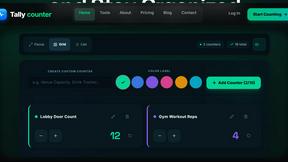
tallycounterweb.com
Online tally counter for tracking attendance, workouts, inventory, visitors, sports scores, habits, and everyday counting tasks.

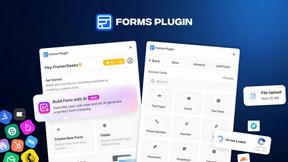
Forms Plugin
The #1 Native Form Builder Plugin for Framer - No Code, No Embeds, No External Platforms.

Product Launch Checklist
A free launch checklist for SaaS, apps, AI tools and more. Every step says why it matters and when you can skip it.


ContextBolt Bookmarks
Save web pages and posts from X, Reddit and LinkedIn in one searchable library, with automatic topic tags.

iHatePosting
Create once, tailor for each platform, and schedule posts across 14 social networks from one simple dashboard.
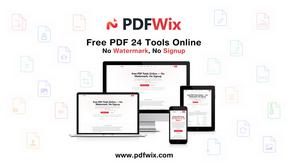
PDFWix
PDFWix is a free online PDF toolkit designed to make everyday PDF tasks simple, fast, and private.
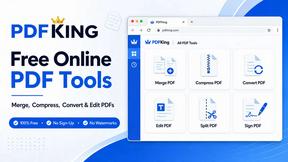
PDFKing
Free online PDF tools to merge, compress, convert, edit, sign, and manage documents—no signup, watermarks, or daily limits.




PerPageFax
PerPageFax lets you send a fax online from any browser for a flat $0.50 per page — no account, no subscription, no fax machine.



About Opal Alternatives
Opal is a dynamic visual workspace designed to help users manage their projects and notes in an intuitive way. It falls into the category of productivity and project management tools, particularly catering to those who think spatially. By offering an infinite digital canvas for organizing information, Opal allows users to visualize their workflow, making it easier to retrieve ideas and details without the frustration of traditional nested folder systems. Many users seek alternatives to Opal for various reasons, including pricing, specific features, or platform compatibility. As businesses and personal workflows evolve, users may find that their needs shift, prompting them to explore different tools that offer expanded functionalities or better pricing structures. When choosing an alternative, it’s essential to consider factors such as ease of use, integration capabilities with other tools, and the specific features that best support your unique workflow. Finding a solution that aligns with your organizational style and enhances your productivity can make all the difference in achieving your goals.
FAQs about Opal Alternatives
What is Opal?
Opal is a visual knowledge and project management workspace designed for users who prefer spatial organization of their thoughts and projects. It allows for the drag-and-drop arrangement of notes, documents, and files on an infinite digital canvas, enabling a more intuitive retrieval process. This unique approach enhances productivity by minimizing the time spent searching for information.
Who is Opal for?
Opal is tailored for solopreneurs, consultants, agency owners, writers, and anyone whose work relies on managing multiple projects, details, and ideas. It is particularly beneficial for those who think visually and prefer to manage their information in a way that mirrors a physical workspace. Opal helps keep everything organized and visible, making it easier to stay on top of tasks.
Is Opal free?
Opal offers a range of pricing options to accommodate different user needs, but it is not completely free. Users can explore various plans that provide different features and levels of access. To determine the best fit, potential users should review the pricing structure and available features to see which plan aligns with their workflow.
What are the main features of Opal?
Opal boasts an infinite digital canvas that allows users to organize notes, documents, files, and links visually. Its drag-and-drop functionality makes it easy to arrange information in a way that suits individual preferences. Additionally, Opal enhances spatial memory, enabling users to remember where their information is located, leading to quicker retrieval and a more efficient working process.