
Opal
Opal is your all-in-one visual workspace that keeps projects and notes organized, letting you find anything instantly with ease.
Visit
About Opal
Opal is a groundbreaking visual knowledge and project management workspace meticulously crafted for individuals who think spatially. If you often find yourself frustrated by losing notes in nested folders or forgetting brilliant ideas buried within traditional applications, Opal provides a refreshing, intuitive solution. Imagine an infinite digital canvas where you can seamlessly drag and drop notes, documents, files, and links, organizing them visually just like you would on a physical desk. This spatial memory approach empowers you to remember where items are located, rather than just their names, which makes retrieval instant and hassle-free. Opal is specifically designed for solopreneurs, consultants, agency owners, writers, and anyone whose business hinges on conversations, details, and promises. By keeping your entire world of active projects, client details, and creative ideas visible and top-of-mind, Opal enables you to stop searching and start focusing on what truly matters—doing your best work without breaking your flow.
Features of Opal
Infinite Digital Canvas
Opal provides an expansive digital workspace that allows you to arrange your notes, tasks, and projects in a manner that mimics a physical office. You can drag and drop elements freely, creating a personal layout that enhances your creativity and productivity.
Visual Organization
With Opal, there are no more nested folders or complex dashboards to navigate. You can see every job, client, note, and idea on one screen, eliminating the frustration of searching for misplaced information and allowing for a more fluid workflow.
Real-Time Collaboration
Opal supports collaboration, enabling you to work with team members or clients in real time. You can share your workspace, gather feedback, and make edits as needed, ensuring everyone is on the same page without the confusion of multiple versions.
Seamless Integration
Opal easily integrates with various tools and platforms you already use, allowing for a cohesive workflow. Whether you are pulling in documents from Google Drive or linking to resources from other applications, Opal keeps everything interconnected for your convenience.
Use Cases of Opal
For Solopreneurs
As a solopreneur, managing multiple clients and projects can be overwhelming. Opal allows you to visualize your entire workload in one place, making it easy to track progress and prioritize tasks without losing sight of your goals.
For Creative Professionals
Writers, designers, and artists can benefit immensely from Opal's visual organization. You can lay out your ideas, sketches, and drafts side by side, fostering creativity and enabling you to make connections between concepts effortlessly.
For Agencies
Agency owners can utilize Opal to manage client projects, campaigns, and communications. The visual canvas makes it easy to keep all client-related information accessible, ensuring that team members can collaborate effectively and deliver on client expectations.
For Consultants
Consultants can leverage Opal to organize notes from client meetings, strategies, and deliverables in one visual space. This approach helps maintain clarity in project management and client relationships, making it easier to stay organized and focused.
Frequently Asked Questions
What makes Opal different from traditional project management tools?
Opal stands out by offering a visual workspace that allows users to organize information spatially, rather than through folders or lists. This unique approach enhances memory and retrieval, making it easier to access important details quickly.
Can I collaborate with others in Opal?
Yes, Opal supports real-time collaboration, allowing multiple users to access the same workspace, share ideas, and make updates simultaneously. This feature is especially beneficial for teams working on joint projects.
Is Opal suitable for large teams?
While Opal is designed with solopreneurs and small teams in mind, it can also accommodate larger teams by providing a centralized location for managing projects, tasks, and communications in a visually engaging way.
How does Opal integrate with other tools?
Opal offers seamless integration with a variety of tools and platforms, allowing users to pull in documents, links, and resources from applications they already use. This integration helps create a cohesive workflow that enhances productivity.
Similar to Opal
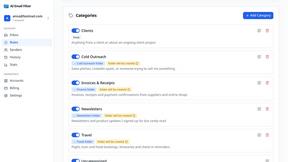
AI Email Filter
AI Email Filter sorts incoming mail into folders using plain-language prompts you write. Works with any IMAP mailbox; bring your own LLM if you want.
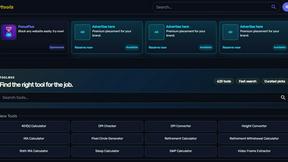
Kody Tools
Free collection of online developer utilities, code formatters, and digital converters designed to streamline your daily workflow.
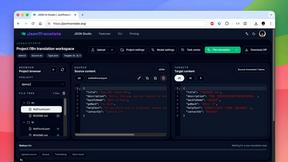
JsonTranslate
Translate JSON, Markdown, and TXT while preserving keys, nested paths, and project structure.
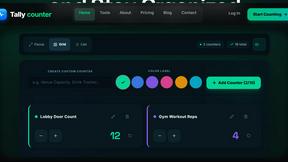
tallycounterweb.com
Online tally counter for tracking attendance, workouts, inventory, visitors, sports scores, habits, and everyday counting tasks.

What's on the menu
Smart translate any restaurant menu
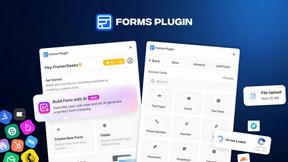
Forms Plugin
The #1 Native Form Builder Plugin for Framer - No Code, No Embeds, No External Platforms.
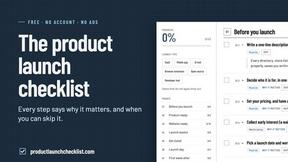
Product Launch Checklist
A free launch checklist for SaaS, apps, AI tools and more. Every step says why it matters and when you can skip it.
