

Alternatives to GPTIMG2 AI
GPTIMG2 AI transforms your ideas into realistic product visuals and editable assets with unmatched prompt accuracy and clear text.
20 alternatives found
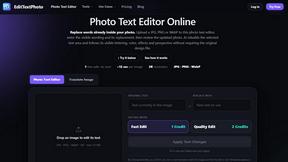
EditTextPhoto
AI-powered image text editor to edit, replace, fix, or translate text in images while preserving the original font, color, size, and style.
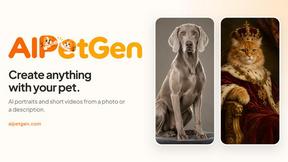

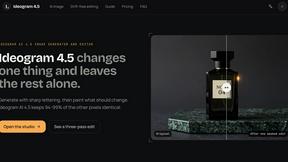
ideogram-45
AI image generation and editing with sharp typography, native 2K output, and localized edits that preserve the rest of your image.
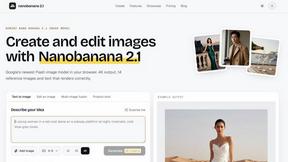
nanobanana 21
A fast, simple image studio powered by Nano Banana 2.1. Create and edit high-quality AI images with readable text and consistent characters.
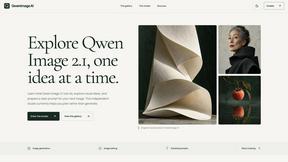
qwenimage-21
AI image generation and editing with detailed prompts, reference images, portrait and typography refinement, and transparent RGBA output.
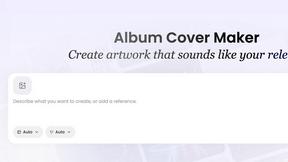
AI Album Cover Maker
Create release-ready album covers from a prompt or photo. Generate, refine, and export art for singles, EPs, mixtapes, and playlists.
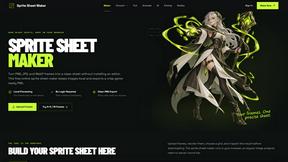
Sprite Sheet Maker
A free browser-based toolkit for creating, cutting, converting, and previewing sprite sheet animations.

Flux Lora
Explore Flux LoRA online workflows and the roadmap for models, generation, and training.
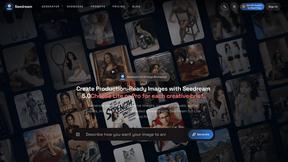
Seedream 5.0
Generate and edit production-ready images with Seedream 5.0 Pro and Lite for ecommerce, marketing, social media, and branded content.

Wan Video
Wan Video is an AI video generator and API for Wan 2.7, turning text or images into videos online.

Vismuse
Create polished AI images and videos from prompts or references for social posts, ads, flyers, album covers, and campaigns.

Magic Eraser
AI photo editor for removing objects and backgrounds, enhancing images, and creating visuals on web and mobile.
GPT Image 2 API
Production-ready GPT Image 2 image generation and editing for creators, marketers, and developers.
Imagine2
Private browser-based AI image generation and editing with text-to-image, targeted edits, and multi-image references.
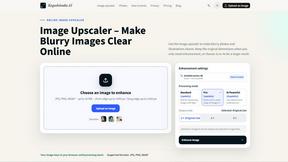
Kogashitsuka AI
An online AI image tool that enhances photos and illustrations at their original size or upscales them by 2x or 4x.
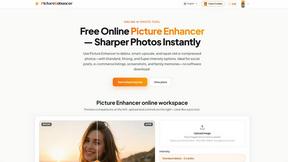
Picture Enhancer
Transform your blurry, damaged, or low-res photos into sharp, clear images instantly with free AI enhancement right in your browser.
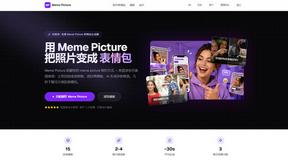
Meme Picture
Turn your selfies and pet photos into share-ready classic memes in seconds with no login required and three free daily AI generations.
About GPTIMG2 AI Alternatives
Every creative team eventually hits a moment when the tools they rely on start to feel like a compromise. You find yourself wrestling with a prompt that refuses to hold the line, watching your text render into a blurry afterthought, or spending more time fixing an image than you did generating it. This is the precise space where GPTIMG2 AI lives. It is a dedicated AI image and video generation workspace, purpose-built for teams that need production-ready visuals rather than novelty-only outputs. It belongs squarely in the image generation category, but with a distinct focus on prompt fidelity, cleaner on-image text, and reference-led editing that moves beyond a single still into full campaign production. Yet even a capable tool like this isn't a perfect fit for every workflow. Users commonly look for alternatives when budget constraints arise, when their platform integration needs shift, or when they require a different balance of speed versus control. Perhaps the pricing model doesn't scale with their team size, or the feature set leans too heavily toward video while they need pure image generation at a lower cost. When shopping for an alternative, the smartest approach is to look for a tool that matches your specific production rhythm. Prioritize prompt adherence if your work relies on complex descriptions, seek out reliable text rendering if you produce menus or posters, and consider the revision workflow if your team needs clear version history. The best alternative is not the one with the most features, but the one that disappears into your process so your ideas can take center stage.
FAQs about GPTIMG2 AI Alternatives
What is GPTIMG2 AI?
GPTIMG2 AI is an AI image and video generation workspace built specifically for teams that need production-ready visuals. It focuses on high prompt fidelity, clean on-image text rendering, and reference-led editing. The platform supports moving from still-image generation into downstream video and campaign production, making it a comprehensive tool for asset-heavy workflows.
Who is GPTIMG2 AI for?
GPTIMG2 AI is designed for teams in product marketing, ecommerce, social creative, and other fields that require consistent, revision-controlled visual assets. It is particularly useful for creating product visuals, campaign art, posters, menus, diagrams, and thumbnails. The tool caters to users who need stronger prompt adherence and cleaner text outputs rather than just novelty or experimental images.
Is GPTIMG2 AI free?
The provided content does not specify whether GPTIMG2 AI offers a free tier or a free trial. Pricing details are not included in the product description. Users interested in cost should visit the official GPTIMG2 website or contact their sales team for the most current pricing and plan information.
What are the main features of GPTIMG2 AI?
GPTIMG2 AI’s main features include high prompt fidelity, which ensures generated images closely match user descriptions, and clean on-image text rendering for readable text in posters and menus. It also offers reference-led editing, allowing users to build on existing visuals, and a workflow that extends from still images into video and campaign production. Revision control is a key component, supporting asset-heavy workflows where version management matters.