
Meme Picture
Turn your selfies and pet photos into share-ready classic memes in seconds with no login required and three free daily AI generations.
Visit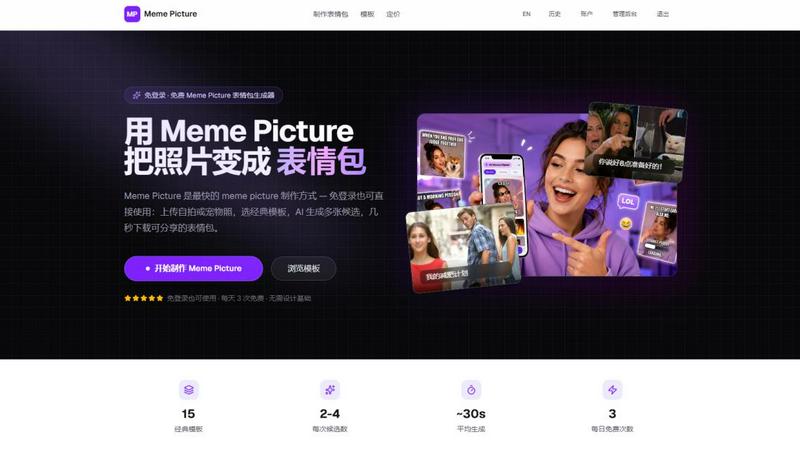
About Meme Picture
Meme Picture is a free AI meme generator designed for creators, social media enthusiasts, and anyone who needs a share-ready joke in seconds. At its core, Meme Picture lets you upload a selfie, pet photo, or any snapshot, choose from 15 classic meme formats like Distracted Boyfriend, Surprised Pikachu, Doge, and more, and then watch as artificial intelligence places your subject perfectly into the iconic layout. The tool offers multiple stylization options including cartoon, pixel art, hand-drawn, and realistic effects, ensuring your photo matches the meme vibe without any design skills. Each generation run returns between two to four candidates, so you can pick the funniest result for your group chat or social post. Free users receive three daily generations with watermarked output, while signing in unlocks history saving. For power users, a Pro subscription removes watermarks, enables HD export, adds GIF meme support, and increases generation limits. Alternatively, you can buy one-time permanent generation packs. All outputs are PNG-ready for instant sharing on WhatsApp, Discord, Telegram, iMessage, and other platforms. Critically, Meme Picture prioritizes your privacy: original uploads are deleted immediately after generation, and the company does not train on or sell your photos. Whether you are reacting to a friend's message, creating a viral post, or just having fun with your pet, Meme Picture makes meme creation effortless, fast, and accessible to everyone.
Features of Meme Picture
15 Classic Meme Templates
Meme Picture offers a hand-picked library of 15 iconic meme formats that your friends and followers already recognize. From the timeless Distracted Boyfriend and Woman Yelling at Cat to internet staples like Surprised Pikachu, Doge, Grumpy Cat, and Success Kid, each template preserves the original layout that makes these memes instantly funny. You can browse by category including Reaction, Comparison, Animals, and Classic, ensuring you always find the perfect format for your joke. No more searching the web for templates or recreating layouts manually.
AI-Powered Face Placement and Stylization
The core magic of Meme Picture lies in its AI engine that automatically detects faces, pets, or subjects in your uploaded photo and places them seamlessly into the chosen meme template. Beyond simple placement, you can apply four distinct visual styles: Cartoon, Pixel Art, Hand-drawn, and Realistic. This stylization ensures your photo blends naturally with the meme aesthetic, whether you want a clean realistic look for a workplace joke or a pixelated retro vibe for a gaming community post. The AI handles all the complex editing, so you never need to open Photoshop or learn design tools.
Multiple Candidates Per Generation
Every time you generate a meme, Meme Picture produces two to four unique candidates for you to review. This variety is crucial because humor is subjective: one version might have better face alignment, another might have a funnier expression, and a third might feature a more fitting stylization. You simply scan the options, pick the one that makes you laugh the most, and download it directly. This feature eliminates the frustration of generating a single mediocre result and having to repeat the process, saving you time and creative energy.
Privacy-First Upload and Deletion Policy
Meme Picture is built with your privacy as a cornerstone. When you upload a photo, the original file is automatically deleted from the servers immediately after the generation process completes. For signed-in users, only the finished meme images are retained in your history if you choose to save them. The company explicitly states it does not train its AI models on your photos, nor does it sell your images to third parties. This privacy-first approach means you can confidently upload selfies, pictures of your children, or pet photos without worrying about where they end up.
Use Cases of Meme Picture
Reacting Instantly in Group Chats
You are scrolling through a group chat on WhatsApp, Discord, or iMessage when a friend sends a message that demands a perfect reaction. Instead of typing a boring text reply or searching for a generic meme, you open Meme Picture, upload a quick selfie or use a sample photo, pick the Surprised Pikachu or Woman Yelling at Cat template, and generate a custom reaction meme in under 30 seconds. The PNG output is ready to drop directly into the conversation, making you the funniest person in the chat without any design effort.
Creating Viral Social Media Content
Social media managers and content creators need a steady stream of relatable, shareable memes to engage their audience. With Meme Picture, you can turn a team photo into a Distracted Boyfriend meme for a brand post, or use a pet picture with the Doge template for a lighthearted Instagram story. The AI stylization options let you match your brand's visual tone, while the multiple candidates ensure you pick the version with the best comedic timing. Post directly from your phone or desktop, and watch engagement rise as followers share your custom creations.
Personalizing Inside Jokes with Friends
Inside jokes are the currency of close friendships, but they often lack a visual punchline. Meme Picture lets you turn those private jokes into shareable memes. Take a photo of your friend's funny expression, pick the Two Buttons template, and caption it with a dilemma only your group understands. Or use the Hide the Pain Harold template with a picture of your coworker during a stressful meeting. These personalized memes become treasured artifacts of your shared experiences, and the privacy policy ensures your original photos are deleted after creation.
Adding Humor to Presentations and Announcements
Even professional environments benefit from a touch of humor. Use Meme Picture to lighten a team presentation by inserting a funny pet photo into the Change My Mind template for a slide about controversial opinions. Announce a team win with a Success Kid meme featuring a colleague's face. The realistic stylization option keeps the meme looking polished and appropriate for a work context, while the HD export ensures it looks crisp on projectors or shared screens. It is an easy way to boost morale and make your message memorable.
Frequently Asked Questions
Do I need to create an account to use Meme Picture?
No, you do not need to create an account or log in to start generating memes. Meme Picture is designed for instant access: simply visit the website, upload your photo, pick a template, and generate. Free users get three generations per day without any sign-up. However, signing in allows you to save your meme history, access your past creations, and upgrade to a Pro account for additional features like unlimited generations, no watermarks, and HD export.
What happens to my uploaded photos after I generate a meme?
Your privacy is a top priority. Original photos you upload are automatically and permanently deleted from Meme Picture's servers immediately after the generation process completes. The company does not use your photos to train its AI models, nor does it sell or share your images. For signed-in users, only the finished meme images are stored if you choose to save them to your history. This ensures your personal photos never linger on the platform.
What image formats and sizes are supported for upload?
You can upload photos in JPEG, PNG, or WebP formats. The maximum file size is 4MB, but the tool automatically compresses larger images to ensure fast processing. For best results, use a clear, well-lit selfie or pet photo with a visible face or subject. Meme Picture also provides sample photos you can use to test the tool without uploading your own images, which is great for first-time users who want to see how the AI works.
How many meme candidates do I get per generation, and can I regenerate?
Each generation run produces between two and four unique meme candidates. This variety allows you to choose the version that looks funniest or best fits your caption. If you are not satisfied with any of the candidates, you can adjust your caption, change the visual style, or upload a different photo and generate again. Free users have three generations per day, while Pro subscribers enjoy higher limits. You can also buy one-time permanent generation packs if you need extra runs without a subscription.
Pricing of Meme Picture
Meme Picture offers a flexible pricing structure to accommodate different usage levels. Free users receive three meme generations per day, with watermarked PNG outputs and no login required. This tier is perfect for casual users who need an occasional meme. For more frequent creators, the Pro subscription removes watermarks, enables HD export, supports GIF meme generation, and provides higher daily generation limits. Additionally, users can purchase one-time permanent generation packs for those who need extra runs without committing to a monthly subscription. Signed-in users can save their generation history and access their past memes across sessions.
Explore more in this category:
Similar to Meme Picture

Leadeon
AI growth tool for X and LinkedIn: write posts in your voice, schedule at your best times, find leads on X and see what works.
ImageGenerator
Create and edit AI images online with multiple models, text-to-image, image-to-image, background removal, and upscaling.
EditTextPhoto
AI-powered image text editor to edit, replace, fix, or translate text in images while preserving the original font, color, size, and style.
AIPetGen
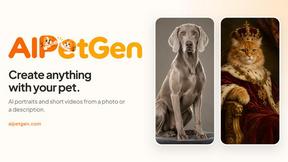
Create anything with your pet. AI studio for pet images and short videos.

Hotel Lobby AI Video Generator
Turn two photos into a Hotel Lobby dance video in the orange A COLORS SHOW booth

Remove Text
Remove text from images online with AI
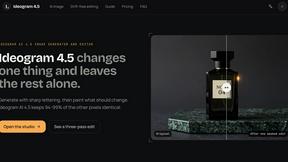
ideogram-45
AI image generation and editing with sharp typography, native 2K output, and localized edits that preserve the rest of your image.
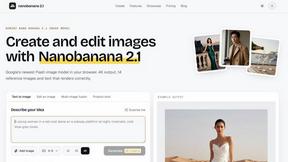
nanobanana 21
A fast, simple image studio powered by Nano Banana 2.1. Create and edit high-quality AI images with readable text and consistent characters.