
GPTIMG2 AI
GPTIMG2 AI transforms your ideas into realistic product visuals and editable assets with unmatched prompt accuracy and clear text.
Visit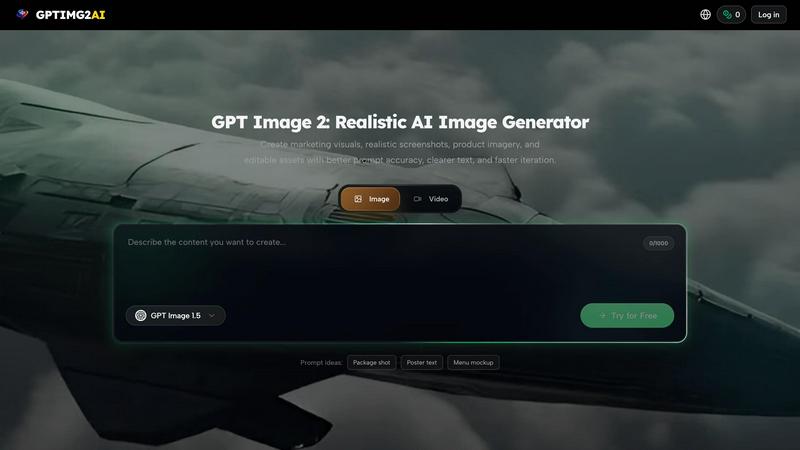
About GPTIMG2 AI
Imagine a workspace where your creative vision doesn't get lost in translation, where every prompt you write delivers exactly what you imagined, and where a single image can grow into a full campaign without you ever leaving the platform. That is the world GPTIMG2 AI builds for you. This is not just another image generator that produces pretty but impractical visuals. GPTIMG2 AI is a comprehensive AI image and video generation workspace designed specifically for teams who need production-ready assets, not just novelty outputs. It prioritizes prompt fidelity, ensuring your detailed instructions are followed with precision, and delivers cleaner, more readable on-image text that actually looks professional. But GPTIMG2 AI goes further. It is built for a workflow that moves seamlessly from still image generation into downstream video production and campaign creation. This makes it an invaluable tool for product marketing teams, ecommerce businesses, social media creators, and anyone involved in asset-heavy workflows like poster design, menu creation, diagram generation, and thumbnail production. With support for a suite of leading generation models including GPT Image 2, Veo 3.1, Kling 3.0, and more, GPTIMG2 AI gives you the power to choose the right tool for every task, all within a single, cohesive workspace where revision control and iteration speed are built into the very fabric of the experience.
Features of GPTIMG2 AI
Prompt Fidelity and Text Accuracy
This is the feature that sets GPTIMG2 AI apart from the crowd. Instead of guessing at your intent or producing visuals that are close but not quite right, GPTIMG2 AI executes your prompts with remarkable precision. It understands complex, multi-part instructions and renders them faithfully. More importantly, it excels at generating clean, readable on-image text. Whether you need a realistic screenshot with UI copy, a poster with a headline, or a product shot with a label, the text appears crisp and correctly placed, eliminating the frustrating guesswork and manual correction that other tools require.
Seamless Image to Video Workflow
Your creative process should not be a series of disconnected steps. GPTIMG2 AI is designed as a true workspace where the journey from a static image to a dynamic video is fluid and intuitive. You can start by generating a high-fidelity still image using GPT Image 2, and then, without exporting or switching platforms, move that asset into a video generator like Veo 3.1, Kling 3.0, or Seedance 2.0. This integrated pipeline allows you to create motion, narrative, and campaign content from a single source of truth, saving you hours of manual transfer and re-prompting.
Reference-Led Editing and Iteration
Revision control is at the heart of professional creative work, and GPTIMG2 AI treats it with the seriousness it deserves. The platform supports reference-led editing, meaning you can use an existing image as a visual foundation for your next generation. This allows for precise, controlled edits that maintain brand consistency and visual direction across a series of assets. Whether you are adjusting a product color, changing a background, or refining a character's pose, you can iterate quickly and confidently, knowing that your changes are building upon a solid, approved reference.
Multi-Model Generator Library
One size does not fit all in AI generation. GPTIMG2 AI understands this and provides you with a curated library of the best image and video models available. You are not locked into a single engine. For still images, you can choose between GPT Image 2, GPT Image 1.5, and the specialized Nano Banana series (including Nano Banana, Nano Banana 2, and Nano Banana Pro). For video, the options expand to Veo 3.1, Kling 3.0 with Motion Control, Grok Imagine, Seedance 2.0, and Wan 2.7. This flexibility empowers you to select the perfect model for each specific task, whether you need photorealism, stylized edits, or narrative control.
Use Cases of GPTIMG2 AI
Product Marketing and Ecommerce Visuals
For product marketers and ecommerce teams, the ability to create realistic, high-quality visuals at scale is a superpower. GPTIMG2 AI allows you to generate product imagery that looks like it was shot in a professional studio, complete with accurate branding, clean labels, and appealing backgrounds. You can quickly iterate on different colorways, packaging designs, or lifestyle settings. The platform's prompt fidelity ensures that specific product features are highlighted correctly, and the seamless video workflow lets you turn those still images into engaging product demos or social media clips without starting from scratch.
Social Media Creative and Campaign Production
Social media demands a constant stream of fresh, engaging, and on-brand creative. GPTIMG2 AI is built for this pace. You can generate a series of thumbnails, promotional graphics, and short video clips that share a consistent visual language. The reference-led editing feature is particularly powerful here, allowing you to establish a hero image for a campaign and then generate dozens of variations for different platforms and audiences. The integrated workspace means you can move from a static post image to a motion graphic or a narrative video for Stories or Reels, all while maintaining the core visual identity.
Professional Posters, Menus, and Diagrams
Creating print-ready assets like posters, menus, or infographics often requires a painful back-and-forth between design software and AI tools. GPTIMG2 AI simplifies this dramatically. Its superior text rendering makes it possible to generate a menu with clearly legible item names and prices, a poster with a compelling headline, or a complex diagram with accurate labels, all in a single generation. This eliminates the need for manual text overlay and ensures that your final asset is closer to production-ready from the very first output, saving significant time and reducing errors.
Realistic Screenshots and UI Mockups
For software companies, product designers, and technical writers, generating realistic screenshots and UI mockups is a common but time-consuming task. GPTIMG2 AI excels at this specific use case. You can prompt it to create a screenshot of a mobile app, a web dashboard, or a software interface with accurate buttons, text, and layout. The high prompt fidelity ensures that the UI elements are positioned correctly and the on-screen text is readable and contextually appropriate. This makes it an ideal tool for creating marketing materials, documentation, and presentation assets that look authentic and professional.
Frequently Asked Questions
What makes GPTIMG2 AI different from other AI image generators?
GPTIMG2 AI is designed as a complete workspace for production-ready asset creation, not just a novelty image generator. Its key differentiators include superior prompt fidelity that accurately follows complex instructions, the ability to generate clean and readable on-image text, reference-led editing for precise iteration, and a seamless workflow that moves from still image generation directly into video production. It also offers a library of multiple leading models, giving you the flexibility to choose the best tool for each specific task.
Which AI models are available on GPTIMG2 AI?
You have access to a comprehensive suite of both image and video generation models. For images, you can use GPT Image 2, GPT Image 1.5, Nano Banana, Nano Banana 2, and Nano Banana Pro. For video, the platform supports Veo 3.1, Kling 3.0, Kling Motion Control, Grok Imagine, Seedance 2.0, and Wan 2.7. This diverse library allows you to select the optimal model for photorealism, stylized edits, motion control, or narrative depth.
Can I use my own images as a reference for new generations?
Yes, GPTIMG2 AI supports reference-led editing, which is a core feature for professional workflows. You can upload an existing image and use it as a visual foundation for generating new assets. This allows for precise, controlled edits while maintaining brand consistency and visual direction. It is particularly useful for iterating on product shots, creating variations of a campaign hero image, or refining a specific visual element without starting from a blank prompt.
Is GPTIMG2 AI suitable for creating text-heavy assets like posters and menus?
Absolutely. One of the standout strengths of GPTIMG2 AI is its ability to render clean, accurate, and readable on-image text. This makes it exceptionally well-suited for creating professional assets like posters, menus, diagrams, thumbnails, and realistic screenshots. The platform understands the need for text to be a functional part of the design, not just a decorative afterthought, and delivers results that are much closer to production-ready than typical AI generators.
Similar to GPTIMG2 AI
EditTextPhoto
AI-powered image text editor to edit, replace, fix, or translate text in images while preserving the original font, color, size, and style.
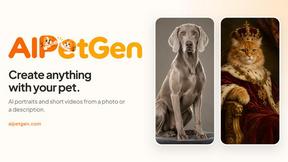
AIPetGen
Create anything with your pet. AI studio for pet images and short videos.

Remove Text
Remove text from images online with AI
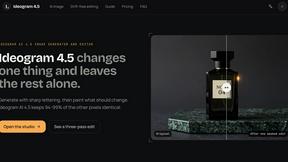
ideogram-45
AI image generation and editing with sharp typography, native 2K output, and localized edits that preserve the rest of your image.
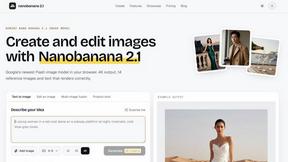
nanobanana 21
A fast, simple image studio powered by Nano Banana 2.1. Create and edit high-quality AI images with readable text and consistent characters.
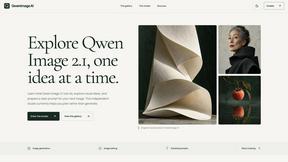
qwenimage-21
AI image generation and editing with detailed prompts, reference images, portrait and typography refinement, and transparent RGBA output.
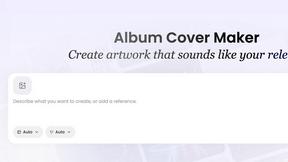
AI Album Cover Maker
Create release-ready album covers from a prompt or photo. Generate, refine, and export art for singles, EPs, mixtapes, and playlists.
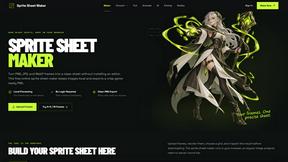
Sprite Sheet Maker
A free browser-based toolkit for creating, cutting, converting, and previewing sprite sheet animations.