
RoomCreator
Transform any photo into stunning room designs in seconds with RoomCreator, no skills required for a beautiful space makeover.
Visit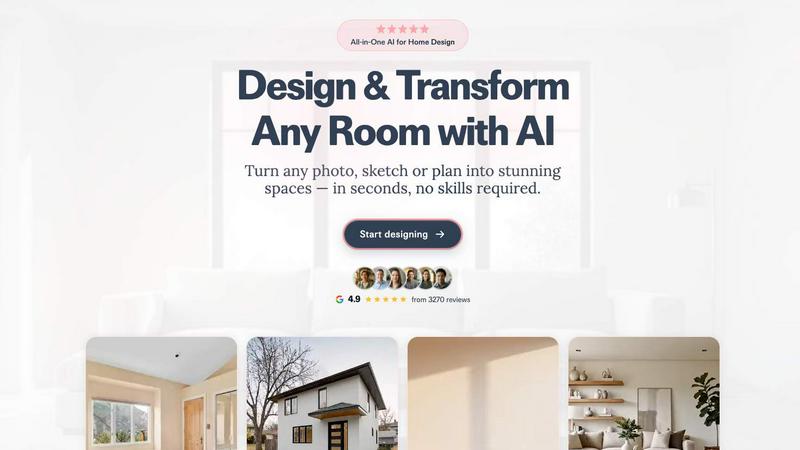
About RoomCreator
RoomCreator is a revolutionary AI-powered room design tool tailored for homeowners, DIY enthusiasts, and professionals alike. Imagine standing in your kitchen or living room, envisioning a complete makeover in just seconds. With RoomCreator, that vision becomes a reality. By simply uploading a photo of your space, users can receive stunning, hyper-realistic redesigns that include new layouts, colors, furniture arrangements, and more. This tool is perfect for anyone looking to make quick renovations, especially in small spaces where every inch counts. There's no need for prior design skills; RoomCreator democratizes home design, allowing anyone to visualize their dream space effortlessly. Whether you are planning a full renovation or testing new ideas before making purchases, RoomCreator provides the clarity needed to make confident decisions. With its intuitive interface and cutting-edge technology, transforming your home has never been easier.
Features of RoomCreator
AI Room Design in Just 10 Seconds
With RoomCreator, you can transform any room by simply uploading a photo. Within 10 seconds, the AI generates a realistic redesign, allowing you to visualize potential changes instantly without needing design expertise.
Smart Layouts for Enhanced Functionality
The tool not only changes colors and furniture but also optimizes room layouts for improved flow and function. This feature ensures that every space is utilized efficiently, making your home not only beautiful but also highly functional.
Instant Color and Furniture Changes
Experience the power of instant transformation as RoomCreator allows you to experiment with new wall colors, flooring options, and furniture arrangements. This feature offers a hands-on approach to design, making it easy to explore various aesthetics.
Realistic 3D Previews and Before-and-After Comparisons
RoomCreator provides stunning 3D previews that incorporate natural lighting, giving you a true sense of how your redesigned space will look. Additionally, the before-and-after comparison feature helps you visualize changes side by side for better decision-making.
Use Cases of RoomCreator
Homeowners Seeking Renovation Inspiration
RoomCreator is ideal for homeowners who want to visualize how their spaces could look before committing to renovations. By seeing potential styles and layouts, users can make informed decisions that reflect their personal tastes.
Real Estate Agents Looking to Enhance Listings
For real estate agents, RoomCreator serves as a powerful tool to create eye-catching visuals that make listings stand out. Transforming empty or outdated spaces into beautifully staged interiors helps attract potential buyers and drive sales.
Individual Investors Evaluating Property Potential
Investors can use RoomCreator to assess the renovation potential of properties. By generating realistic visuals for flips or rentals, they can showcase the future value of investments to stakeholders without incurring high staging costs.
Designers and DIY Enthusiasts Experimenting with Styles
Designers and creative individuals can leverage RoomCreator to test out various themes and concepts for their projects. The ability to visualize different styles helps spark creativity and refine ideas before execution.
Frequently Asked Questions
How does RoomCreator work?
RoomCreator utilizes advanced AI algorithms to analyze uploaded images and generate realistic redesigns. Users simply upload a photo, select a style, and receive a transformed version in seconds.
Is there a cost associated with using RoomCreator?
RoomCreator offers a free trial where users can enjoy up to 10 credits without needing a credit card. After the trial, pricing details will be available for those looking for additional features.
Can I use my own sketches with RoomCreator?
Absolutely! RoomCreator allows users to upload hand-drawn sketches or layout concepts, turning them into realistic interior images. This feature is perfect for early-stage planning and visualization.
What types of spaces can I redesign with RoomCreator?
RoomCreator supports a wide range of spaces, including kitchens, bedrooms, living rooms, bathrooms, and even exteriors. Users can explore various themes tailored to each room type for comprehensive design options.
Similar to RoomCreator

tallycounterweb.com
Online tally counter for tracking attendance, workouts, inventory, visitors, sports scores, habits, and everyday counting tasks.


Flux Lora
Explore Flux LoRA online workflows and the roadmap for models, generation, and training.


Seedream 5.0
Generate and edit production-ready images with Seedream 5.0 Pro and Lite for ecommerce, marketing, social media, and branded content.


PDFKing
Free online PDF tools to merge, compress, convert, edit, sign, and manage documents—no signup, watermarks, or daily limits.

Labrynth AI
AI regulatory intelligence platform that turns complex requirements into cited, audit-ready outputs.