
JustPDF
JustPDF is a privacy-first, browser-based toolkit offering 17 free tools to effortlessly manage your PDFs without leaving your device.
Visit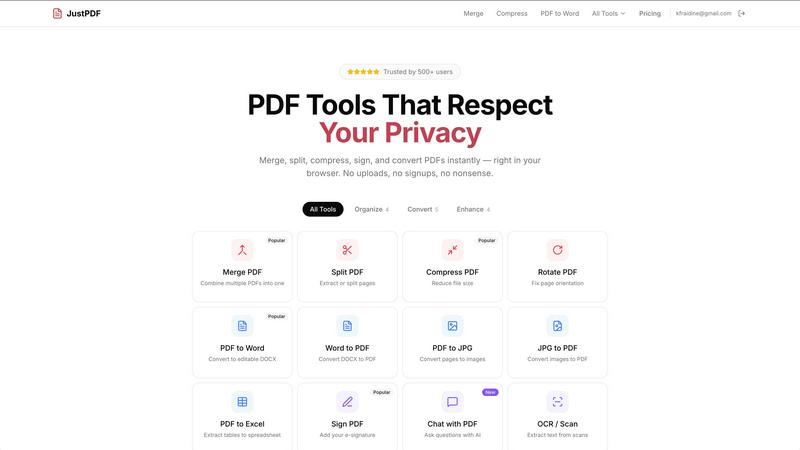
About JustPDF
JustPDF is a revolutionary PDF toolset that empowers users to manage their PDF files effortlessly and securely, all within the confines of their web browser. Unlike traditional online PDF solutions like Smallpdf and iLovePDF, JustPDF leverages cutting-edge technologies such as JavaScript and WebAssembly to handle all operations locally on the user's device. This means that your files never leave your browser, ensuring your sensitive documents remain private and secure. With 17 professional-grade tools at your disposal, including merging, compressing, converting, and signing PDFs, JustPDF caters to individuals, students, and professionals alike. Its user-friendly interface allows for seamless drag-and-drop functionality, making it accessible to all, regardless of technical proficiency. Whether you are looking to compress a large document, convert a PDF to an editable format, or e-sign your contracts, JustPDF provides a fast, free, and FERPA-compliant solution for educational use, with no account required for basic operations. Experience the freedom of working with PDFs without the hassle of uploads or sign-ups, and take control of your document management today.
Features of JustPDF
Merge PDF
Merge PDF is a powerful feature that allows users to combine multiple PDF documents into a single cohesive file. This is ideal for organizing reports, presentations, or any collection of documents that need to be presented together. Simply drag and drop your files into the interface, and with a click of a button, your documents are merged seamlessly without losing quality or formatting.
Compress PDF
The Compress PDF tool allows users to reduce the file size of their PDF documents in seconds. This feature is especially useful for sharing large files via email or uploading to websites with size restrictions. Just drag your PDF into the designated area, and the tool does the rest, all while ensuring that the quality of your document remains intact. Best of all, there are no watermarks or hidden fees.
PDF to Word
With the PDF to Word conversion feature, JustPDF transforms your static PDFs into editable DOCX files. This is a game-changer for those who need to make modifications to existing documents without starting from scratch. The conversion process is straightforward; simply upload your PDF, and in moments, you will have a fully editable Word document ready for any changes you need to make.
Chat with PDF (AI)
The innovative Chat with PDF feature utilizes AI technology to enhance your interaction with your documents. Users can ask questions about the content of their PDFs and receive instant answers, making it easier to extract information or clarify details without the need to read through pages of text. This tool is perfect for students or professionals who need quick insights from lengthy reports or research papers.
Use Cases of JustPDF
Academic Needs
Students and educators can benefit immensely from JustPDF's suite of tools for managing academic papers, research reports, and lecture notes. Whether merging multiple articles into one document for a project or converting PDFs of lecture slides into editable formats, JustPDF simplifies the academic workflow.
Business Documentation
Professionals can streamline their document processes with JustPDF. From compressing large contracts for email distribution to signing agreements electronically, the platform offers a comprehensive solution for all business documentation needs. The ability to convert files between formats ensures that everyone can access the information in the way that suits them best.
Creative Projects
For creatives working with design portfolios or presentations, JustPDF provides essential tools to convert images to PDFs, merge different design drafts, and even flatten PDFs for final submissions. This flexibility helps artists and designers maintain control over their work while presenting it in a polished format.
Personal Use
JustPDF is not just for professionals; individuals can use it for personal tasks as well. Whether it's preparing holiday photographs in PDF format, compressing family documents for easy sharing, or creating a digital scrapbook, the tools are simple and effective for everyday use.
Frequently Asked Questions
Is JustPDF free to use?
Yes, JustPDF offers a free tier that allows users to perform three operations per day without signing up for an account. This makes it accessible for anyone who needs quick PDF solutions without commitment.
How does JustPDF ensure my files are secure?
JustPDF processes all files locally in your browser using JavaScript and WebAssembly. This means your documents never leave your device, ensuring maximum privacy and security. You can verify this by checking the Network tab in your browser’s DevTools.
What if I need more than three operations per day?
If you require unlimited access to JustPDF's tools, you can subscribe to the Pro plan, which starts at just $4 per month. This plan provides unlimited access to all features without any restrictions.
Can JustPDF be used for educational purposes?
Absolutely! JustPDF is FERPA-compliant, making it an excellent choice for educational use. Students and educators can utilize the tools for managing academic documents while ensuring compliance with privacy regulations.
Explore more in this category:
Similar to JustPDF
AI Email Filter
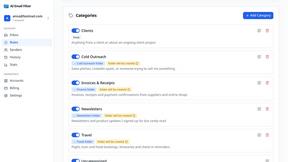
AI Email Filter sorts incoming mail into folders using plain-language prompts you write. Works with any IMAP mailbox; bring your own LLM if you want.
Kody Tools
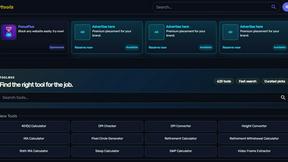
Free collection of online developer utilities, code formatters, and digital converters designed to streamline your daily workflow.
JsonTranslate
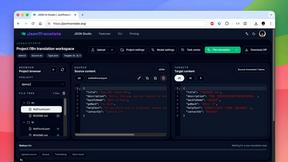
Translate JSON, Markdown, and TXT while preserving keys, nested paths, and project structure.
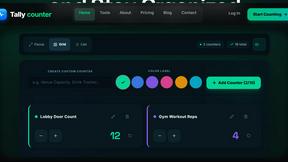
tallycounterweb.com
Online tally counter for tracking attendance, workouts, inventory, visitors, sports scores, habits, and everyday counting tasks.
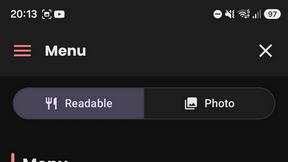
What's on the menu
Smart translate any restaurant menu
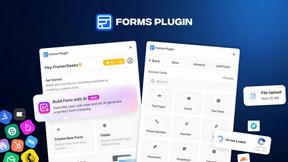
Forms Plugin
The #1 Native Form Builder Plugin for Framer - No Code, No Embeds, No External Platforms.
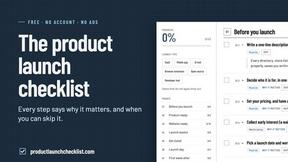
Product Launch Checklist
A free launch checklist for SaaS, apps, AI tools and more. Every step says why it matters and when you can skip it.
