
HappyHorse AI
HappyHorse AI crafts your story into cinematic videos with a simple prompt, perfect for ads and social media.
Visit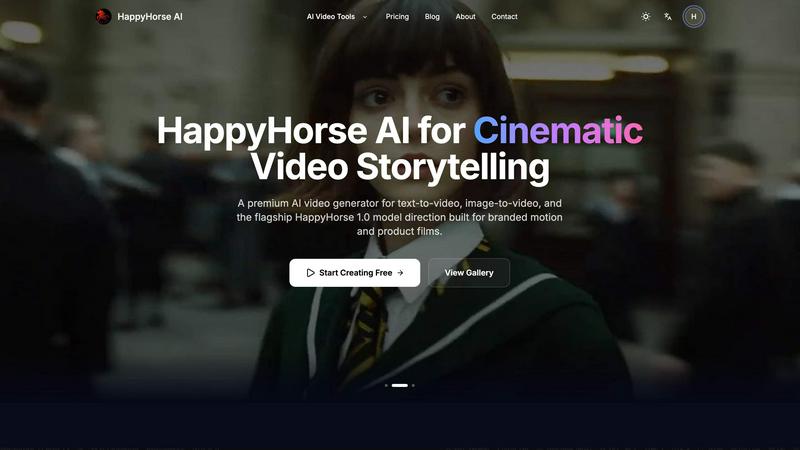
About HappyHorse AI
Imagine you have a story burning inside you, a vision for a product film, or a need for captivating social media content, but the path from idea to screen feels blocked by complex software and steep learning curves. Your creative journey hits a wall before it even begins. HappyHorse AI was born to tear down that wall. It is your premier, browser-based companion for cinematic video storytelling, designed to transform your text prompts or still images into high-quality, motion-rich videos in minutes. This platform is for the dreamers, the marketers, the content creators, and the teams who believe their ideas deserve to move and breathe, without requiring an editor's expertise. At its heart, HappyHorse AI champions a simple, powerful value proposition: speed, simplicity, and stunning visual output. With the launch of its flagship HappyHorse 1.0 model, built specifically for branded motion and product films, the tool empowers you to navigate from a fleeting thought to a shareable video masterpiece effortlessly. It’s less about navigating complicated timelines and more about following a clean, intuitive creation loop—describe, generate, iterate, and export. Your journey from imagination to impact starts here, with no setup, no downloads, and no barriers.
Features of HappyHorse AI
Multi-Model Video Workspace
Instead of juggling multiple tabs and accounts across different AI platforms, HappyHorse AI consolidates leading AI video models into a single, unified interface. This allows creators to experiment, compare outputs, and select the perfect model for their specific visual style—be it cinematic scenes, dynamic action, or subtle animations—all from one dashboard. It streamlines the creative testing phase, turning what was once a fragmented process into a cohesive and efficient workflow.
Text-to-Video & Image-to-Video Core Workflows
The platform offers two foundational paths for creation. The text-to-video workflow lets you write a detailed prompt describing subject, action, camera movement, and mood to generate concept clips, ad scenes, or social content from scratch. The image-to-video workflow allows you to upload portraits, product photos, or illustrations, adding motion while faithfully preserving the original composition and tone, anchoring your creative vision in a reference point.
Flexible Creative Controls
HappyHorse AI puts essential creative decisions at your fingertips within the generator. You maintain control over key aspects like aspect ratio (e.g., 16:9 for widescreen), video duration, output resolution, and the use of optional seeds for reproducible results. When supported by the selected model, you can also access audio-aware options, allowing you to plan for soundtracks, dialogue, or richer multimedia outputs directly in your workflow.
Fast Iteration & Commercial Licensing
The tool is built for speed and professional use. Move rapidly from an initial prompt to a video preview, then tweak settings or try a new model without restarting your entire project. This fast iteration loop is crucial for meeting tight deadlines. Furthermore, HappyHorse AI supports commercial-friendly workflows, providing export-ready video files under simple credit-based plans that are perfect for client campaigns, social posts, and internal creative testing.
Use Cases of HappyHorse AI
Marketing & Advertising Content Creation
Marketing teams and agencies can rapidly prototype and produce high-quality ad scenes, product demonstration films, and branded motion content. Using the HappyHorse 1.0 model, they can create cinematic shots that elevate brand storytelling, generating engaging materials for campaigns and client presentations without the cost and time of traditional video production.
Social Media & Short-Form Video Production
Content creators and social media managers can effortlessly generate a steady stream of eye-catching clips for platforms like TikTok, Instagram Reels, and YouTube Shorts. By describing trendy concepts or animating still images, they can produce dynamic nature scenes, portrait animations, and concept clips that capture audience attention and drive engagement.
Creative Concepting & Storyboarding
Writers, directors, and creative professionals can use HappyHorse AI as a powerful visualization tool. They can transform written scenes from a script into moving visuals or animate key illustration frames to create dynamic storyboards. This brings narrative ideas to life early in the creative process, facilitating better planning, pitching, and collaborative decision-making.
E-commerce & Product Visualization
Online retailers and product designers can upload still photos of their items and use the image-to-video feature to create captivating animations. A static product shot can be transformed into a video showing subtle details, context of use, or dynamic angles, providing a more immersive and persuasive shopping experience on product pages and digital catalogs.
Frequently Asked Questions
What is the HappyHorse 1.0 model?
The HappyHorse 1.0 model is the flagship AI model from HappyHorse AI, specifically engineered for high-quality, cinematic output. It is optimized for creating branded motion content and sophisticated product films, offering superior visual fidelity and control compared to standard text-to-video models, making it ideal for professional commercial workflows.
Do I need any video editing experience to use HappyHorse AI?
No, you do not need any prior video editing experience. HappyHorse AI is designed with a user-friendly, browser-based interface that simplifies the entire process. You only need to provide a text prompt or an image, select your desired settings, and the AI handles the complex task of generation, allowing anyone to create professional-looking videos.
What kind of files can I upload for Image-to-Video?
You can upload image files in common formats including PNG, JPG, JPEG, and WEBP. The platform supports up to 2 files per upload, with a maximum file size of 50MB per image. This allows you to use product photos, portraits, illustrations, or any still frame as a reference to animate.
How does the credit system work?
HappyHorse AI operates on a credit-based system where generating a video consumes a set number of credits (e.g., 30 credits for a generation). New users typically receive free credits to start creating. You can then purchase additional credit packs as needed through simple, transparent plans on the Pricing page, which scale for different usage levels from casual creation to high-volume commercial projects.
Similar to HappyHorse AI
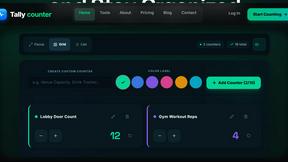
tallycounterweb.com
Online tally counter for tracking attendance, workouts, inventory, visitors, sports scores, habits, and everyday counting tasks.


Flux Lora
Explore Flux LoRA online workflows and the roadmap for models, generation, and training.

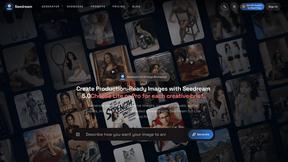
Seedream 5.0
Generate and edit production-ready images with Seedream 5.0 Pro and Lite for ecommerce, marketing, social media, and branded content.


PDFKing
Free online PDF tools to merge, compress, convert, edit, sign, and manage documents—no signup, watermarks, or daily limits.
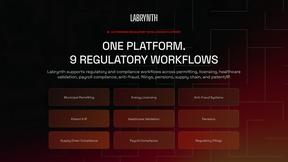
Labrynth AI
AI regulatory intelligence platform that turns complex requirements into cited, audit-ready outputs.