
CodaOne AI
CodaOne AI offers 101 free tools to effortlessly transform AI text into natural, human-sounding content while ensuring your privacy.
Visit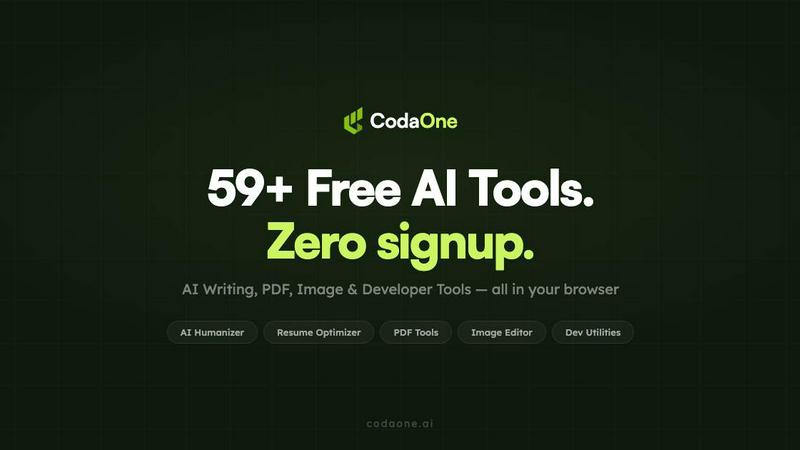
About CodaOne AI
CodaOne AI is a cutting-edge toolkit designed to streamline your digital tasks with an impressive suite of over 59 free online tools. It seamlessly integrates functionality across four primary categories: AI Writing, PDF management, Image editing, and Developer utilities. Whether you are a student, professional writer, or developer, CodaOne AI caters to your diverse needs. The standout feature, the AI Humanizer, transforms machine-generated content into natural-sounding text across nine distinct modes, ensuring your writing resonates with originality and authenticity. Additionally, the AI Detector allows users to verify text for AI footprints without limits. With tools that process files locally in your browser, you can ensure that your data remains secure and private. CodaOne AI is a versatile solution for anyone looking to enhance their productivity and creativity in writing, document management, and technical development.
Features of CodaOne AI
AI Humanizer
The flagship AI Humanizer tool allows users to convert AI-generated text into human-like writing effortlessly. With nine specialized modes, including Standard, Academic, Blog, Formal, and Simple, it adapts to your writing style while preserving the original meaning. This feature ensures that your content passes AI detection checks, making it ideal for students, professionals, and content creators who seek authenticity in their work.
AI Detector
The AI Detector is a powerful, free tool that helps users identify AI-generated text. With unlimited checks available without any signup, this feature provides instant results, allowing you to know whether your content is likely to be flagged as machine-generated. It works seamlessly alongside the Humanizer, enabling a smooth workflow where you can write, verify, and refine your text efficiently.
PDF Tools
CodaOne AI's PDF tools offer a comprehensive set of functionalities, including merging, splitting, compressing, and converting files—all processed directly in your browser. This means your documents never leave your device, ensuring complete privacy. With no upload limits or watermarks, you can manage your PDFs effortlessly and without restrictions, making it an essential tool for anyone dealing with digital documents regularly.
Developer Utilities
The developer utilities within CodaOne AI provide essential tools for coding and development tasks. Features such as JSON/CSV manipulation, JWT decoding, regex testing, and Base64 encoding/decoding are all included, streamlining the development process. These tools are designed to be easy to use and fully browser-based, making them accessible anytime you need to work with data formats or test code snippets.
Use Cases of CodaOne AI
Academic Writing
Students can benefit greatly from CodaOne AI's writing tools. The AI Humanizer can help transform rough drafts into polished papers that maintain academic integrity while sounding more natural. The AI Detector ensures that students submit work that meets their institution's standards regarding originality and authenticity.
Content Creation
Bloggers and content creators can leverage the AI Humanizer to refine their posts, making them engaging and relatable. With nine different writing modes, they can tailor the tone and style to suit their audience, enhancing reader engagement and improving content quality.
Document Management
Professionals handling numerous PDFs can use CodaOne AI's PDF tools to manage their documents effectively. Whether merging multiple files into one or converting PDFs to Word documents for easy editing, these tools provide a hassle-free experience without compromising data security.
Software Development
Developers can utilize the various utilities offered by CodaOne AI to streamline their workflows. From decoding JWTs to testing regex patterns, these tools simplify complex tasks, allowing developers to focus on coding rather than wrestling with cumbersome software.
Frequently Asked Questions
How does the AI Humanizer work?
The AI Humanizer uses advanced algorithms to rewrite machine-generated text into a more human-like form. It offers nine different writing modes, allowing users to select the style that fits their context best while ensuring the original meaning remains intact.
Is the AI Detector really free?
Yes, the AI Detector is completely free and offers unlimited checks for any text you want to analyze. There is no signup required, making it easy to verify your content whenever needed.
Are the PDF tools really browser-based?
Absolutely! All PDF tools within CodaOne AI are fully browser-based, meaning that files are processed locally on your device without being uploaded to any servers. This guarantees your data remains private and secure.
What languages does CodaOne AI support?
CodaOne AI is available in seven languages: English, Arabic, Turkish, Spanish, Chinese, Portuguese, and Indonesian. This multilingual support allows users from different linguistic backgrounds to benefit from the platform's extensive tools and features.
Similar to CodaOne AI

tallycounterweb.com
Online tally counter for tracking attendance, workouts, inventory, visitors, sports scores, habits, and everyday counting tasks.


Flux Lora
Explore Flux LoRA online workflows and the roadmap for models, generation, and training.


Seedream 5.0
Generate and edit production-ready images with Seedream 5.0 Pro and Lite for ecommerce, marketing, social media, and branded content.

PDFKing
Free online PDF tools to merge, compress, convert, edit, sign, and manage documents—no signup, watermarks, or daily limits.

Labrynth AI
AI regulatory intelligence platform that turns complex requirements into cited, audit-ready outputs.