
Anime Maker
Turn your words and photos into anime art and short videos, letting every scene tell its own story.
VisitPublished on:
July 10, 2026
Pricing:
About Anime Maker
Anime Maker is an AI creative platform that transforms the way artists, creators, game teams, marketers, and anime fans bring their visual ideas to life. At its heart, this tool is a focused browser-based workspace where imagination meets instant visual output. You start with a simple text prompt describing a scene, a character, or a mood, and the platform generates a high-quality 1024 by 1024 anime-style image. But the journey does not stop there. Anime Maker also lets you turn an ordinary photograph into a brand new anime illustration, preserving the essence of the original subject while reimagining it with linework, color treatment, lighting, and atmosphere that feels distinctly hand-drawn. For those who want motion, the platform extends into short video creation, allowing you to generate six to thirty second clips from text prompts, optionally using a reference frame for visual direction. This is not a simple filter or a pixel-for-pixel copy. Each output is a freshly generated interpretation, giving you the freedom to explore multiple directions quickly. The platform is designed for iterative creativity. You can inspect the first result, refine your wording, adjust the style, and generate again until the image matches the vision in your head. With ten free credits for testing standard image generation after sign-up, Anime Maker invites you to step into a world where every idea has a starting point and every prompt leads to a new discovery. Whether you are designing an original character for a game, crafting a cinematic keyframe for a storyboard, or simply exploring what your imagination can produce, this tool gives you the focused workspace you need to move from concept to export-ready result.
Features of Anime Maker
Text to Anime Image
Describe the subject, setting, style, lighting, and composition in a single prompt, and the platform generates a 1024 by 1024 anime image that captures your vision. This feature gives you complete creative control over every visual element, from the character's expression to the atmospheric mood of the background, making it ideal for rapid concept exploration and scene development.
Photo to Anime Converter
Upload a JPG, PNG, or WebP photo and describe the linework, color treatment, lighting, mood, and background you want. The result is a newly generated illustration that reinterprets your original image in an anime style, preserving the core subject while transforming its visual identity. This is perfect for creating character portraits or fan art from reference photos.
AI Anime Video Generator
Create six to thirty second clips starting from a text prompt, with the option to add a reference frame for visual direction. You can describe one main action and one camera movement, then choose the duration, aspect ratio, and output resolution of 480p or 720p. This feature opens up motion storytelling for anyone who wants to see their static ideas come alive.
Anime Character Generator
Build an original character from a focused text brief covering hair, clothing, expression, color palette, role, and setting. The platform generates a unique design that you can reuse for avatars, expression studies, or future scene references. This feature streamlines the character creation process, giving you a strong visual foundation to iterate upon.
Use Cases of Anime Maker
Game Character Concept Design
Game teams can rapidly generate anime-style character concepts by describing a character's role, appearance, and personality in a text prompt. This allows for quick exploration of multiple visual directions before committing to a final design, saving time and resources during the pre-production phase of game development.
Social Media Avatar Creation
Content creators and social media users can turn a selfie or a description of their ideal digital persona into a unique anime avatar. The photo to anime converter and character generator provide two distinct paths to a personalized, stylized profile picture that stands out across platforms.
Storyboard and Keyframe Development
Animators and filmmakers can use the text to anime image feature to generate keyframes for storyboards. By describing specific scenes, camera angles, and lighting conditions, they can quickly visualize narrative moments and share them with collaborators for feedback and iteration.
Marketing and Brand Mascot Design
Marketers can create original anime-style mascots or promotional visuals for campaigns. The platform allows for rapid generation of brand-aligned characters and scenes, which can be used in social media posts, advertisements, or product packaging to engage anime-loving audiences.
Frequently Asked Questions
How do I get started with Anime Maker?
Sign up for a free account on the platform to receive ten free credits for testing standard image generation. Once logged in, you can immediately start using the text to anime image feature by describing a scene in the prompt box and clicking generate. No credit card is required for the initial trial.
What file formats are supported for photo to anime conversion?
The photo to anime converter accepts JPG, PNG, and WebP file formats. You can upload any image in these formats and describe the desired linework, color treatment, lighting, mood, and background to guide the generation of a new 1024 by 1024 anime illustration.
Can I control the duration and resolution of AI-generated anime videos?
Yes, when using the AI anime video generator, you can specify a duration between six and thirty seconds. You also have the option to choose between 480p and 720p output resolution, as well as select the aspect ratio that best fits your project requirements.
Is the output from Anime Maker a direct filter or a new generation?
Every output from Anime Maker is a newly generated interpretation, not a simple filter or a pixel-for-pixel copy. Whether you use text to image, photo to anime, or the video generator, the platform creates a fresh visual based on your prompt and reference materials, giving you unique results each time.
Similar to Anime Maker
AIPetGen
Create anything with your pet. AI studio for pet images and short videos.
DanseAI - Alors on Danse AI Video Genera
Make the Alors on Danse AI meme video from two photos, soundtrack included
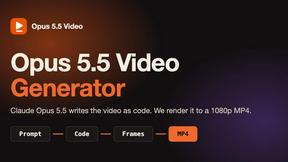
Opus 5.5 Video Generator
Turn a prompt into a 1080p motion-graphics MP4 planned and coded by Claude Opus 5.5
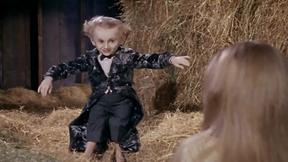
Rumpelstiltskin AI Video Generator
Make the viral Rumpelstiltskin tiptoe dance meme video from two photos

Hotel Lobby AI Video Generator
Turn two photos into a Hotel Lobby dance video in the orange A COLORS SHOW booth
Remove Text
Remove text from images online with AI
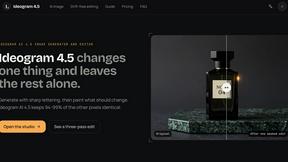
ideogram-45
AI image generation and editing with sharp typography, native 2K output, and localized edits that preserve the rest of your image.