
BlitzCut vs Mp4To
Side-by-side comparison to help you choose the right product.

BlitzCut
BlitzCut transforms raw video clips into engaging, polished content by auto-removing silence and adding styled captions.
Last updated: February 27, 2026

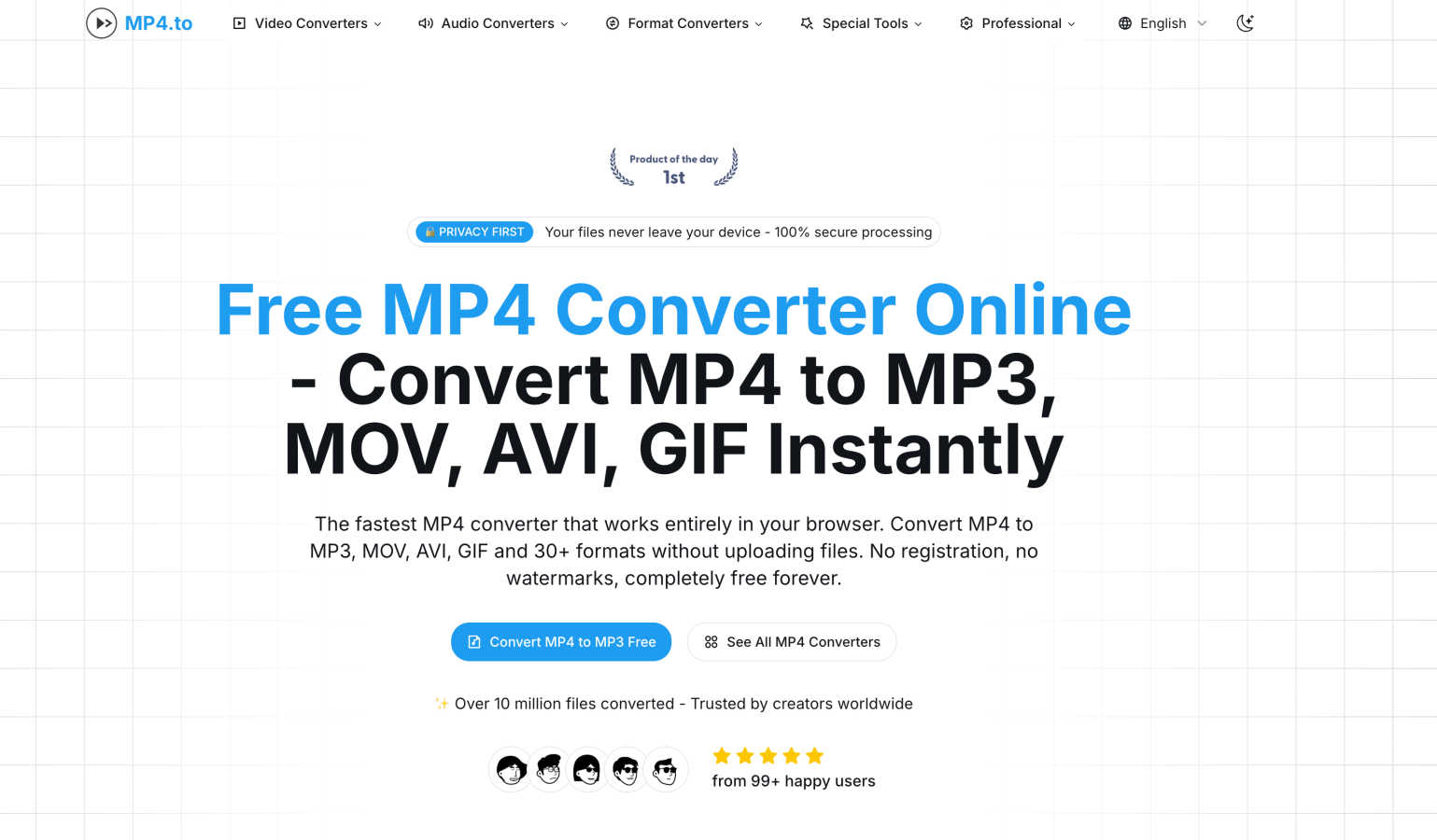
Effortlessly convert MP4 videos and audio to over 30 formats in your browser, all for free and with complete privacy.
Last updated: March 1, 2026
Visual Comparison
BlitzCut

Mp4To
Feature Comparison
BlitzCut
Automatic Silence Removal
BlitzCut's Automatic Silence Removal feature harnesses the power of AI to analyze your video and eliminate all pauses instantly. This intelligent function saves creators an average of 15-20 minutes that would typically be spent manually cutting out dead air, allowing them to focus on their message rather than the minutiae of editing.
AI Captions
The AI Captions feature generates captions with over 95% accuracy, ensuring that your videos are both accessible and engaging. Styled to match current trends, these captions automatically enhance your videos, making them more likely to go viral and resonate with wider audiences.
Text-Based Editing
With Text-Based Editing, creators can edit their videos by simply deleting sentences from the transcription. This intuitive feature allows for quick adjustments and fine-tuning, making it easy to refine your narrative without sifting through lengthy timelines or complex interfaces.
Mobile-First Design
BlitzCut is built for mobile devices, specifically designed for iPhone, iPad, and Mac. This mobile-first approach allows creators to edit videos directly from their phones, making it incredibly convenient for those on the go. The seamless integration ensures that users can produce high-quality content anywhere, anytime.
Mp4To
Privacy-First Approach
Mp4To prioritizes user privacy by ensuring that all conversions occur directly in the browser. This means that your files never leave your device, providing peace of mind for users concerned about data security and privacy.
Lightning-Fast Conversions
Powered by FFmpeg.wasm, Mp4To delivers instant conversions without the hassle of uploading files. This cutting-edge technology ensures that users experience lightning-fast processing times, making it efficient for those in a rush.
Extensive Format Support
The platform supports over 30 different formats, including popular options like MP4, MOV, AVI, MP3, WAV, and FLAC. This extensive format support enables users to convert videos and extract audio according to their specific needs.
User-Friendly Interface
Mp4To features a clean and intuitive interface that allows users to navigate effortlessly. Whether you are a tech-savvy individual or a novice, the straightforward design makes it easy to start converting files in just a few clicks.
Use Cases
BlitzCut
Social Media Influencers
Social media influencers can utilize BlitzCut to quickly edit their content for platforms like TikTok, Instagram Reels, and YouTube Shorts. The ability to edit videos in under five minutes allows them to maintain a consistent posting schedule and keep their audience engaged.
Content Creators
For content creators who produce regular video content, BlitzCut reduces the time spent on editing, making it feasible to publish daily. The automatic features enhance productivity, enabling creators to focus on generating fresh ideas and engaging stories.
Educators and Trainers
Educators looking to create instructional videos can benefit significantly from BlitzCut's features. The automatic silence removal and caption generation ensure that their content is clear and professional, making it easier for students to follow along.
Marketers
Marketers can leverage BlitzCut to create promotional videos quickly. The tool's efficiency allows for rapid turnaround times, making it easier to react to trends and engage audiences effectively across various platforms.
Mp4To
Content Creation for Social Media
For content creators, Mp4To offers a quick way to convert videos into the right format for various social media platforms. This ensures that videos are optimized for sharing and can engage audiences effectively.
Academic Use for Students
Students can benefit from Mp4To by extracting audio from lecture videos, allowing them to create audio notes or study materials. This feature enhances learning efficiency and helps in retaining information.
Personal Media Management
Individuals looking to enjoy their favorite music videos or films in different formats can rely on Mp4To. The ability to convert files means that users can play their media on various devices without compatibility issues.
Batch Conversion for Efficiency
For those who have multiple files to convert, Mp4To's batch processing feature allows users to convert several videos at once. This saves significant time and effort, making it ideal for busy professionals or anyone managing large media libraries.
Overview
About BlitzCut
BlitzCut is an innovative AI-powered video editing tool designed specifically for content creators looking to streamline their video production process. Recognizing the fast-paced nature of social media, BlitzCut makes professional video editing accessible and efficient, allowing creators to transform raw clips into polished videos in mere minutes. By focusing on mobile-first functionality, BlitzCut caters to the needs of modern creators who rely heavily on their smartphones for content creation. The platform automates tedious tasks such as silence removal and caption generation, empowering creators to concentrate on their craft rather than getting bogged down in the editing process. With a mission to redefine video editing for the creator economy, BlitzCut is ideal for anyone from aspiring TikTok stars to seasoned YouTubers, ensuring they can post engaging content daily without the hassle of traditional editing methods.
About Mp4To
Mp4To is a revolutionary online video converter designed for the modern user who values privacy and efficiency. At its core, Mp4To allows users to convert MP4 videos and extract audio directly within their web browsers, eliminating the need for file uploads to external servers. This not only streamlines the conversion process but also ensures that users retain complete control over their files, safeguarding their privacy. The platform caters to a diverse audience, from content creators who need to prepare videos for social media sharing to students seeking to extract audio for lectures and personal users wanting to enjoy their favorite media in various formats. With support for over 30 formats and a user-friendly interface, Mp4To stands out as a reliable, high-quality, and completely free solution for anyone seeking seamless video conversion. The journey of converting media files has never been easier or more secure, making Mp4To the go-to choice for video and audio conversion needs.
Frequently Asked Questions
BlitzCut FAQ
What platforms does BlitzCut support?
BlitzCut is designed for iPhone, iPad, and Mac users, providing a mobile-first editing experience that allows creators to edit and post their videos directly from their devices.
Do I need to create an account to use BlitzCut?
No, BlitzCut is free to download and use, and there is no account needed. This makes it easy for anyone to start editing videos without the hassle of registration.
How accurate are the AI-generated captions?
BlitzCut boasts over 95% accuracy for its AI-generated captions. This level of precision ensures that your videos are not only accessible but also maintain the intended message and tone.
Can I use BlitzCut for longer videos?
Yes, BlitzCut can handle videos of any length and format. You can import your raw clips directly from your camera roll and edit them with ease, regardless of duration.
Mp4To FAQ
Is the MP4 converter really free?
Yes, Mp4To is completely free to use. There are no registration requirements, hidden fees, or limitations on the number of conversions you can perform.
Are my files safe and private?
Absolutely. Mp4To operates with a privacy-first approach, ensuring that all processing happens locally in your browser. Your files are never uploaded to a server, guaranteeing their safety.
What video and audio formats are supported?
Mp4To supports over 30 formats, including popular video formats like MP4, MOV, and AVI, as well as audio formats like MP3, WAV, and FLAC. This extensive support caters to diverse user needs.
Is there a file size limit?
There is no specific file size limit mentioned for conversions on Mp4To. Users are encouraged to test the platform with their files, as the processing occurs entirely within the browser.
Alternatives
BlitzCut Alternatives
BlitzCut is an innovative AI-powered video editor designed specifically for content creators looking to streamline their editing process. By automatically removing silences, transcribing speech, and burning subtitles, BlitzCut empowers users to create engaging videos quickly and efficiently. As the demand for swift content production grows, many users seek alternatives that may better suit their budget, feature requirements, or compatibility with different devices. When exploring alternatives to BlitzCut, it's essential to consider factors such as pricing, ease of use, and the specific features that align with your editing style or platform needs. Look for options that emphasize speed without sacrificing quality, ensuring that you can maintain a consistent posting schedule while focusing on your creative vision rather than getting bogged down by tedious editing tasks.
Mp4To Alternatives
Mp4To is an innovative online video converter that specializes in transforming MP4 videos and audio into over 30 formats while ensuring user privacy and convenience. As a tool designed for both casual users and professionals, it has garnered attention for its unique capability to process files directly in the browser without requiring uploads to a server. This commitment to privacy and user-friendliness has made Mp4To a popular choice among those seeking efficient video conversion solutions. However, users often find themselves exploring alternatives due to various reasons, such as the desire for additional features, compatibility with different platforms, or varying pricing structures. When searching for an alternative, it is crucial to consider factors such as ease of use, conversion speed, supported formats, and the level of privacy protection offered. By prioritizing these elements, users can find the ideal tool that meets their specific video conversion needs.