

Alternatives to Veo 4 video generator
Veo 4 transforms your ideas into stunning, studio-quality videos from text or images in seconds, perfect for creative teams and marketers.
20 alternatives found
ScreenOtter
A Mac app for screen recordings and screenshots. A zoom on every click, captions made on your Mac, and eight camera layouts. Free to use, pay once.

Toolbox
96 private Mac tools in one app: compress video, sign PDFs, remove backgrounds, transcribe. Offline, no account, pay once.

AI Tiny Desk
Make a 19-second desk-concert video with lead and sax, full band, Halloween or pet-band modes; audio and silent MP4.

Rhinobird
AI video ads, UGC-style videos, and product visuals for cross-border sellers and e-commerce brands.

PavoAI
All-in-one AI video studio for text-to-video, image-to-video, editing, avatars, music, subtitles, and upscaling.

AIVideoAgent
Turn text ideas or reference images into videos through conversation, with agent-assisted prompts and a choice of video models.

GenX
All-in-one AI workspace to generate images, videos, and audio with multiple leading AI models.

FreeCreate
Create AI images from text or reference photos and turn prompts or still images into short videos with FreeCreate. Start free—no account needed.

Nano AI
Create and edit AI images, generate videos, and compare models in one creative workbench.


Tip Toe AI
Upload a Dancer photo and a Partner photo and get your own AI Tip Toe barn-dance video. Free 5s preview, 12s HD from $4.90. No subscription.

Ozil Goal AI
Turn one photo into the viral Özil goal meme video: you, your dog, a toy or a drawing scores. Free 5s preview, 10s 720p from $4.90. No subscription.

Raindance AI Video Generator
Turn two photos into the Raindance AI pier video with the soundtrack included



DanseAI - Alors on Danse AI Video Genera
Make the Alors on Danse AI meme video from two photos, soundtrack included
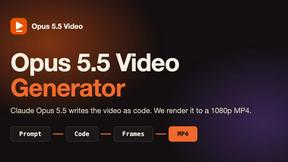
Opus 5.5 Video Generator
Turn a prompt into a 1080p motion-graphics MP4 planned and coded by Claude Opus 5.5

Rumpelstiltskin AI Video Generator
Make the viral Rumpelstiltskin tiptoe dance meme video from two photos

Hotel Lobby AI Video Generator
Turn two photos into a Hotel Lobby dance video in the orange A COLORS SHOW booth

About Veo 4 video generator Alternatives
The Veo 4 video generator represents a significant leap in the realm of AI-driven video creation. Designed for creators and brands alike, this innovative tool excels in producing ultra-realistic motion, extended scenes, and cinematic detail. It empowers users to transform their creative visions into stunning, studio-grade videos, all while streamlining the production process. As the demand for high-quality video content surges, many users find themselves drawn to the capabilities of Veo 4, but they often seek alternatives that may better suit their unique requirements. Users typically explore alternatives to Veo 4 for various reasons, including budget constraints, specific feature sets, or compatibility with different platforms. When considering an alternative, it's crucial to evaluate the features that matter most to your projects, such as ease of use, video quality, and flexibility in editing. Additionally, understanding the pricing structure and whether it fits within your budget can greatly influence your choice. Ultimately, the right alternative should align with your creative vision and technical needs, allowing you to maintain your storytelling prowess without compromise.
FAQs about Veo 4 video generator Alternatives
What is Veo 4 video generator?
Veo 4 video generator is a cutting-edge AI-powered tool designed to help creators and brands produce high-quality videos with remarkable realism. It enhances the video creation process by delivering ultra-realistic motion, longer scenes, and cinematic details, allowing users to bring their imaginative concepts to life. This next-generation platform combines advanced technology with user-friendly features to streamline video production.
Who is Veo 4 video generator for?
Veo 4 video generator is tailored for a diverse range of users, including content creators, marketers, and brand managers who seek to elevate their video production capabilities. Whether you're an independent filmmaker, a social media influencer, or part of a marketing team, Veo 4 provides the tools necessary to create stunning videos that captivate audiences. Its versatility makes it suitable for anyone looking to enhance their storytelling through visual content.
Is Veo 4 video generator free?
Veo 4 video generator operates on a subscription-based model, which typically includes various pricing tiers depending on the features and capabilities required. While it may not be free, the investment can be justified by the quality and efficiency it brings to the video creation process. Users are encouraged to explore the subscription options to find a plan that best fits their needs.
What are the main features of Veo 4 video generator?
The main features of Veo 4 video generator include ultra-realistic motion capture, extended scene duration, and high cinematic quality, which together create an exceptional video production experience. The platform also offers strong control over scene elements, allowing for greater creativity in storytelling. Additionally, its user-friendly interface ensures that both seasoned creators and beginners can navigate the tool with ease.