

Alternatives to Picture Enhancer
Transform your blurry, damaged, or low-res photos into sharp, clear images instantly with free AI enhancement right in your browser.
20 alternatives found
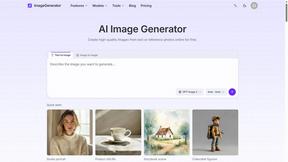
ImageGenerator
Create and edit AI images online with multiple models, text-to-image, image-to-image, background removal, and upscaling.
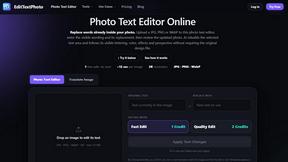
EditTextPhoto
AI-powered image text editor to edit, replace, fix, or translate text in images while preserving the original font, color, size, and style.

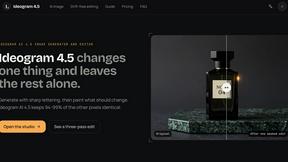
ideogram-45
AI image generation and editing with sharp typography, native 2K output, and localized edits that preserve the rest of your image.
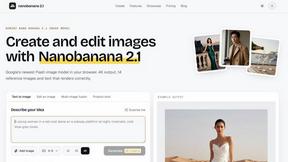
nanobanana 21
A fast, simple image studio powered by Nano Banana 2.1. Create and edit high-quality AI images with readable text and consistent characters.
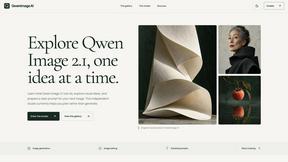
qwenimage-21
AI image generation and editing with detailed prompts, reference images, portrait and typography refinement, and transparent RGBA output.
AI Album Cover Maker
Create release-ready album covers from a prompt or photo. Generate, refine, and export art for singles, EPs, mixtapes, and playlists.
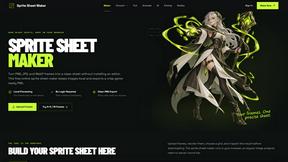
Sprite Sheet Maker
A free browser-based toolkit for creating, cutting, converting, and previewing sprite sheet animations.

Flux Lora
Explore Flux LoRA online workflows and the roadmap for models, generation, and training.
Seedream 5.0
Generate and edit production-ready images with Seedream 5.0 Pro and Lite for ecommerce, marketing, social media, and branded content.

Wan Video
Wan Video is an AI video generator and API for Wan 2.7, turning text or images into videos online.

Vismuse
Create polished AI images and videos from prompts or references for social posts, ads, flyers, album covers, and campaigns.
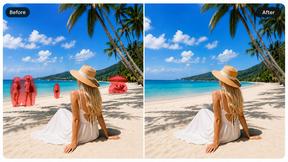
Magic Eraser
AI photo editor for removing objects and backgrounds, enhancing images, and creating visuals on web and mobile.
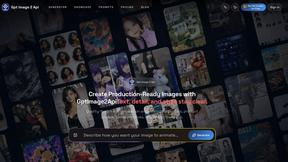
GPT Image 2 API
Production-ready GPT Image 2 image generation and editing for creators, marketers, and developers.
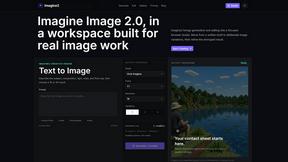
Imagine2
Private browser-based AI image generation and editing with text-to-image, targeted edits, and multi-image references.

Kogashitsuka AI
An online AI image tool that enhances photos and illustrations at their original size or upscales them by 2x or 4x.
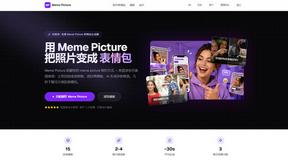
Meme Picture
Turn your selfies and pet photos into share-ready classic memes in seconds with no login required and three free daily AI generations.
About Picture Enhancer Alternatives
Every image tells a story, but sometimes the details get lost in the blur of a shaky hand, the grain of a low-light shot, or the pixelation of an old scan. Picture Enhancer steps into that gap as a free, browser-based AI tool designed to deblur, upscale, and restore your photos without requiring any software installation. It belongs to the image generation and enhancement category, focusing on improving existing visuals rather than creating new ones from scratch. While its pay-per-success model and guest tries make it accessible, users often start looking for alternatives when they need unlimited free usage, more advanced editing controls beyond three intensity levels, or batch processing without a credit system. Others might seek platforms that integrate directly with their design workflow or offer higher resolution outputs for professional printing. When evaluating an alternative to Picture Enhancer, the journey should begin by identifying your core need: Is it the volume of images you process, the specific type of restoration required, or the platform’s compatibility with your operating system? Look for tools that clearly explain their pricing structure upfront, especially whether they charge per successful enhancement or per attempt. Consider the trade-off between convenience and control—some alternatives offer more granular sliders for sharpness and noise reduction, while others prioritize one-click simplicity. Also, assess the output quality at different scales; a tool that excels at upscaling faces might struggle with restoring text or landscapes. Ultimately, the best choice is the one that aligns with your workflow, whether you are a casual user fixing family photos or a seller polishing dozens of product shots daily.
FAQs about Picture Enhancer Alternatives
What is Picture Enhancer?
Picture Enhancer is a free online AI photo enhancer that runs entirely in your browser, requiring no software installation. It allows you to upload JPG, PNG, or WebP images and apply deblur, upscale, or restore enhancements at Standard, Strong, or Super intensity levels. You can preview the before and after results before downloading a watermark-free final image.
Who is Picture Enhancer for?
Picture Enhancer is designed for creators, sellers, and everyday users who need sharper images quickly. It is ideal for improving social media posts, e-commerce product listings, screenshots, and family photos. The tool is accessible to both casual users who want a quick fix and professionals who need reliable batch processing with paid credits.
Is Picture Enhancer free?
Yes, Picture Enhancer offers a free tier where guests receive three lifetime tries per IP address without requiring any signup. For continued use, you can sign in to receive starter credits, and credits are only charged when an enhancement succeeds. Paid plans unlock Super tier intensity and batch enhancement of up to 10 images.
What are the main features of Picture Enhancer?
The main features include AI-powered deblurring, upscaling, and restoration of photos, with three intensity levels: Standard, Strong, and Super. Users can preview results before downloading watermark-free images. The tool supports JPG, PNG, and WebP uploads, and paid users gain access to batch processing and monthly or permanent credit packs that never expire.