

Alternatives to EditTextImage
You drop an image, type your new text, and watch it blend perfectly into the original font, color, and lighting in seconds.
20 alternatives found
ImageGenerator
Create and edit AI images online with multiple models, text-to-image, image-to-image, background removal, and upscaling.
EditTextPhoto
AI-powered image text editor to edit, replace, fix, or translate text in images while preserving the original font, color, size, and style.

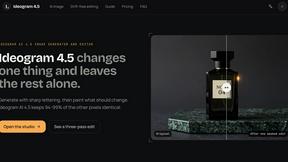
ideogram-45
AI image generation and editing with sharp typography, native 2K output, and localized edits that preserve the rest of your image.
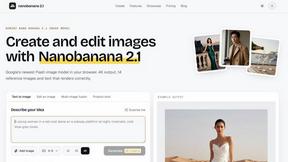
nanobanana 21
A fast, simple image studio powered by Nano Banana 2.1. Create and edit high-quality AI images with readable text and consistent characters.
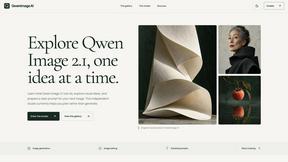
qwenimage-21
AI image generation and editing with detailed prompts, reference images, portrait and typography refinement, and transparent RGBA output.
AI Album Cover Maker
Create release-ready album covers from a prompt or photo. Generate, refine, and export art for singles, EPs, mixtapes, and playlists.
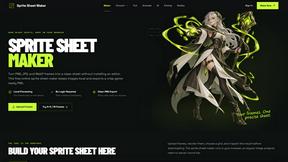
Sprite Sheet Maker
A free browser-based toolkit for creating, cutting, converting, and previewing sprite sheet animations.

Flux Lora
Explore Flux LoRA online workflows and the roadmap for models, generation, and training.
Seedream 5.0
Generate and edit production-ready images with Seedream 5.0 Pro and Lite for ecommerce, marketing, social media, and branded content.

Wan Video
Wan Video is an AI video generator and API for Wan 2.7, turning text or images into videos online.

Vismuse
Create polished AI images and videos from prompts or references for social posts, ads, flyers, album covers, and campaigns.
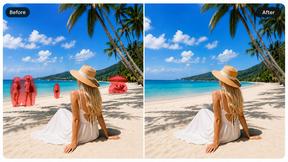
Magic Eraser
AI photo editor for removing objects and backgrounds, enhancing images, and creating visuals on web and mobile.
GPT Image 2 API
Production-ready GPT Image 2 image generation and editing for creators, marketers, and developers.
Imagine2
Private browser-based AI image generation and editing with text-to-image, targeted edits, and multi-image references.
Kogashitsuka AI
An online AI image tool that enhances photos and illustrations at their original size or upscales them by 2x or 4x.
Picture Enhancer
Transform your blurry, damaged, or low-res photos into sharp, clear images instantly with free AI enhancement right in your browser.
About EditTextImage Alternatives
There is a quiet frustration that comes with the final mile of a creative project. You have the perfect image—a poster, a product shot, a screenshot—but there is a single typo, an outdated date, or a headline you need to test. The original design file is gone, the font is a paid one you do not own, and opening Photoshop feels like admitting defeat. This is the exact moment tools like EditTextImage enter the story. They belong to the category of AI-powered image generation and editing, specifically focused on seamless text replacement within existing raster graphics. Instead of rebuilding the entire design, these tools sample the typography, color, and perspective directly from the pixel data, allowing you to swap text in seconds and keep the original aesthetic intact. It is a solution for the designer, marketer, or business owner who needs speed and precision without the overhead of a full creative suite. The search for an alternative often begins not because the core idea is flawed, but because of practical constraints. Some users hit the limit of a one-time payment model and need a subscription or a pay-per-use system that fits a sporadic workflow. Others might need a different platform—perhaps a mobile app for on-the-go fixes or a desktop client for offline work. Feature depth also plays a role; while the magic of AI font sampling is powerful, some projects require manual kerning, layer support, or batch processing that a streamlined tool might not offer. When evaluating your options, the key is to look for the balance between automation and control. You want a tool that preserves the integrity of the original image—matching font, shadow, gradient, and distortion—while still giving you the flexibility to adjust the result if the AI misinterprets a tricky letter. The best choice will feel like an extension of your workflow, not a detour.
FAQs about EditTextImage Alternatives
What is EditTextImage?
EditTextImage is an online tool that allows you to edit text within existing images without needing the original design file, Photoshop, or the specific fonts used. It uses AI to sample the typeface, color, drop shadow, and perspective directly from the pixels of the image. This enables you to replace text seamlessly, keeping the final result looking pixel-perfect and natural. It is designed to complete this process in about 10 seconds and outputs the result at 2K resolution.
Who is EditTextImage for?
EditTextImage is ideal for marketers, content creators, designers, and business owners who frequently need to make quick text changes to finished visual assets. It is particularly useful for anyone who has lost the source design file for a poster, screenshot, social media graphic, or product photo. The tool eliminates the need for complex software like Photoshop or a Canva subscription, making it accessible for non-designers. It is also a great fit for teams who need to A/B test headlines or fix typos on finalized images without waiting for a designer.
Is EditTextImage free?
EditTextImage offers a free trial that allows you to edit one image without requiring a credit card. This gives you the chance to test the AI text replacement and see the quality of the output before committing. After the free edit, the service operates on a one-time payment model of $9.90 for 30 edits. There are no recurring subscriptions or hidden fees, making it a cost-effective solution for occasional use.
What are the main features of EditTextImage?
The primary feature is AI-driven text replacement that samples the font, color, drop shadow, and perspective directly from the image pixels, ensuring the new text blends perfectly with the original design. The tool works with paid fonts and hand-lettering that you do not have installed on your computer. It processes edits in roughly 10 seconds and outputs the final image at 2K resolution. The workflow is simple: upload the image, type the existing text, type the replacement text, and download the result.