
EditTextImage
You drop an image, type your new text, and watch it blend perfectly into the original font, color, and lighting in seconds.
Visit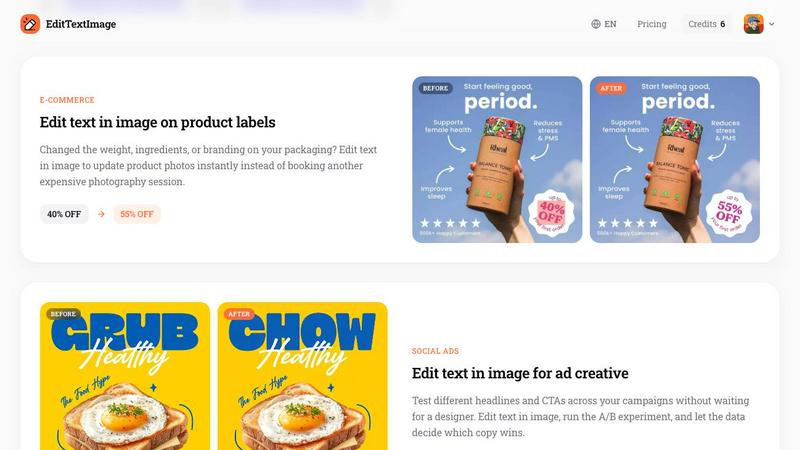
About EditTextImage
Have you ever stared at a finished poster, a product screenshot, or a document scan, only to realize there is a single typo staring back at you? The original design file is long gone, your designer is offline, and the thought of reopening Photoshop makes you cringe. This is the exact moment where EditTextImage becomes your secret weapon. EditTextImage is an online AI tool that lets you change the text in any image without needing design skills, font files, or expensive subscriptions. You simply upload your image, type the existing text and your replacement, and the AI samples the typography directly from the pixels. It preserves the font, color, size, perspective, drop shadow, and background layout with pixel-perfect accuracy. Whether you are a marketer fixing a headline on a social ad, a designer updating a flyer for a new date, a product manager localizing app screenshots into ten languages, or a business owner correcting an invoice number, this tool handles it all. It delivers 2K resolution results in roughly ten seconds. The first edit is free with no credit card required, and then it is a one-time payment of $9.90 for 30 edits. There are no recurring subscriptions, no credits that expire, and commercial use is included. It is built for anyone who needs to edit text in an image quickly, accurately, and without the headache of traditional design software.
Features of EditTextImage
Pixel-Perfect Font and Style Preservation
The core magic of EditTextImage lies in its ability to sample the typeface directly from the pixels of your uploaded image. Instead of guessing or trying to match a font from a database, the AI analyzes the existing text, including its color, size, kerning, drop shadow, and even perspective distortion. When you replace the text, every visual attribute stays intact. This means paid fonts you do not have installed, hand-lettered typography, and stylized text all work flawlessly. You get a result that looks like the original designer never left the building.
Lightning-Fast Processing in Seconds
Time is often the most valuable resource, and EditTextImage respects that. The entire process from upload to download takes approximately ten seconds. You do not need to wait for complex rendering or batch processing. Just drop your image, type your changes, and the AI delivers a 2K resolution output almost instantly. This speed makes it ideal for last-minute fixes, rapid A/B testing of headlines, or updating multiple assets in a production workflow without creating a bottleneck.
No Software Installation or Subscription Required
EditTextImage is a fully online tool that lives in your browser. There is no software to download, no plugins to install, and no need for a powerful computer. It works with PNG, JPEG, and WebP files up to 10 MB. The pricing model is refreshingly simple. You get one free credit to try it with no credit card needed. After that, it is a one-time payment of $9.90 for 30 credits. Credits never expire, and commercial use is included. There are no monthly subscriptions or hidden fees, making it accessible for freelancers, small businesses, and large teams alike.
Built-In Acceptable Use and Security Safeguards
EditTextImage is designed with responsibility in mind. The platform requires you to confirm that you own or are licensed to edit the image you upload. It explicitly prohibits the processing of IDs, passports, visa support letters, official seals, bank statements, or tampered receipts. It also forbids edits intended to deceive third parties, such as falsifying visa submissions, refund proofs, or chat timestamps. Violations result in account termination without refund, and request logs may be shared with law enforcement. This framework ensures the tool is used for legitimate creative and professional work, not for fraud.
Use Cases of EditTextImage
Fixing Typos and Errors in Finished Documents
You have a scanned contract, an invoice screenshot, or a PDF of a report, and you spot a typo in a name or a wrong date. The source file is lost, and recreating the document would take hours. With EditTextImage, you upload the image, correct the text, and download a pixel-perfect version in seconds. This use case is invaluable for administrative professionals, legal assistants, and accountants who need to maintain accuracy in official documents without starting from scratch.
Updating Event Posters and Marketing Flyers
The date for your gala changed, the keynote speaker dropped out, or the venue moved. Your designer is unavailable, and the poster is already printed or scheduled to go live. EditTextImage lets you update the text directly on the finished poster image. You can swap the day, change the speaker name, or update the location while keeping the exact font, color, and layout. This saves hundreds of dollars in redesign costs and hours of waiting, allowing event coordinators and marketing managers to react instantly.
Localizing App Screenshots for Global Markets
App stores require screenshots in multiple languages for international launches. Rebuilding every UI mockup for each language is a tedious and expensive process. Instead, product managers and localization specialists can use EditTextImage to swap the text on existing screenshots. The AI preserves the exact UI styling, button shapes, and layout, so every localized screenshot looks like it was designed natively. This dramatically speeds up the localization workflow and ensures consistency across all markets.
A/B Testing Headlines for Social Media Ads
Digital marketers constantly test different headlines and calls to action to optimize ad performance. Waiting for a designer to create multiple variations of an ad creative slows down the entire experiment. EditTextImage allows you to create multiple versions of an ad image in minutes. You can change the headline, swap the CTA button text, or update promotional offers directly on the finished creative. This enables rapid A/B testing cycles, letting the data decide which copy wins without bottlenecking the creative team.
Frequently Asked Questions
What file formats and sizes does EditTextImage support?
EditTextImage accepts PNG, JPEG, and WebP file formats. The maximum file size you can upload is 10 MB. This covers the vast majority of screenshots, posters, product photos, and document scans you would typically need to edit. If your image is larger than 10 MB, you may need to compress it or reduce its dimensions before uploading.
Do I need to have the original font installed on my computer?
No, you do not need the original font file. The AI samples the typeface directly from the pixels of the image. This means it works with any font, including paid commercial fonts you do not own, custom hand-lettering, or stylized typography. The AI analyzes the visual characteristics of the existing text and replicates them perfectly in the replacement text.
How many edits do I get with the one-time payment?
The one-time payment of $9.90 gives you 30 credits. Each credit allows you to edit text in one image. Credits never expire, so you can use them over weeks, months, or years. Additionally, you get one free credit to try the tool without entering any credit card information. Commercial use is included with all credits, so you can use the edited images for business purposes.
Is it safe to upload sensitive documents like contracts or invoices?
EditTextImage has strict acceptable use policies to protect users and prevent misuse. The platform does not process IDs, passports, visa support letters, official seals, bank statements, or tampered receipts. It also prohibits edits intended to deceive third parties. Your request logs are preserved and may be shared with law enforcement in cases of violation. For legitimate document corrections, such as fixing a typo in a contract you own, the tool is safe to use, but you should always review the terms of service.
Similar to EditTextImage
ImageGenerator
Create and edit AI images online with multiple models, text-to-image, image-to-image, background removal, and upscaling.
EditTextPhoto
AI-powered image text editor to edit, replace, fix, or translate text in images while preserving the original font, color, size, and style.
AIPetGen
Create anything with your pet. AI studio for pet images and short videos.

Remove Text
Remove text from images online with AI
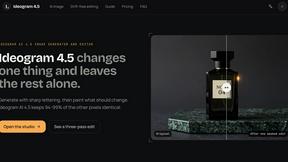
ideogram-45
AI image generation and editing with sharp typography, native 2K output, and localized edits that preserve the rest of your image.
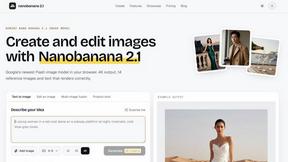
nanobanana 21
A fast, simple image studio powered by Nano Banana 2.1. Create and edit high-quality AI images with readable text and consistent characters.
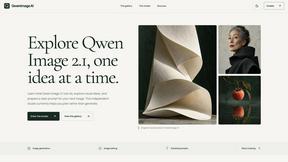
qwenimage-21
AI image generation and editing with detailed prompts, reference images, portrait and typography refinement, and transparent RGBA output.
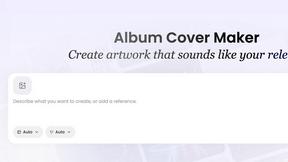
AI Album Cover Maker
Create release-ready album covers from a prompt or photo. Generate, refine, and export art for singles, EPs, mixtapes, and playlists.