
SubtitlesFast
From recording to posting, SubtitlesFast creates your daily videos with perfect animated subtitles in minutes.
VisitPublished on:
August 30, 2025
Pricing:
About SubtitlesFast
Imagine you've just filmed the perfect clip. The lighting is right, the message is clear, and you're buzzing to share it with the world. But then, reality hits. To truly connect, you need subtitles—for the silent scrollers, the international audience, and the hearing-impaired community. The journey from raw footage to a subtitled masterpiece used to be a detour through complex software, tedious manual typing, or expensive outsourcing. That was the roadblock I, and countless creators like me, faced daily. This frustration sparked the journey to build SubtitlesFast. It's not just another tool; it's the bridge between your brilliant content and your audience. Built specifically for the modern creator who posts daily—vloggers, marketers, educators, and accessibility advocates—SubtitlesFast strips away the complexity. Our core promise is simple: upload your video, and in under five minutes, walk away with accurate, stylish, and readable subtitles burned directly into your video. No downloads, no steep learning curves, just a fast, focused path from your idea to a published video that engages everyone, everywhere.
Features of SubtitlesFast
AI-Powered Auto-Transcription
At the heart of SubtitlesFast is a sophisticated AI engine that listens to your video and converts speech to text with impressive accuracy in over 50 languages. This isn't just about generating blocks of text; it's about creating a precise, time-coded transcript that forms the perfect foundation for your subtitles. It handles different accents and dialects, turning what used to be the most time-consuming part of the process into a task that completes in seconds, freeing you to focus on creativity rather than correction.
Customizable & Animated Subtitle Styles
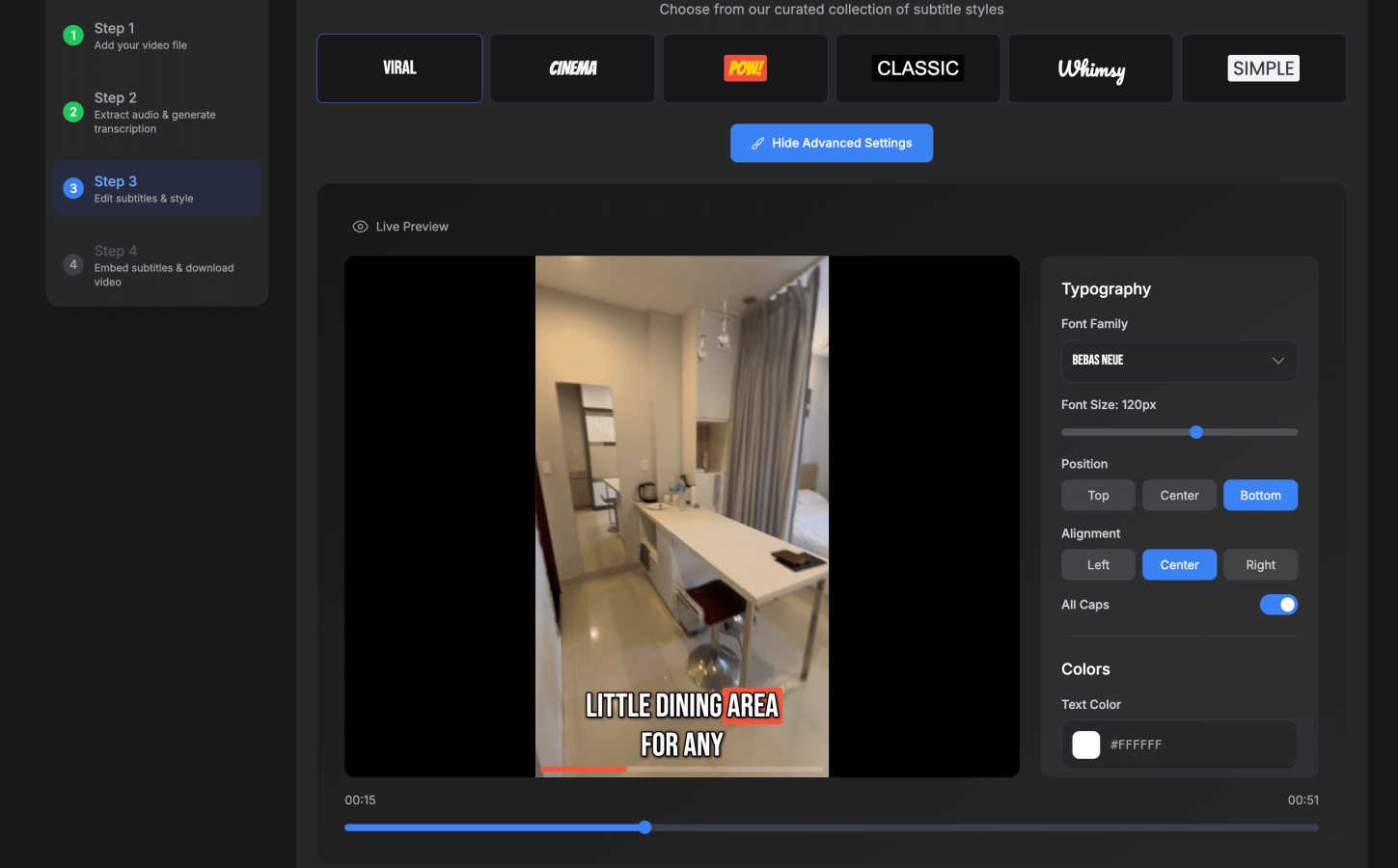
Your subtitles should reflect your brand's personality, not look like a generic afterthought. With SubtitlesFast, you have full creative control. Choose from over 30 animated styles that make your text pop with energy—think kinetic typography, smooth fade-ins, or word-by-word highlighting. Customize fonts, colors, sizes, and positions directly on an intuitive timeline. This feature transforms functional text into a dynamic visual element that enhances viewer retention and makes your content instantly recognizable.
All-in-One Browser-Based Editor
The journey from transcript to final video happens seamlessly in one place. Our built-in, no-fuss editor features a straightforward timeline where you can fine-tune the timing of each subtitle, split or merge captions for better readability, and correct any minor transcription errors. Beyond subtitles, you can add background music, overlay text, or insert images without ever leaving the app. It’s designed with a zero-learning-curve philosophy, putting powerful editing at your fingertips without the bloat of traditional video software.
One-Click, Watermark-Free Export
When your video is ready, the final step should be as simple as the first. With one click, SubtitlesFast renders your video with the subtitles perfectly burned into the footage. The exported file is immediately ready for publishing on any platform—X, TikTok, YouTube, or Instagram Reels. Even during the free trial, you receive a clean, professional-grade video without any distracting watermarks, ensuring your content looks polished from your very first post.
Use Cases of SubtitlesFast
The Daily Social Media Vlogger
For creators posting daily vlogs or short-form content, speed and consistency are everything. SubtitlesFast is the perfect companion, turning a raw clip from a phone or Ray-Ban Meta glasses into a engaging, subtitled piece in minutes. This workflow allows creators to maintain a relentless posting schedule, capture the attention of silent viewers, and grow their audience without being bogged down by hours of editing, making the dream of daily content a sustainable reality.
Content Marketers & Small Businesses
Small teams and solo entrepreneurs need to produce professional-looking video content to promote their brand without a large budget or dedicated editor. SubtitlesFast empowers them to quickly add accessible, on-brand subtitles to product demos, explainer videos, and social ads. This not only boosts accessibility and SEO but also increases completion rates and engagement, ensuring their message resonates clearly and effectively with a broader audience.
Accessibility Advocates & Educators
Making content accessible is a moral and often legal imperative. Educators creating online courses and advocates sharing important information use SubtitlesFast to effortlessly generate accurate captions, breaking down barriers for deaf and hard-of-hearing viewers. The multi-language support also opens doors for international students and non-native speakers, making educational and informational content truly inclusive and far-reaching.
Podcasters & Interviewers Repurposing Content
Turning long-form audio or video interviews into snackable social media clips is a powerful growth strategy. SubtitlesFast simplifies this repurposing journey. Users can upload interview footage, let AI transcribe it, and then use the simple editor to quickly create multiple highlighted, animated subtitle clips perfect for promoting the full episode on social platforms, driving traffic and engagement with minimal extra effort.
Frequently Asked Questions
How accurate is the AI transcription?
Our AI transcription engine is built for high accuracy, especially in clear audio conditions. It supports over 50 languages and is continually learning. For the best results, we recommend using videos with clear speech and minimal background noise. The built-in editor makes it easy to quickly review and correct any minor errors, giving you full control over the final text.
Do I need to download any software to use SubtitlesFast?
No, you do not. SubtitlesFast is entirely cloud-based and runs in your web browser. You can upload, edit, style, and export your subtitled videos directly from any device, whether you're on a desktop computer, laptop, or even your phone. This means you can create professional videos from anywhere, without taking up storage space on your device.
What video formats are supported for upload and export?
SubtitlesFast supports all common video file formats for upload, including MP4, MOV, AVI, and more. Once you've added your subtitles, you can export your finished video in high-quality MP4 format, which is the standard and compatible with every major social media and video hosting platform like YouTube, Instagram, TikTok, and X.
Is there a watermark on videos exported during the free trial?
Absolutely not. We believe you should be able to create and publish professional content from day one. Even on our free trial plan, all videos you export from SubtitlesFast are completely free of watermarks. You own the content you create and can share it anywhere with confidence.
Similar to SubtitlesFast
AI Email Filter
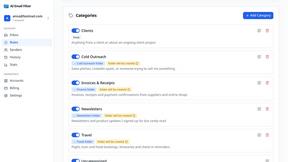
AI Email Filter sorts incoming mail into folders using plain-language prompts you write. Works with any IMAP mailbox; bring your own LLM if you want.
hotel-lobby
Two-person AI video concept in a warm orange booth, with two performers sharing one microphone.
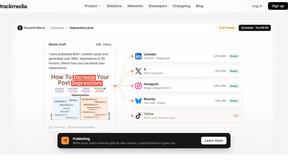
TrackMedia
Your Social Media Content Engine That Drives Revenue. Distribute content to every platform and track it in real time. Use AI agents to run it.

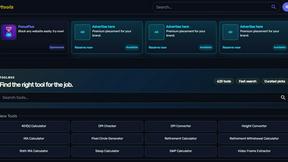
Kody Tools
Free collection of online developer utilities, code formatters, and digital converters designed to streamline your daily workflow.
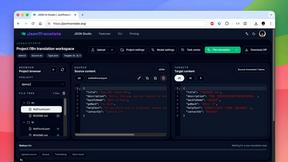
JsonTranslate
Translate JSON, Markdown, and TXT while preserving keys, nested paths, and project structure.
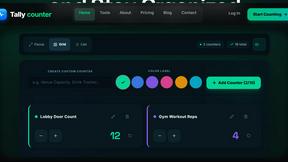
tallycounterweb.com
Online tally counter for tracking attendance, workouts, inventory, visitors, sports scores, habits, and everyday counting tasks.