
Seedance 2.0
Seedance 2.0 transforms text and images into stunning 2K videos with seamless character consistency and audio sync.
Visit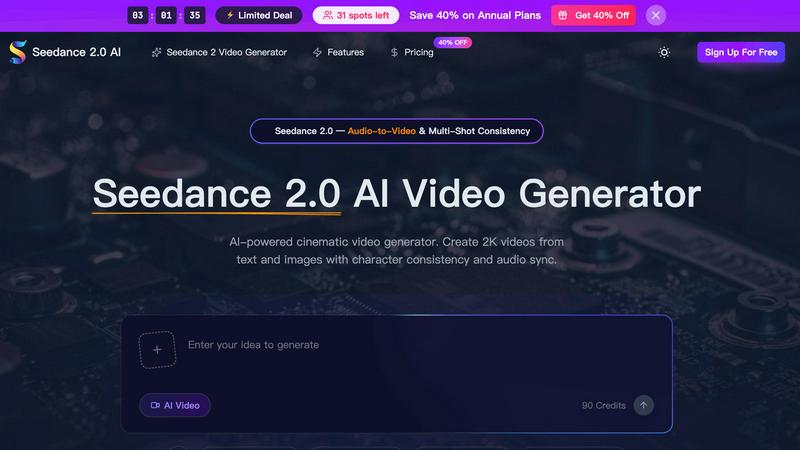
About Seedance 2.0
Seedance 2.0 is a revolutionary AI-powered cinematic video generator that enables users to create high-quality 2K videos from diverse inputs such as text, images, and audio. Designed for content creators, filmmakers, and marketing teams, this cutting-edge tool delivers seamless character consistency and precise audio synchronization, making it ideal for projects ranging from short social media clips to full-fledged cinematic productions. The key value proposition of Seedance 2.0 lies in its ability to generate visually stunning videos that maintain realism and narrative flow, all while simplifying the production process. With advanced features like multi-shot consistency and native audio generation, Seedance 2.0 transforms creative visions into captivating audiovisual experiences, allowing creators to push the boundaries of storytelling.
Features of Seedance 2.0
Text-to-Video Generation
Seedance 2.0 transforms natural language prompts into dynamic video content, allowing users to describe scenes, characters, and camera movements. This feature enables the generation of cinematic clips that encapsulate complex narratives and realistic physics, making storytelling more accessible and engaging.
Character Consistency Across Shots
One of the standout features of Seedance 2.0 is its multi-shot storytelling engine, which ensures that characters maintain consistent appearances across different angles and scenes. This capability is essential for creating series or films where visual accuracy is crucial, allowing for seamless transitions and a cohesive viewing experience.
Native Audio & Lip-Sync
Seedance 2.0 excels in audio generation by producing synchronized sound alongside video in a single pass. The AI generates Foley effects, ambient soundscapes, and precise lip-sync in multiple languages, eliminating the need for separate audio editing and ensuring a polished final product.
2K Professional Output
Every video created with Seedance 2.0 is rendered at full 2K HD resolution, complete with realistic textures, accurate lighting, and natural skin tones. This high-quality output is suitable for professional broadcasting and commercial use, making it an invaluable tool for creators looking to make an impact.
Use Cases of Seedance 2.0
Marketing Campaigns
Businesses can harness Seedance 2.0 to produce visually compelling promotional videos that highlight products or services. With its ability to sync audio and visuals seamlessly, brands can create engaging content that resonates with their target audience and drives conversions.
Educational Content Creation
Educators and trainers can utilize Seedance 2.0 to develop informative and engaging video lessons. By converting text-based materials into dynamic video presentations, they can enhance learner engagement and improve knowledge retention through visual storytelling.
Social Media Content
Influencers and content creators can leverage Seedance 2.0 to generate eye-catching videos for platforms like Instagram, TikTok, and YouTube. The tool's quick generation times and cinematic quality allow creators to keep their content fresh and captivating, which is essential in the fast-paced social media landscape.
Film and Animation Production
Filmmakers and animators can expedite their production processes with Seedance 2.0, using it to create storyboards, concept visuals, or even complete animated sequences. The consistency in character design and high-quality output allows for efficient development of ambitious projects.
Frequently Asked Questions
What formats can I use to create videos with Seedance 2.0?
Seedance 2.0 allows you to create videos from text, images, and audio inputs, providing flexibility in how you want to generate content.
How long can the videos generated by Seedance 2.0 be?
Seedance 2.0 can produce videos up to 12 seconds long, with the capability to create high-quality outputs at 2K resolution.
Is there a limit to the number of shots I can create?
With the multi-shot consistency feature, there is effectively no limit to the number of shots you can create, allowing for extensive storytelling across multiple scenes.
Can I upload my own audio for the videos?
Yes, Seedance 2.0 includes an audio-to-video feature that allows you to upload your own voiceovers, integrating them seamlessly with the generated video content.
Explore more in this category:
Similar to Seedance 2.0
ScreenOtter
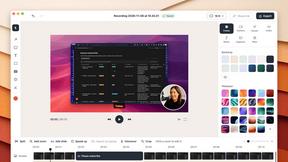
A Mac app for screen recordings and screenshots. A zoom on every click, captions made on your Mac, and eight camera layouts. Free to use, pay once.
Toolbox
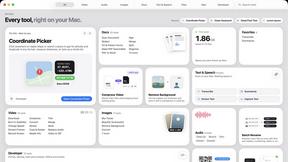
96 private Mac tools in one app: compress video, sign PDFs, remove backgrounds, transcribe. Offline, no account, pay once.

AI Tiny Desk
Make a 19-second desk-concert video with lead and sax, full band, Halloween or pet-band modes; audio and silent MP4.
Rhinobird
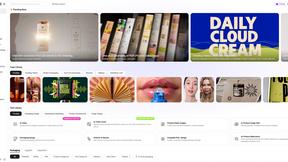
AI video ads, UGC-style videos, and product visuals for cross-border sellers and e-commerce brands.
AIVideoAgent
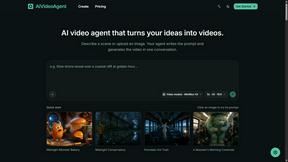
Turn text ideas or reference images into videos through conversation, with agent-assisted prompts and a choice of video models.

GenX
All-in-one AI workspace to generate images, videos, and audio with multiple leading AI models.
FreeCreate
Create AI images from text or reference photos and turn prompts or still images into short videos with FreeCreate. Start free—no account needed.