
ScopeGuard
ScopeGuard empowers freelancers to effortlessly track scope creep and ensure they get paid for every hour worked.
Visit
About ScopeGuard
ScopeGuard is a groundbreaking tool tailored for freelancers and independent contractors who are determined to protect their income from the pervasive issue of scope creep. On average, freelancers lose over $5,000 each year due to unbilled work that falls outside the original project parameters. ScopeGuard is designed to turn this unfortunate reality around. Its innovative platform allows users to import contracts or Statements of Work (SOW) directly into the dashboard, where an AI-powered analysis tool assesses client requests against the agreed-upon scope. This means freelancers can easily identify, log, and bill for every hour worked, ensuring that no effort goes uncompensated. With a seamless interface that integrates effortlessly with popular online tools, ScopeGuard is not just a software solution; it is a vital partner for freelancers striving to regain control over their financial destiny. Join the community of over 200 freelancers who are already leveraging ScopeGuard to safeguard their revenue and enhance their business operations.
Features of ScopeGuard
AI-Powered Scope Analysis
ScopeGuard's AI-driven analysis tool is a game-changer for freelancers. By simply pasting contract text or uploading documents, users can instantly determine if a client's request is within the defined project scope, thereby preventing unbilled hours from slipping through the cracks.
Client Approval Portal
Freelancers can streamline client interactions with the built-in approval portal. This feature allows users to send secure approval links to clients, enabling them to review and approve additional work with just one click, ensuring clarity and reducing disputes.
Comprehensive Dashboard
Your dashboard serves as the command center for scope management. It provides a clear overview of all projects, highlighting unbilled work, and allowing users to track every dollar earned and owed. This transparency empowers freelancers to make informed decisions about their projects.
Chrome Extension
With the ScopeGuard Chrome extension, freelancers can check project scopes from any webpage. This feature allows users to right-click to import contracts or verify client requests instantly, making it easier than ever to manage scope without interrupting workflow.
Use Cases of ScopeGuard
Freelance Designers
Freelance designers often face scope creep when clients request additional design revisions. With ScopeGuard, they can quickly verify if these requests are within the original agreement, ensuring they are compensated for every design tweak.
Marketing Consultants
Marketing consultants frequently juggle multiple projects, making it easy for extra tasks to go unbilled. ScopeGuard aids them by providing instant feedback on client requests, helping them protect their earnings and maintain profitability across all campaigns.
Software Developers
Software developers can face challenges when clients ask for extra features post-launch. By utilizing ScopeGuard, they can easily check if these requests fall within their scope, allowing them to bill accordingly and avoid potential financial losses.
Independent Contractors
Independent contractors across various fields can lose significant income due to untracked work. ScopeGuard helps them take charge of their projects by offering a straightforward process for assessing scope, ensuring they receive payment for every task completed.
Frequently Asked Questions
How does the AI scope checking work?
The AI scope checking feature analyzes the text from contracts or Statements of Work that users input into the platform. It compares client requests against the defined scope to determine whether they are in or out of bounds, providing instant feedback to the user.
What file formats can I import?
ScopeGuard supports various file formats for importing contracts, including PDFs and images. Users can paste text directly or upload screenshots, making it easy to capture and analyze their project scopes.
How does the Chrome extension work?
The ScopeGuard Chrome extension allows users to check project scopes from any webpage. By right-clicking on the page, freelancers can instantly import contracts or verify client requests without disrupting their workflow.
Is my contract data secure?
Absolutely. ScopeGuard prioritizes user data protection with enterprise-grade security measures. All contracts and sensitive information are stored securely on their servers, ensuring confidentiality and peace of mind for freelancers.
Explore more in this category:
Similar to ScopeGuard
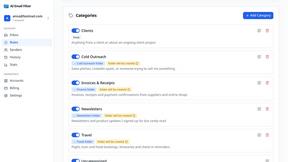
AI Email Filter
AI Email Filter sorts incoming mail into folders using plain-language prompts you write. Works with any IMAP mailbox; bring your own LLM if you want.
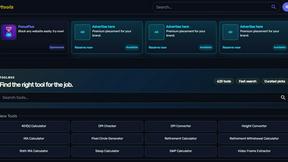
Kody Tools
Free collection of online developer utilities, code formatters, and digital converters designed to streamline your daily workflow.
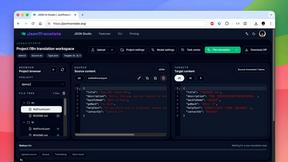
JsonTranslate
Translate JSON, Markdown, and TXT while preserving keys, nested paths, and project structure.
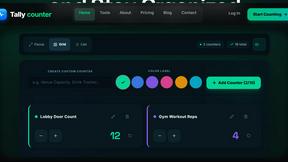
tallycounterweb.com
Online tally counter for tracking attendance, workouts, inventory, visitors, sports scores, habits, and everyday counting tasks.
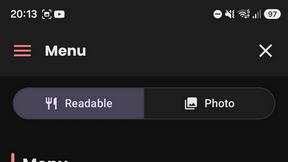
What's on the menu
Smart translate any restaurant menu
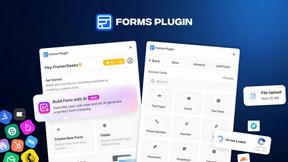
Forms Plugin
The #1 Native Form Builder Plugin for Framer - No Code, No Embeds, No External Platforms.
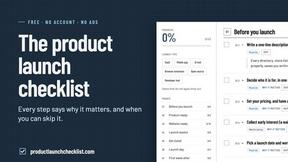
Product Launch Checklist
A free launch checklist for SaaS, apps, AI tools and more. Every step says why it matters and when you can skip it.
