Pinssaver
Pinssaver lets you download Pinterest videos and images to keep your favorite inspiration forever.
Visit
About Pinssaver
Your journey through Pinterest is a voyage of discovery, a path paved with visual stories that spark ideas and fuel passions. You find a video that perfectly captures a technique you've been struggling to master, an image that defines the aesthetic of your next project, or a GIF that holds a moment of pure creative joy. Yet, this journey often hits a familiar roadblock: the inspiration is right there, but it's just out of reach, locked behind the glass of a digital gallery. Pinssaver is the bridge built for that exact moment. It is your personal key to preservation, a free and intuitive online companion designed to transform fleeting digital inspiration into a permanent, personal collection. For the home chef archiving intricate cooking demos, the designer curating a flawless moodboard, the traveler saving breathtaking destination clips, or the DIY enthusiast gathering step-by-step guides, Pinssaver serves a singular, powerful purpose. It empowers you to claim the ideas you love. With a simple promise of pasting a link, you embark on a seamless process to download high-quality videos, images, and GIFs directly to your device. This isn't merely about saving files; it's about securing your creative fuel, ensuring that the sparks of inspiration you find today remain with you tomorrow, ready to reference, rewatch, and reignite your projects anytime, anywhere—even when you're offline and the journey continues in your own mind.
Features of Pinssaver
One-Click High-Quality Downloads
The heart of the Pinssaver experience is its effortless power. The journey from discovery to ownership is streamlined into a few simple actions. Once you paste your Pinterest link into the clean interface, Pinssaver works its magic, presenting you with the available download options. You can secure your content in stunning clarity, choosing from resolutions like HD, 2K, or even pristine 4K when available, ensuring the visual integrity of your inspiration is perfectly preserved for your personal library.
Universal Cross-Device Compatibility
Your creative journey doesn't happen in one place, and neither should your tools. Pinssaver is designed to be a faithful companion wherever inspiration strikes. It works seamlessly across your entire digital ecosystem—be it on your Windows PC, Mac desktop, Android smartphone, iPhone, or tablet. There's no need for different methods or tools; the same simple, reliable process follows you, ensuring you can capture and save ideas whether you're at your desk or on the go.
Pristine, Watermark-Free Output
When you save an idea, you want the pure, unadulterated version, not a copy cluttered with external branding. Pinssaver respects the original content and your collection by delivering clean downloads. The videos, images, and GIFs you save are free from any added watermarks or logos, giving you the original visual to integrate seamlessly into your personal moodboards, reference folders, or creative projects without any distracting elements.
Privacy-First, No-Account Operation
Your journey of collection should be private and pressure-free. Pinssaver is built on a foundation of respect for your privacy. There is no requirement to create an account, no login to remember, and no tracking of your activity. The tool operates without storing your personal data or the links you process. You remain in complete control, able to download what you need with the confidence that your exploration and collection remain your own business.
Use Cases of Pinssaver
The Curating Creative Professional
For graphic designers, interior stylists, and fashion consultants, Pinterest is a vital wellspring of trends and aesthetics. Pinssaver becomes an essential tool for professionally curating this inspiration. It allows them to download high-resolution images and videos to build extensive, offline client moodboards, compile color palette references, and archive seasonal lookbooks, creating a robust, portable library of visual research that informs and elevates their professional work.
The Organized Content Creator & Blogger
Food bloggers, travel vloggers, and DIY influencers constantly gather ideas for their next piece of content. Pinssaver aids in this creative curation by allowing them to save recipe tutorials, destination clips, and craft demonstrations directly to their devices. This enables efficient offline planning, storyboard creation, and secure archiving of competitive content or inspirational techniques, all organized within their personal workflow without relying on an internet connection.
The Hands-On Hobbyist & Learner
From woodworking and knitting to home renovation and gardening, Pinterest is full of instructional video tutorials. Enthusiasts use Pinssaver to download these detailed guides, ensuring they have permanent access to step-by-step instructions right in their workshop or garden shed. This allows them to follow along at their own pace, pause and rewind without buffering, and master new skills even in areas with poor or no internet connectivity.
The Personal Inspiration Archivist
Many users simply encounter beautiful, moving, or funny content they wish to keep for personal joy. Pinssaver serves this heartfelt need perfectly. Whether it's a breathtaking travel video that evokes wonder, a heartwarming animated GIF, or a stunning piece of digital art, users can download these treasures to their personal devices. This builds a private collection of visual happiness—a digital scrapbook of moments that inspire, comfort, and motivate them in their daily life.
Frequently Asked Questions
Is Pinssaver really free to use?
Yes, absolutely. Pinssaver is completely free. There are no hidden fees, subscription tiers, or premium paywalls. You can use all its features—downloading videos, images, and GIFs in available high resolutions like HD and 4K—without any cost, now and in the future. We believe in providing unhindered access to this tool for preserving inspiration.
Do I need to install an app or software?
No installation is required. Pinssaver is a web-based tool that runs directly in your browser (like Chrome, Safari, or Firefox). This means you can access it instantly from any device with an internet connection, without downloading or installing any software. It also updates automatically on our end, so you always have the latest version without any hassle.
Is it safe and legal to use Pinssaver?
Pinssaver is safe to use from a privacy and security standpoint. It does not require your Pinterest login credentials, does not store your personal data, and does not track your activity. Regarding legality, it is intended for downloading content for personal, offline viewing and inspiration. However, it is crucial to respect copyright law. Downloaded videos and images belong to their original creators, and users should adhere to Pinterest's terms of service and copyright rules, avoiding unauthorized redistribution or commercial use.
What quality can I download Pinterest videos in?
Pinssaver allows you to download videos in the highest quality available from the original Pinterest source. This typically includes options like standard definition, HD (720p or 1080p), and often 2K or 4K resolution, depending on what the original uploader posted. The tool presents you with all available resolution options for your chosen video so you can select the best one for your needs.
Explore more in this category:
Similar to Pinssaver
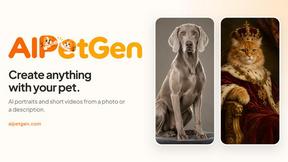
AIPetGen
Create anything with your pet. AI studio for pet images and short videos.

DanseAI - Alors on Danse AI Video Genera
Make the Alors on Danse AI meme video from two photos, soundtrack included

Opus 5.5 Video Generator
Turn a prompt into a 1080p motion-graphics MP4 planned and coded by Claude Opus 5.5

Rumpelstiltskin AI Video Generator
Make the viral Rumpelstiltskin tiptoe dance meme video from two photos

Hotel Lobby AI Video Generator
Turn two photos into a Hotel Lobby dance video in the orange A COLORS SHOW booth

TryH3 - MiniMax H3 Video Generator
Try MiniMax Hailuo H3 video generation in the browser