
CloudBurn
CloudBurn reveals AWS cost estimates in pull requests, helping you catch costly mistakes before deployment.
Visit
About CloudBurn
CloudBurn is a revolutionary tool designed to be the financial safety net for modern engineering teams, transforming how they manage cloud infrastructure costs. Aimed primarily at developers and platform engineers who utilize Terraform or AWS CDK, CloudBurn addresses the common frustration of unexpected AWS bills that arrive after deployment. The traditional process involves coding, deploying infrastructure, and later discovering the financial repercussions when the bill arrives, often weeks later and after architectural decisions have been finalized. This scenario can lead to costly and risky rework. CloudBurn changes this narrative by shifting cost visibility to the moment of infrastructure creation. By integrating seamlessly into your GitHub workflow, it automatically analyzes pull requests for infrastructure changes, providing instant line-item cost reports based on real-time AWS pricing data. This proactive approach empowers teams to make informed architectural decisions, ensuring that financial governance is an integral part of the development process from the very first commit.
Features of CloudBurn
Pre-Deployment Cost Estimates
CloudBurn offers precise dollar impact assessments of every infrastructure change made within a pull request. This feature allows teams to gain immediate insights into potential costs, eliminating surprises when the bill arrives.
Automated Cost Analysis
By integrating directly with GitHub, CloudBurn automates the cost analysis process. It captures changes in infrastructure as code and posts detailed cost reports as comments on pull requests, allowing developers to address cost concerns before deployment.
Real-Time Pricing Updates
The tool ensures that all cost estimates are based on the latest AWS pricing information. This feature means that users can rely on accurate financial data, which reflects any changes in AWS pricing, thus preventing budget overruns.
Seamless Integration with CI/CD Workflows
CloudBurn is designed to fit effortlessly into existing CI/CD workflows. Its setup involves a straightforward installation process and integration with GitHub Actions, making it easy for teams to adopt without significant changes to their current processes.
Use Cases of CloudBurn
Cost Management for Startups
Startups can use CloudBurn to monitor their cloud infrastructure costs as they scale. By understanding the financial implications of their infrastructure choices, they can avoid unnecessary expenses and allocate budgets more effectively.
Proactive Financial Governance in Enterprises
Large enterprises can leverage CloudBurn to implement financial governance across multiple teams. By incorporating cost visibility into the development process, they ensure that every engineering team is aware of the costs associated with their decisions.
DevOps Efficiency Optimization
DevOps teams can enhance their efficiency by using CloudBurn to catch potential cost issues early in the development cycle. This proactive approach reduces the need for rework and allows teams to focus on innovation rather than firefighting.
Educational Institutions Adopting Cloud Technologies
Educational institutions can use CloudBurn as a teaching tool to help students understand the financial aspects of cloud computing. By simulating cost impacts during development, students learn to make cost-effective decisions within their projects.
Frequently Asked Questions
How does CloudBurn integrate with GitHub?
CloudBurn integrates seamlessly with GitHub by installing directly from the GitHub Marketplace. It works by analyzing pull requests and providing cost estimates based on infrastructure changes.
Is CloudBurn suitable for non-technical teams?
While CloudBurn is primarily designed for developers and platform engineers, its intuitive cost reporting can also be valuable for non-technical stakeholders who need to understand cloud spending.
What happens if AWS pricing changes?
CloudBurn is designed to provide real-time pricing updates, ensuring that all cost estimates are based on the most current AWS pricing. This feature helps teams avoid budget surprises due to price fluctuations.
Can I try CloudBurn for free?
Yes, CloudBurn offers a 14-day pro trial with no credit card required. You can experience all the pro features during this period, and if you decide not to continue, you can revert to the Community plan at no cost.
Explore more in this category:
Similar to CloudBurn
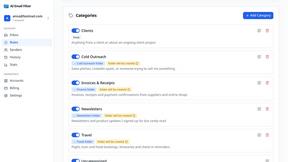
AI Email Filter
AI Email Filter sorts incoming mail into folders using plain-language prompts you write. Works with any IMAP mailbox; bring your own LLM if you want.

Sprite Sheet Maker
A free browser-based toolkit for creating, cutting, converting, and previewing sprite sheet animations.
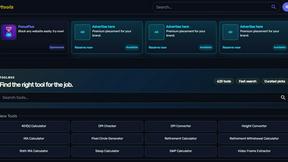
Kody Tools
Free collection of online developer utilities, code formatters, and digital converters designed to streamline your daily workflow.

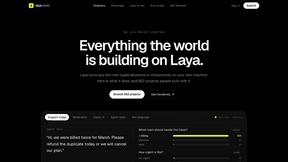
laya.tools
A free directory of 950+ projects built on Laya, the open-source decision model. Updated daily.
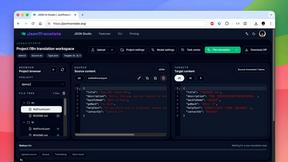
JsonTranslate
Translate JSON, Markdown, and TXT while preserving keys, nested paths, and project structure.
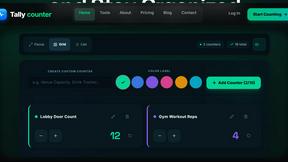
tallycounterweb.com
Online tally counter for tracking attendance, workouts, inventory, visitors, sports scores, habits, and everyday counting tasks.