
AssetCenter
AssetCenter tracks every asset's journey from acquisition to retirement in a single unified timeline.
Visit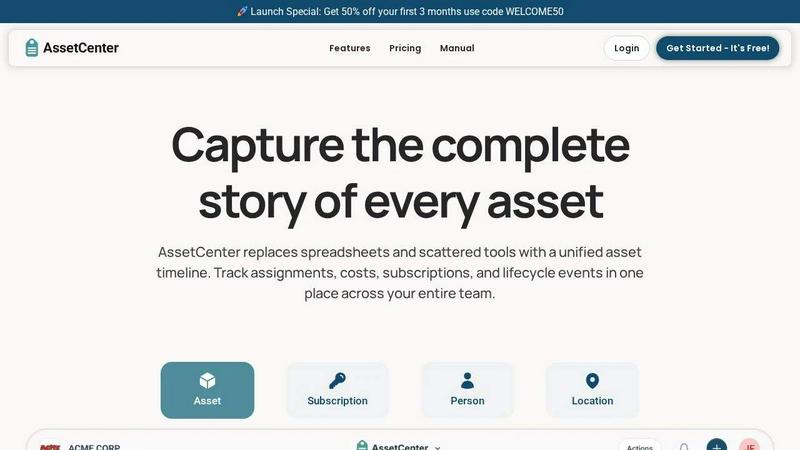
About AssetCenter
Imagine a world where you never have to dig through spreadsheets, emails, or disparate systems just to find out where a critical piece of equipment is, who is using it, or when it needs its next service. That is the world AssetCenter builds for you. AssetCenter is a modern, unified asset management platform designed to give organizations complete visibility and control over every single resource they own. From the moment an asset is acquired to the day it is decommissioned, every event in its life is captured and displayed on a single, intuitive timeline. This includes purchases, assignments, maintenance logs, transfers, quick notes, and tasks. Instead of data being scattered across multiple tools, AssetCenter creates a single source of truth that is easy to understand and act upon.
Built for maximum flexibility, AssetCenter supports any industry, from healthcare and construction to IT and education. It allows you to create custom categories and fields, modeling your real-world workflows without rigid constraints. Assets can be assigned to people, locations, or departments, with every change automatically recorded for full accountability and traceability. With built-in lifecycle tracking, cost insights, and a dashboard that brings everything together, AssetCenter helps teams make smarter decisions, reduce inefficiencies, and stay organized. Whether you are a small nonprofit or a growing enterprise, AssetCenter provides the clarity you need to stop guessing and start tracking.
Features of AssetCenter
Unified Timeline for All Events
Every asset, subscription, person, and location has its own dedicated timeline. This feature allows you to see everything that has happened at a glance, from the initial acquisition and cost recording to assignments, maintenance events, quick notes, and final decommission. Instead of jumping between pages, you get a chronological story of each resource. This single view eliminates confusion and provides a complete audit trail, ensuring you never miss a critical event like a warranty expiration or a scheduled oil change.
Customizable Categories and Events
AssetCenter is not a one-size-fits-all solution. You can create unlimited, industry-specific categories to organize assets exactly how your business needs, whether you are tracking vehicles, machinery, software licenses, or office equipment. Furthermore, every asset goes through three stages: acquisition, lifecycle, and decommission. AssetCenter includes prebuilt events for each stage so you can start immediately, but you have the full power to customize them or create your own events to perfectly match your organization's unique workflows.
Centralized Dashboard for Total Visibility
The dashboard brings your entire organization into focus. It aggregates data from all your resources to help you track costs, stay ahead of expirations, and identify end-of-life assets. You can see recent activity across the board without jumping between different pages. This centralized view empowers you to make proactive decisions, such as reallocating underutilized equipment or budgeting for upcoming replacements, ultimately reducing waste and improving operational efficiency.
Bulk Import and Rapid Onboarding
Getting started with AssetCenter is incredibly fast. You can begin by creating a free account and then use our bulk import Excel templates to quickly load all of your existing assets, subscriptions, people, and locations into the system. Simply download the template, fill it in with your data, and upload it. This feature eliminates the painful, manual data entry process, allowing you to go from zero to full visibility in minutes, not days.
Use Cases of AssetCenter
Managing IT Hardware and Software Licenses
An IT department can use AssetCenter to track every laptop, server, and software subscription from procurement to retirement. The unified timeline shows when a laptop was assigned to a new employee, when a software license is due for renewal, and when a firmware update was last applied. This prevents license over-purchasing, ensures compliance, and helps IT teams quickly respond to audit requests or hardware failures by knowing exactly where every asset is and its current status.
Tracking Fleet Vehicles and Heavy Machinery
For a construction or logistics company, AssetCenter provides a single source of truth for every vehicle and piece of heavy machinery. Managers can log maintenance events like oil changes, tire rotations, and repairs directly on the asset’s timeline. They can see which vehicle is assigned to which driver and location, track fuel costs, and set tasks for upcoming inspections. This proactive approach reduces downtime, extends the life of expensive equipment, and ensures all safety regulations are met.
Equipment Management in Healthcare
Hospitals and clinics can use AssetCenter to manage life-saving medical devices, from infusion pumps to MRI machines. The platform tracks each device’s location, assignment to a specific department or doctor, and all calibration or maintenance events. With the timeline, a biomedical engineer can see a complete history of repairs and service dates. This ensures critical equipment is always functional, compliant with health regulations, and ready for use when needed, ultimately improving patient care.
Asset Oversight for Nonprofits and Schools
Nonprofit organizations and educational institutions often operate with tight budgets and need to maximize the value of every resource. AssetCenter helps them track donated equipment, classroom supplies, and technology assets. The dashboard provides visibility into asset costs and lifecycle status, helping administrators plan for future budgets. The ability to assign assets to specific classrooms or volunteers and log notes ensures accountability and prevents loss, allowing these organizations to focus their resources on their mission.
Frequently Asked Questions
How does the unified timeline work?
Every asset, subscription, person, and location in AssetCenter has its own dedicated timeline. This timeline chronologically records every event associated with that resource, including acquisition details, assignments, maintenance logs, quick notes, tasks, and decommissioning. Instead of searching through emails or separate spreadsheets, you can simply scroll through the timeline to see the complete history of an item, providing full accountability and a clear audit trail.
Can I customize AssetCenter for my specific industry?
Yes, absolutely. AssetCenter is built for flexibility. You can create unlimited, industry-specific categories and fields to organize your assets exactly how your business needs. Whether you are tracking vehicles, machinery, software licenses, or office equipment, you can model your real-world workflows. Additionally, you can customize the prebuilt lifecycle events or create your own to match your organization's unique processes for acquisition, maintenance, and decommissioning.
Is there a free trial, and what does it include?
Yes, AssetCenter offers a free trial that requires no credit card. The free trial includes access to the entire platform, allowing you to manage up to 25 assets with no time limit. This gives you the opportunity to explore all the features, create custom categories, import your data, and see how AssetCenter can improve your organization's visibility and control over its resources before committing to a paid plan.
How do I get my existing data into AssetCenter?
Getting your data into AssetCenter is quick and easy. The platform provides bulk import Excel templates that you can download from the import page. Simply fill in the templates with all of your assets, subscriptions, people, and locations. Once your spreadsheet is ready, you upload it directly into the application. This process allows you to go from zero to full visibility in minutes, avoiding the tedious task of manual data entry.
Explore more in this category:
Similar to AssetCenter
AI Email Filter
AI Email Filter sorts incoming mail into folders using plain-language prompts you write. Works with any IMAP mailbox; bring your own LLM if you want.
Kody Tools
Free collection of online developer utilities, code formatters, and digital converters designed to streamline your daily workflow.
JsonTranslate
Translate JSON, Markdown, and TXT while preserving keys, nested paths, and project structure.
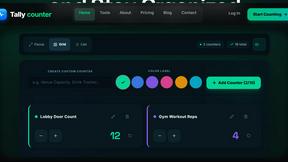
tallycounterweb.com
Online tally counter for tracking attendance, workouts, inventory, visitors, sports scores, habits, and everyday counting tasks.
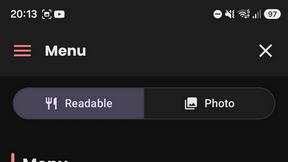
What's on the menu
Smart translate any restaurant menu
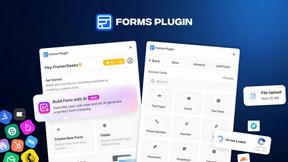
Forms Plugin
The #1 Native Form Builder Plugin for Framer - No Code, No Embeds, No External Platforms.
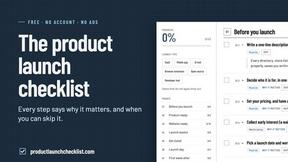
Product Launch Checklist
A free launch checklist for SaaS, apps, AI tools and more. Every step says why it matters and when you can skip it.
