
AskFormulas
Transform your data tasks with AskFormulas, the AI tool that generates and validates Excel and Google Sheets formulas.
Visit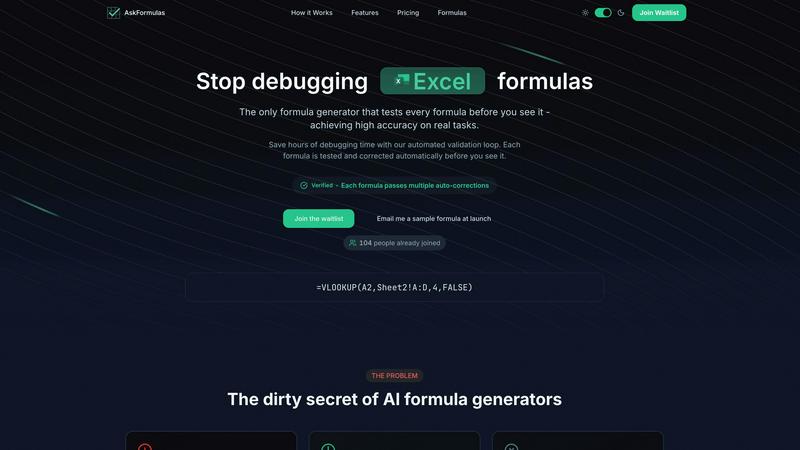
About AskFormulas
In the fast-paced world of data analysis, time is a precious commodity. AskFormulas emerges as a beacon of hope for anyone who has faced the daunting challenge of crafting the perfect spreadsheet formula. Designed specifically to alleviate the stress and frustration that comes with debugging errors like #REF! and #VALUE!, AskFormulas revolutionizes the way users generate formulas. It transforms simple English requests into accurate formulas, which undergo a rigorous automated validation process before reaching the user. This ensures that the formulas presented are not only functional but also reliable, significantly reducing the time spent debugging. Whether you are a financial analyst constructing intricate models, a revenue manager automating reports, or a small business owner without extensive Excel knowledge, AskFormulas stands ready to elevate your productivity. By turning hours of troubleshooting into a matter of seconds, it empowers users to focus on what truly matters: the insights hidden within their data.
Features of AskFormulas
Natural Language Input
AskFormulas allows users to generate formulas by simply describing their needs in plain English. This feature eliminates the necessity for syntax knowledge, making it accessible to everyone, regardless of their technical expertise. Just type in your request, and watch as it transforms into a validated formula.
Automated Validation Loop
Every formula generated by AskFormulas goes through a comprehensive three-step validation process, ensuring high accuracy. The automated validation loop tests the formula on synthetic data, correcting any initial errors and guaranteeing that only reliable formulas bear the "Verified" badge.
One-Click Copy
With AskFormulas, efficiency is key. Once your formula is validated, it appears instantly with a green "Verified" badge. You can copy it with a single click and paste it directly into your spreadsheet, streamlining your workflow and saving valuable time.
Smart Error Detection
Gone are the days of encountering frustrating errors. AskFormulas features smart error detection that automatically identifies and rectifies issues within your formulas. This proactive approach ensures that you receive accurate formulas every time, eliminating the dreaded #REF! and #VALUE! errors.
Use Cases of AskFormulas
Financial Analysts
For financial analysts tasked with creating complex models, AskFormulas is an invaluable tool. By quickly generating accurate formulas, analysts can focus more on data interpretation and less on formula troubleshooting, enhancing overall productivity.
Revenue Managers
Revenue managers benefit significantly from AskFormulas by automating their reporting processes. With the ability to generate and validate formulas swiftly, they can streamline their workflows and ensure that reports are delivered on time, every time.
Small Business Owners
Small business owners without extensive knowledge of Excel can leverage AskFormulas to manage their data efficiently. By simply articulating their needs in plain English, they can access powerful formulas that drive their business insights without the steep learning curve.
Data Enthusiasts
For individuals passionate about data analysis, AskFormulas simplifies the formula generation process. Whether working on personal projects or professional tasks, users can rely on AskFormulas to deliver accurate formulas swiftly, allowing them to explore data without the hassle of debugging.
Frequently Asked Questions
How accurate are the generated formulas?
AskFormulas is designed to maximize accuracy through its automated validation loop. Each formula is rigorously tested against synthetic data, ensuring that only verified, functional formulas are delivered to users.
Does it work with both Excel and Google Sheets?
Yes, AskFormulas works seamlessly with both Excel and Google Sheets. Users can toggle between the two platforms effortlessly, and the system automatically adjusts the formula syntax as needed.
How many formulas can I generate?
The number of formulas you can generate depends on the plan you choose. AskFormulas offers various subscription tiers, allowing users to select a plan that best fits their needs and usage frequency.
Is there customer support available?
Absolutely! AskFormulas provides email support to all users, ensuring that assistance is readily available whenever you encounter questions or need guidance throughout your formula generation journey.
Explore more in this category:
Similar to AskFormulas
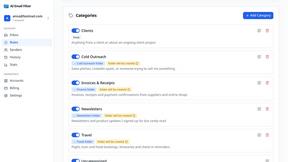
AI Email Filter
AI Email Filter sorts incoming mail into folders using plain-language prompts you write. Works with any IMAP mailbox; bring your own LLM if you want.
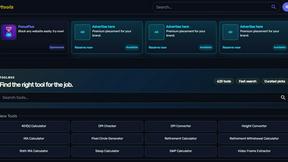
Kody Tools
Free collection of online developer utilities, code formatters, and digital converters designed to streamline your daily workflow.
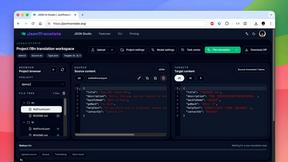
JsonTranslate
Translate JSON, Markdown, and TXT while preserving keys, nested paths, and project structure.
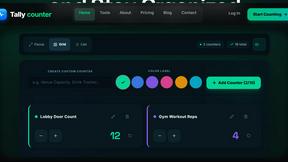
tallycounterweb.com
Online tally counter for tracking attendance, workouts, inventory, visitors, sports scores, habits, and everyday counting tasks.

What's on the menu
Smart translate any restaurant menu

Forms Plugin
The #1 Native Form Builder Plugin for Framer - No Code, No Embeds, No External Platforms.
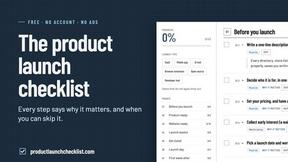
Product Launch Checklist
A free launch checklist for SaaS, apps, AI tools and more. Every step says why it matters and when you can skip it.
