
Imgezy vs SparkPix
Side-by-side comparison to help you choose the right product.

Imgezy
Begin your creative journey with Imgezy, the AI editor that transforms your photos by effortlessly removing objects and.
Last updated: February 28, 2026

SparkPix
Transform your photos effortlessly with SparkPix, the AI-powered online editor that enhances, restores, and styles images just by typing.
Last updated: March 11, 2026
Visual Comparison
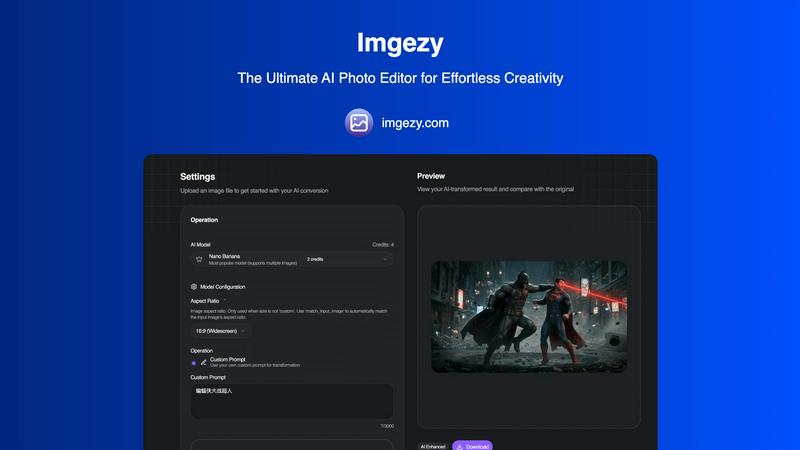
Imgezy
SparkPix

Feature Comparison
Imgezy
Intelligent Object Removal
Embark on a journey to reclaim your perfect shot. Imgezy's advanced AI doesn't just erase unwanted objects, people, or photobombers; it intelligently analyzes the scene to reconstruct the background with pixel-perfect accuracy. It seamlessly fills the void, leaving no trace or awkward blur, as if the distraction was never there. This tool empowers you to clean up images effortlessly, ensuring the focus remains exactly where you want it.
Instant Background Replacement
Transform the entire narrative of your photo in an instant. With Imgezy, changing a background is as simple as typing a desire. Describe a sunny beach, a moody skyline, or a solid color studio, and watch as the AI meticulously separates the subject and places it into the new scene. This feature opens a world of creative possibilities, allowing for professional-grade composites without any manual selection or complex layering techniques.
AI-Powered Photo Enhancement
Let the AI guide your photo to its full potential. This feature acts as your intelligent assistant, automatically analyzing and improving your images. It adjusts colors for vibrancy, balances lighting for clarity, and enhances sharpness to make every detail pop. It's like having a professional retoucher built into the platform, ensuring your photos always look their best with just a single click.
Batch Processing
Designed for the journeys that involve more than a single image. Whether you're editing a wedding gallery, product photos for an online store, or a series of social media posts, Imgezy's batch processing saves invaluable time. Upload multiple photos and apply consistent edits or enhancements across all of them simultaneously. This feature streamlines large projects, turning hours of repetitive work into a few minutes of simple setup.
SparkPix
AI Photo Editor
The AI Photo Editor feature allows users to type specific instructions like "remove background" or "enhance colors," and the AI seamlessly executes the edits. This feature works in a matter of seconds, saving you time and effort while delivering professional-quality results.
Background Remover
With just one click, the Background Remover can eliminate backgrounds from portraits, product photos, or even intricate scenes. This feature is essential for anyone looking to create clean, professional images for websites or social media without needing any advanced technical skills.
Unblur Image
The Unblur Image functionality uses advanced AI algorithms to fix motion blur, out-of-focus shots, and compression artifacts. This feature is particularly valuable for those who often capture fast-moving subjects or have older photos that didn't turn out as planned.
Photo Restoration
SparkPix's Photo Restoration feature is a game changer for anyone with old, faded, or damaged photographs. Using AI, it can repair scratches, tears, and fading, bringing cherished memories back to life and preserving them for future generations.
Use Cases
Imgezy
Perfecting Personal Photography
Every traveler and family photographer knows the struggle: a breathtaking landscape marred by a stray trash can or a perfect group photo spoiled by a photobomber. Imgezy is the final step in your photography journey, allowing you to clean up these moments effortlessly. Simply upload the photo, describe what to remove, and download a pristine memory you'll be proud to frame and share.
Elevating E-Commerce & Product Listings
For online sellers, the journey from warehouse to website requires stunning visuals. Imgezy streamlines this process by allowing you to place products against clean, white backgrounds or contextual scenes instantly. Remove distracting props, fix minor imperfections, or batch-enhance an entire catalog to ensure your products look professional and consistent, driving customer engagement and sales.
Empowering Content Creators & Social Media Managers
In the fast-paced journey of content creation, visual appeal is currency. Imgezy empowers creators to produce high-quality, eye-catching graphics without a design team. Quickly remove watermarks from templates, replace backgrounds to match a campaign theme, or enhance the colors of a photo to stop the scroll. It turns creative concepts into publish-ready assets in seconds.
Streamlining Professional Photography Workflows
Professional photographers can use Imgezy as a powerful first-pass tool in their editing journey. Quickly perform tedious tasks like removing sensor dust spots, erasing distracting exit signs from event venues, or swapping bland skies for dramatic ones. This frees up valuable time to focus on the creative, nuanced edits that require a personal touch, significantly improving workflow efficiency.
SparkPix
Personal Photo Enhancement
Imagine having a family gathering where the lighting was less than ideal, or perhaps someone accidentally photobombed a perfect shot. With SparkPix, you can quickly enhance these images, adjusting brightness, color, and removing unwanted elements, ensuring that your memories are preserved beautifully.
Professional Marketing Materials
For entrepreneurs and businesses, visual content is key. SparkPix enables you to create stunning product images or promotional materials effortlessly. Use the AI Background Remover and Object Remover to create clean, eye-catching visuals that stand out in crowded markets.
Social Media Content Creation
In the world of social media, having eye-catching images can make the difference between gaining followers or being overlooked. SparkPix allows you to transform ordinary photos into creative masterpieces, such as applying artistic styles or enhancing colors, making your posts more engaging.
Archiving Family History
For those passionate about genealogy, SparkPix's Photo Restoration feature is invaluable. It allows you to restore and colorize old family photographs, preserving your heritage while sharing these restored images with family members or on social media platforms.
Overview
About Imgezy
Imagine a world where the gap between your creative vision and the final image simply vanishes. That world is here, and it's called Imgezy. This is not just another photo editor; it's your AI-powered creative companion, designed to democratize professional-grade photo editing. Imgezy is for anyone who has ever looked at a photo and thought, "If only I could remove that distraction," or "This would be perfect with a different backdrop." Whether you're a casual user wanting to polish vacation memories, a social media creator crafting the perfect post, or a professional photographer seeking to streamline a tedious workflow, Imgezy meets you where you are. By translating simple text instructions into stunning visual edits, it removes the intimidating complexity of traditional software. The journey from upload to masterpiece takes mere seconds, empowering over 200,000 users to turn their ideas into reality with flawless object removal, instant background changes, and intelligent enhancements. Imgezy promises a seamless journey where creativity is the only prerequisite, and professional results are the guaranteed destination.
About SparkPix
In the digital age, capturing and sharing memories has become a crucial part of our lives, but not everyone possesses the skills to edit photos professionally. Enter SparkPix, an innovative AI-powered photo editing tool that democratizes photo enhancement. SparkPix allows users to edit their images simply by typing what they want. Whether you are a casual user looking to touch up family photos or a professional needing to create stunning visuals for marketing, SparkPix caters to all. Its intuitive interface and powerful AI capabilities enable you to perform complex edits in under 30 seconds, making it accessible to anyone, regardless of their technical skills. With SparkPix, you can breathe new life into your images without the steep learning curve associated with traditional editing software.
Frequently Asked Questions
Imgezy FAQ
How does Imgezy's AI editing work?
Imgezy uses sophisticated artificial intelligence models, like its popular Nano Banana model, to understand both your image and your text instructions. You simply upload a photo and describe the edit you want in plain English, such as "remove the person on the left." The AI then analyzes the image, identifies the elements to modify, and executes the change while intelligently reconstructing the surrounding areas for a natural, seamless result.
Do I need any design skills or experience to use Imgezy?
Absolutely not. Imgezy is specifically designed to remove the steep learning curve of traditional photo editing. The entire journey is built around simplicity. You don't need to learn complex tools like layers, masks, or brushes. If you can describe what you envision, you can achieve it. The platform is built for everyone, from complete beginners to seasoned professionals looking for a faster way to work.
What is the quality of the downloaded images?
Imgezy prioritizes high-quality output. You can download your edited photos in full resolution without any loss of quality from the original upload. The AI is engineered for maximum detail and accuracy, ensuring that your final image is not only creatively transformed but also technically pristine and ready for print or digital display.
What are credits and how many do I need?
Credits are the currency used for operations on Imgezy. Each edit, like removing an object or changing a background, consumes a small number of credits. For example, the popular Nano Banana model uses 2 credits per task. Plans are designed to offer generous credit pools; the Basic plan provides 200 credits (approx. 100 images per month), while the Pro plan offers 800 credits (approx. 400 images per month), catering to both casual and power users.
SparkPix FAQ
How does SparkPix work?
SparkPix utilizes advanced AI algorithms to process and edit images based on user-defined commands. Simply type in what you want to change, and the AI takes care of the rest, providing quick and professional results.
Is SparkPix easy to use?
Absolutely! SparkPix is designed for users of all skill levels. Its intuitive interface allows anyone to edit photos effortlessly by simply typing their requests, eliminating the need for extensive training or prior experience.
Can I use SparkPix for commercial purposes?
Yes, SparkPix is suitable for both personal and commercial use. Whether you are an individual wanting to enhance personal photos or a business in need of professional images, SparkPix can handle your editing needs.
What devices can I use SparkPix on?
SparkPix is a web-based platform, meaning it is accessible from any device with an internet connection. Whether you are using a desktop, iPhone, or Android device, you can edit your photos without needing to download any software.
Alternatives
Imgezy Alternatives
Imgezy is a powerful AI photo editor that simplifies complex tasks like object removal and background changes, placing it firmly in the modern category of intuitive, AI-driven image editing tools. Users often begin their search for alternatives for a variety of reasons, from seeking a different pricing model or subscription tier to needing specific features that better align with a unique creative workflow or platform preference. When exploring other options, it's wise to consider what truly matters for your projects. Look beyond just the headline features and evaluate the overall user experience, the quality and speed of the AI's output, and how well the tool integrates into your existing process. The goal is to find a solution that feels less like a technical hurdle and more like a natural extension of your creative journey. --- FAQ_SEPARATOR--- [
{"question": "What is Imgezy?", "answer": "Imgezy is an AI-powered photo editor designed to effortlessly transform images by removing objects and changing backgrounds using simple text commands."},
{"question": "Who is Imgezy for?", "answer": "Imgezy caters to both casual users wanting to enhance personal photos and professional photographers seeking to streamline their editing workflow."},
{"question": "What are the main features of Imgezy?", "answer": "Its main features include editing with simple word commands, flawless object removal, and the ability to instantly change photo backgrounds."},
{"question": "Why choose Imgezy?", "answer": "It removes the steep learning curve of traditional editing, allowing anyone to produce professional-quality results in seconds, prioritizing creativity without compromise."}
]
SparkPix Alternatives
SparkPix is an innovative AI photo editor that simplifies the editing process by allowing users to make changes through simple text commands. It falls into the category of image and photo editing tools, offering features such as background removal, image enhancement, and style transfer. As users explore their creative options, they often seek alternatives to SparkPix due to varying needs such as pricing structures, specific editing features, or compatibility with different platforms. When looking for alternatives, it's essential to consider factors such as ease of use, the range of tools offered, and pricing plans. Users should also evaluate whether the alternative supports the specific editing tasks they require, whether it is web-based or needs installation, and how well it integrates with existing workflows. By assessing these elements, users can find a solution that fits their unique photo editing journey.