
dmaya vs Local Tools
Side-by-side comparison to help you choose the right product.

dmaya
AI vibe design platform for agencies and teams. Chat with AI, generate UI designs, get client approval, and export to code.

Local Tools
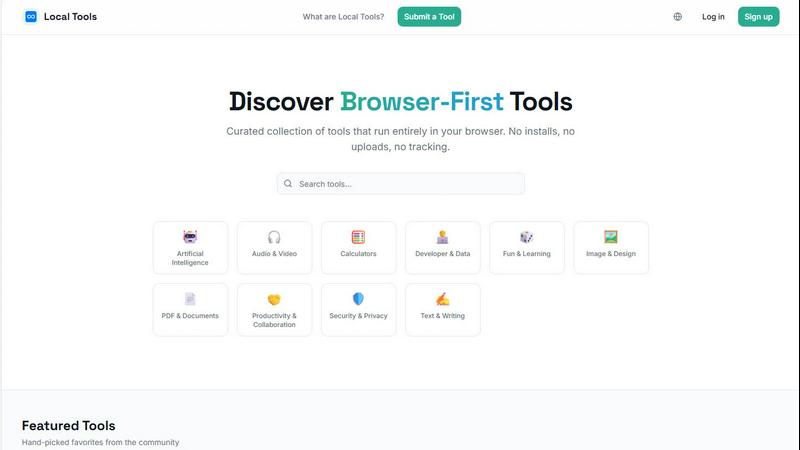
Discover and use thousands of private, browser-based tools that run directly on your device with no installs or tracking.
Last updated: April 4, 2026
Visual Comparison
dmaya
Local Tools
Overview
About dmaya
Vibe design platform built for agencies, teams, and freelancers who need to design before they code. dMaya lets you chat with an AI agent to generate professional UI designs from text descriptions. Describe a SaaS dashboard, an e-commerce flow, or a mobile app and get polished screens in seconds.
Iterate through conversation. Ask the AI to change colors, swap layouts, adjust typography, or add sections. Every change is instant and precise. Design tokens keep everything consistent across all screens automatically.
When ready, share a preview link with your client. They review in the browser, leave feedback, and approve. No account needed. The review cycle that used to take days now happens in minutes.
Once approved, export as clean HTML, CSS, and JS code. Hand it to Cursor, Claude Code, or any coding agent to build in React, Next.js, Flutter, or whatever your team uses.
Most AI tools skip design and go straight to code. dMaya gives you the visual design step where you make intentional decisions, catch problems early, and align your team before development starts. Built for teams that present, approve, and ship with confidence.
About Local Tools
Imagine a digital workshop where every tool you need is laid out on a clean, organized bench, ready to use instantly without any setup. This is the journey Local Tools invites you on. It's more than just a website; it's a curated hub, a sanctuary for anyone who values speed, privacy, and simplicity in their digital tasks. In a world where our data is constantly in transit, Local Tools offers a different path: a collection of thousands of utilities that run entirely within your browser. No software to install, no files to upload to distant servers, and no hidden trackers monitoring your clicks. Everything happens right on your device, turning your browser into a powerful, self-contained workstation.
Built for the curious and the practical—developers tweaking code, designers perfecting an image, students analyzing data, or professionals managing documents—Local Tools simplifies discovery. Instead of wandering the fragmented web, searching for a trustworthy image converter or a secure PDF editor, you arrive at a single, organized directory. It’s structured by function, from AI and audio editing to text writing and security, making it easy to explore, compare, and find the perfect tool for the moment. It’s about reclaiming your workflow, ensuring your creations and data never leave your side, and uncovering hidden gems you might never have found on your own. Your journey to efficient, private computing starts here.