
dmaya
dMaya is an AI design platform that streamlines UI creation, client collaboration, and code export for teams and agencies.
Visit
About dmaya
dMaya is an innovative design platform crafted specifically for agencies, teams, and freelancers who understand that effective design is a prerequisite to successful coding. It empowers users to create and iterate on professional UI designs with the assistance of an AI agent, allowing them to turn text descriptions into polished screens in mere seconds. Whether you are outlining a SaaS dashboard, an e-commerce flow, or a mobile app, dMaya streamlines the design process, making it efficient and collaborative. The platform respects the traditional design workflow by emphasizing the importance of stakeholder presentations and client approvals before development begins. With features such as instant design iteration and seamless export to code, dMaya ensures that teams can present, refine, and deliver high-quality outputs with confidence. By transforming the way design and development intersect, dMaya becomes an essential tool for professionals dedicated to achieving excellence in their projects.
Features of dmaya
AI-Powered Design Generation
dMaya allows users to generate production-ready UI designs rapidly by simply describing what they need in plain language. This feature significantly reduces the time spent on design by producing complete layouts, component systems, and responsive variants in seconds rather than hours.
Multi-Screen Canvas
With dMaya's infinite canvas, designers can work across both desktop and mobile frames simultaneously. This dynamic feature enables users to drag, zoom, and organize their screens just like in traditional design tools such as Figma, but with the added advantage of AI assistance taking care of the heavy lifting.
Built for Teams & Collaboration
Designed with teamwork in mind, dMaya facilitates real-time collaboration by allowing users to invite team members, share projects with clients, and leave comments. Role-based access ensures that everyone involved can focus on their specific tasks, streamlining the design process and enhancing productivity.
Client Presentation Mode
dMaya simplifies the client feedback process through its interactive presentation mode. Users can share polished previews via a single link, and clients can provide feedback without the need for an account. This feature drastically reduces the time spent on revisions, allowing teams to iterate and finalize designs in real time.
Use Cases of dmaya
Agencies
Agencies can leverage dMaya to pitch faster and win more clients by generating compelling design concepts during discovery calls. The platform allows them to present multiple design directions to stakeholders in a fraction of the time, enhancing their chances of securing projects.
Product Teams
Product teams benefit from dMaya by moving swiftly from ideation to sign-off. They can explore various UI directions before committing engineering resources, fostering collaboration across design, product, and engineering teams all within a single workspace.
Freelancers
For freelancers, dMaya offers the ability to deliver more projects without extending their work hours. By streamlining the design process and enabling quick iterations, freelancers can take on additional clients and maximize their earnings.
Startups
Startups can utilize dMaya to rapidly prototype their product designs and gather feedback from potential users and investors. This agility allows them to refine their concepts and ensure they align with market needs before investing heavily in development.
Frequently Asked Questions
What types of designs can I create with dMaya?
dMaya supports a wide range of design types, including SaaS dashboards, e-commerce flows, and mobile applications. You can describe your vision, and the AI will generate appropriate layouts and UI components.
How does the iteration process work?
The iteration process in dMaya is conversational and intuitive. By chatting with the AI agent, you can request changes in natural language, such as updating colors, adjusting layouts, or adding sections, and see those changes reflected instantly.
Can clients provide feedback without creating an account?
Yes, dMaya allows clients to review and provide feedback on designs without needing to create an account. They simply access the shared preview link, making the feedback process simpler and faster.
What happens once my design is approved?
Once your design is approved, you can export it as clean HTML, CSS, and JS code. This code can then be handed over to any coding agent, such as Claude Code or Cursor, to build the final product in your preferred framework like React or Flutter.
Similar to dmaya

ImageGenerator
Create and edit AI images online with multiple models, text-to-image, image-to-image, background removal, and upscaling.

Capafy AI
Agent Skills marketplace: discover expert AI agents, run them online, or publish a Skill and earn from every sale.

EditTextPhoto
AI-powered image text editor to edit, replace, fix, or translate text in images while preserving the original font, color, size, and style.

Remove Text
Remove text from images online with AI

nanobanana 21
A fast, simple image studio powered by Nano Banana 2.1. Create and edit high-quality AI images with readable text and consistent characters.

qwenimage-21
AI image generation and editing with detailed prompts, reference images, portrait and typography refinement, and transparent RGBA output.
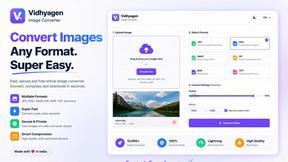
VidhyaGen
Fast, free, and privacy-first browser tool to convert, crop, resize, and compress images locally without server uploads.

Presentation Intelligence
AI-native presentation and visual content platform that turns prompts, documents, images, videos, and data into polished, shareable decks.