
ChatIMG.io vs Shrinkpad
Side-by-side comparison to help you choose the right product.

ChatIMG.io
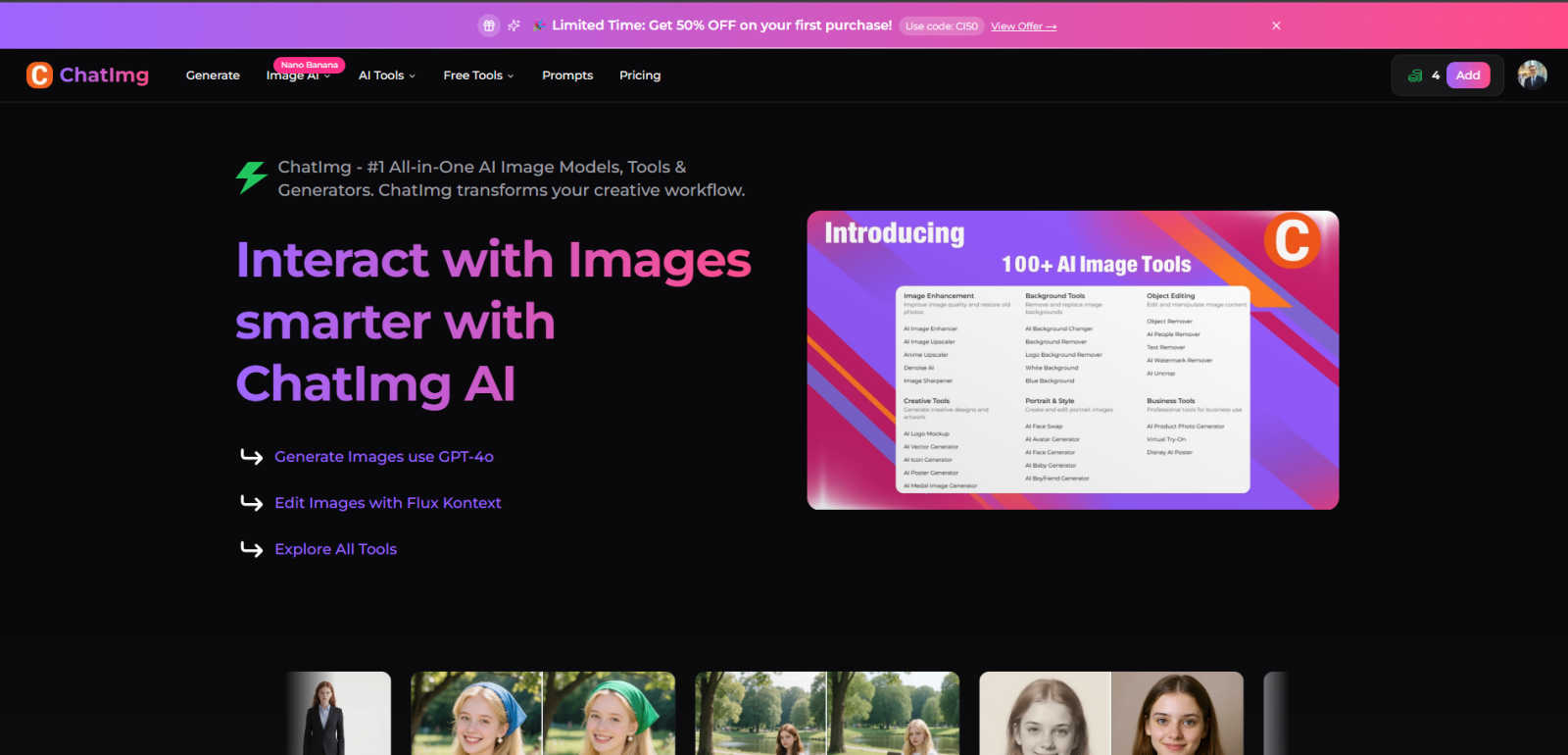
ChatIMG.io guides your creative journey, transforming ideas into stunning images with AI.
Last updated: March 1, 2026

Shrinkpad
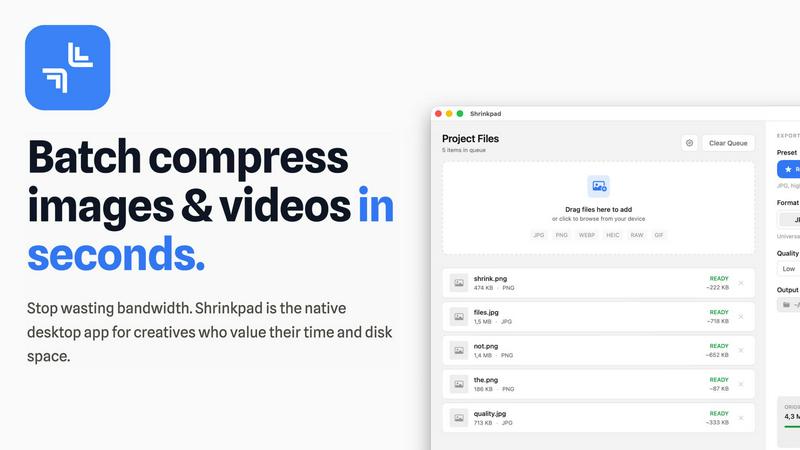
Shrinkpad effortlessly compresses images and videos in batches, optimizing your creative assets while saving time and.
Last updated: February 28, 2026
Visual Comparison
ChatIMG.io
Shrinkpad
Feature Comparison
ChatIMG.io
Multi-Model AI Powerhouse
ChatIMG.io provides a versatile creative studio by integrating the world's leading AI image models. Choose from Flux 1.1 Pro for artistic flair, GPT-4o for photorealistic detail, Recraft V3 for vector graphics, and Ideogram v2 for exceptional text rendering. This diversity allows you to match the perfect AI "artist" to your project's specific style, ensuring every output meets your exact creative vision, from concept art to commercial assets.
Intelligent Image Editing with Flux Kontext
Move beyond simple generation into a collaborative editing experience. With the Flux Kontext tool, you can edit existing images using natural language instructions. Describe the changes you want—"change the hairstyle," "add a mountain in the background," "make it sunset"—and the AI intelligently applies your edits. This feature transforms static images into dynamic projects, allowing for endless iterations and refinements without complex software.
Comprehensive AI Tool Suite
ChatIMG.io is a full creative toolkit. Beyond generation, it offers specialized tools for every need: restore old family photos, remove unwanted objects or backgrounds with precision, swap faces, enhance image quality, generate professional headshots, and even translate text within videos and documents. This all-in-one approach streamlines your entire workflow, eliminating the need to juggle multiple disparate applications.
Studio-Quality Output & Speed
Leveraging a GPU-optimized cloud infrastructure, ChatIMG.io delivers high-resolution, commercially viable images in under 10 seconds. This combination of unmatched speed and consistently superior quality means you can produce professional-grade visuals for marketing, social media, or design projects at an unprecedented pace, turning hours of work into a matter of minutes without compromising on the final result.
Shrinkpad
Intelligent Compression
Shrinkpad automatically analyzes the visual complexity of your images and videos to apply the perfect compression ratio. Say goodbye to artifacts and hello to optimized media that maintains its quality, delivering results that matter.
Unlimited Batching
Process thousands of files in a single go without the fear of crashing. Shrinkpad effortlessly handles massive queues, unlike web tools, enabling you to compress multiple assets simultaneously for maximum efficiency.
Folder Mode
With Shrinkpad, you no longer need to drag files one by one. Simply drop an entire folder, and the app automatically finds and prepares all images and videos inside for compression, streamlining your workflow.
Privacy-First Approach
All processing is done locally on your machine, ensuring that your sensitive assets never leave your device. With no cloud uploads, Shrinkpad prioritizes your privacy while providing powerful batch processing capabilities.
Use Cases
ChatIMG.io
Social Media & Marketing Content Creation
Marketers and content creators can break free from stock photo limitations. Instantly generate unique, on-brand visuals for daily posts, ads, and campaigns. Create compelling product mockups, lifestyle imagery, and promotional graphics that capture attention and drive engagement, all tailored to specific platforms and audiences with rapid iteration.
Concept Art & Creative Exploration
Artists, writers, and designers use ChatIMG.io as a boundless source of inspiration. Quickly visualize characters, environments, and story concepts from descriptive text. Experiment with different artistic styles, color palettes, and compositions to flesh out ideas before the detailed work begins, accelerating the creative development phase dramatically.
Professional Business Assets
Businesses and entrepreneurs can craft a professional visual identity affordably. Generate custom logo concepts, create polished headshots for team pages, design website banners, and produce realistic product prototypes or packaging mockups. This empowers small businesses and startups to compete with the visual quality of larger companies.
Personal Photo Enhancement & Restoration
Breathe new life into personal memories. Use the platform's specialized tools to restore and colorize old, damaged photographs, remove unwanted photobombers or text from images, and enhance the clarity and quality of personal snapshots. It's like having a professional photo editor at your fingertips for your most cherished moments.
Shrinkpad
Streamlining Creative Workflows
For photographers and designers, Shrinkpad simplifies the asset optimization process. Instead of manually exporting files from design software like Figma or Photoshop, users can export everything at higher resolutions and let Shrinkpad handle the rest, saving hours of busywork.
Optimizing Website Performance
Web developers can benefit immensely from Shrinkpad by significantly reducing app bundle sizes and website load times. With faster Largest Contentful Paint (LCP) scores, websites become more user-friendly and perform better in search engine rankings.
Managing Large Media Libraries
Content creators with extensive media libraries will find Shrinkpad invaluable. By enabling the batch processing of thousands of images and videos, creators can easily manage their assets and ensure they remain optimized for various platforms.
Preparing for Social Media
Social media managers can use Shrinkpad to quickly compress large video files and images for platforms like Instagram and Facebook. By ensuring files are optimized, they can share high-quality content without the hassle of size restrictions.
Overview
About ChatIMG.io
Imagine a blank canvas that listens, understands, and paints your vision into reality. That's the journey ChatIMG.io invites you on. It's more than just an AI image generator; it's your all-in-one creative companion, designed to transform the spark of an idea into stunning, professional-grade visuals in moments. Whether you're a marketer racing against a content calendar, an artist seeking a new muse, a business owner crafting product mockups, or a complete beginner with a story to tell, ChatIMG.io democratizes high-end visual creation. The platform's magic lies in its seamless fusion of multiple cutting-edge AI models—like GPT-4o for breathtaking realism and Flux Kontext for intuitive editing—all within a single, user-friendly interface. Your journey from a simple text prompt or a reference photo to a finished masterpiece is effortless, removing technical barriers and fueling pure creativity. By empowering over 2 million creators worldwide, ChatIMG.io isn't just a tool; it's the new standard for bringing imagination to life, making exceptional visual storytelling accessible to everyone.
About Shrinkpad
Shrinkpad is an innovative batch image and video compression tool meticulously designed for macOS users who need to optimize their media assets without compromising quality. This powerful native application empowers photographers, designers, and content creators to reclaim valuable disk space while ensuring that their assets retain their visual integrity. Imagine effortlessly dropping hundreds of files or entire folders into Shrinkpad, selecting your desired compression settings, and watching the magic unfold. In mere seconds, your media is compressed, reducing file sizes by up to 90%. Unlike cloud-based solutions, Shrinkpad processes everything locally, ensuring your files remain secure and private. With its user-friendly interface and smart detection capabilities, it takes the guesswork out of compression, allowing you to focus on your creative endeavors without the burden of storage constraints.
Frequently Asked Questions
ChatIMG.io FAQ
What AI models does ChatIMG.io use?
ChatIMG.io leverages a suite of top-tier AI models to give you the best possible results for any task. This includes OpenAI's GPT-4o for highly detailed and realistic imagery, Stability AI's Flux 1.1 Pro for artistic and creative generations, and Recraft V3 for vector-style graphics. The platform continuously integrates new and improved models to expand your creative possibilities.
Is ChatIMG.io suitable for beginners with no design experience?
Absolutely. ChatIMG.io is built with a user-friendly interface that prioritizes simplicity. You can start creating by simply typing a description of what you want to see. Built-in prompt tips help guide your ideas, and the natural language editing tools mean you don't need to learn complex software. It's designed to empower creativity at any skill level.
Can I use the images I generate for commercial purposes?
Yes, images generated on ChatIMG.io are typically suitable for commercial use, including in marketing materials, on products, and in digital content. However, it is always recommended to review the specific terms of service for the latest licensing information to ensure compliance, especially for sensitive or high-profile commercial projects.
How does the Flux Kontext image editor work?
Flux Kontext is an AI-powered editor that understands instructions in plain English. You upload an image and then describe the changes you want. For example, you can say "change the person's outfit to a business suit," "replace the sky with a starry night," or "add a cat sitting on the couch." The AI then processes your request and applies the edit contextually to your image.
Shrinkpad FAQ
Can I use Shrinkpad for free?
Yes, Shrinkpad offers a Free Starter plan that includes essential tools for casual use. You can batch compress up to 10 files at a time in common formats like JPG and PNG.
What file formats does Shrinkpad support?
Shrinkpad supports a wide range of formats including JPG, PNG, WEBP, AVIF, MP4, MOV, and even RAW formats, making it versatile for various media types.
Does Shrinkpad support video compression?
Absolutely. Shrinkpad is equipped to handle video files alongside images, allowing users to batch process both types of media efficiently.
How many files can I process at once?
With the Free Starter plan, you can process up to 10 files per batch. However, the Personal and Team plans allow for unlimited batch processing, making it perfect for heavy users.
Alternatives
ChatIMG.io Alternatives
In the vibrant world of AI image generation and editing, ChatIMG.io stands as a powerful creative companion. It belongs to the exciting categories of Generative Art and Image & Photo tools, designed to turn simple text prompts into stunning visuals with ease. Its promise is to democratize creativity, making professional-grade imagery accessible to everyone from marketers to hobbyists. Yet, every creator's journey is unique, and the search for the perfect tool is part of the process. You might be exploring alternatives for various reasons—perhaps your budget has shifted, you need a specific feature for a niche project, or you're simply curious about different creative workflows and interfaces. The landscape is rich with options, each with its own rhythm and strengths. When embarking on this search, consider what matters most for your creative path. Look closely at the core experience: the quality and style of the images generated, the intuitiveness of the editing process, and the speed of bringing your vision to life. Also, weigh practical factors like pricing models, the platform's commitment to your privacy, and how well it integrates into your existing toolkit. The right alternative should feel like a natural next step in your creative evolution.
Shrinkpad Alternatives
Shrinkpad is an innovative batch image and video compression tool tailored for macOS users, designed to enhance digital workflows by optimizing media with ease. As users embrace the need for efficient storage solutions, they often seek alternatives that may better align with their unique requirements, whether it be pricing, additional features, or compatibility with different platforms. The quest for an alternative typically stems from the desire to find a product that not only meets specific needs but also offers a seamless user experience without compromising quality or security. When exploring alternatives to Shrinkpad, it’s crucial to consider factors such as batch processing capabilities, privacy measures, and format compatibility. Users should seek options that allow for efficient handling of multiple files and prioritize local processing to safeguard sensitive media. Additionally, ensuring that the alternative supports a wide range of file formats can significantly streamline the creative workflow and enhance productivity.