

Alternatives to Subclip
Subclip is the AI video editor that reclaims 80% of your time by handling editing, subtitles, silence removal, and voice dubbing in one place.
8 alternatives found

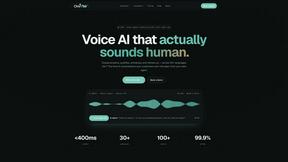
Oravaa
Oravaa gives your business a voice that books leads, resolves support, and works 24/7, all while sounding completely human.

Hush Touch | Voice-to-Text for MacOS
Transform your Mac into a smart dictation tool that learns your words and works offline for just $20.

Glossa
Glossa bridges language barriers with real-time AI translations for sermons, empowering churches to connect globally.

Bantr: Offline & Unlimited TTS for Mac
Bantr empowers your Mac with unlimited offline text-to-speech, delivering natural voiceovers while ensuring your.

KaiCalls
KaiCalls is your 24/7 AI phone agent that answers calls, qualifies leads, and books appointments automatically.

Vowen
Vowen is your private voice companion that transforms speech into text and action across all your apps.
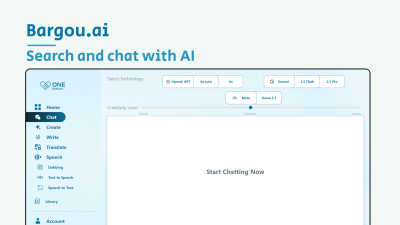
Bargou One
Begin your creative journey with Bargou One, the all-in-one AI suite for chat, creation, and translation.
About Subclip Alternatives
When you first discover Subclip, it feels like a revelation. It sits squarely in the Speech & Voice category of AI-powered video editing, offering a suite of tools designed to make video production feel less like a technical chore and more like a creative conversation. The promise is seductive: edit video by dragging a transcript, clone your own voice to re-record lines, and dub your content into multiple languages without losing the original background music. For many creators, marketers, and educators, it becomes a beloved shortcut in their workflow, a tool that removes the friction of traditional timelines and complex software. Yet, the journey doesn’t always end there. Users often begin searching for alternatives because their specific needs start to outgrow the tool’s boundaries. Perhaps the freemium pricing model feels too restrictive for a growing channel, or the platform lacks a native mobile app for on-the-go editing. Others might need deeper integrations with their existing team collaboration tools, or they require a different approach to voice cloning that feels more natural for their specific accent or project. When evaluating any alternative, the key is to look for a tool that matches your core editing philosophy—whether that is transcript-based editing, speed, or simplicity—while also filling the gaps that caused you to look elsewhere. The best alternative won’t just replace Subclip; it will feel like the next logical chapter in your own creative story.
FAQs about Subclip Alternatives
What is Subclip?
Subclip is an AI-powered video editor that allows you to edit videos as easily as editing a document by manipulating a transcript. It belongs to the Speech & Voice category and focuses on streamlining the entire video production workflow for creators, marketers, and educators. The platform uses artificial intelligence to handle tasks like voice cloning, automatic subtitle generation, silence removal, and multi-language dubbing.
Who is Subclip for?
Subclip is built for a wide range of users including YouTubers, podcasters, course creators, and content teams. It is designed for anyone who wants to speed up their video production process without dealing with the complexity of traditional editing software. Whether you are a solo creator or part of a larger marketing team, Subclip aims to simplify your workflow with intuitive, AI-driven features.
Is Subclip free?
Yes, Subclip offers a freemium pricing model that includes a free tier with basic access to its features. For users who need more advanced capabilities or higher usage limits, there are affordable paid plans available. This structure allows new users to test the core functionality before committing to a subscription.
What are the main features of Subclip?
Subclip's main features include AI-powered transcription, automatic subtitle generation, voice cloning, silence removal, filler word removal, and multi-language dubbing. A standout capability is the ability to edit video content by simply dragging and editing a transcript. The dubbing feature also preserves background music, making it a versatile tool for repurposing content across different languages.