

Alternatives to Shrinkpad
Shrinkpad effortlessly compresses images and videos in batches, optimizing your creative assets while saving time and.
20 alternatives found

ImageGenerator
Create and edit AI images online with multiple models, text-to-image, image-to-image, background removal, and upscaling.
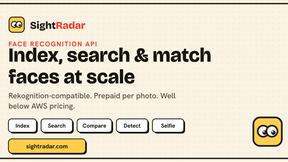
SightRadar
Face recognition API, a drop-in replacement for AWS Rekognition. Index, search, compare and detect faces, billed per photo with no subscription.
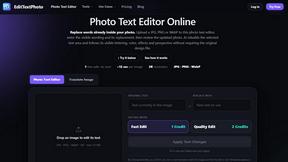
EditTextPhoto
AI-powered image text editor to edit, replace, fix, or translate text in images while preserving the original font, color, size, and style.


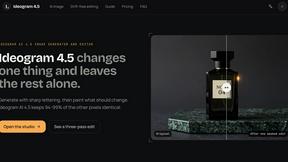
ideogram-45
AI image generation and editing with sharp typography, native 2K output, and localized edits that preserve the rest of your image.


nanobanana 21
A fast, simple image studio powered by Nano Banana 2.1. Create and edit high-quality AI images with readable text and consistent characters.

qwenimage-21
AI image generation and editing with detailed prompts, reference images, portrait and typography refinement, and transparent RGBA output.
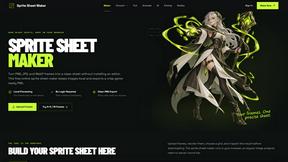
Sprite Sheet Maker
A free browser-based toolkit for creating, cutting, converting, and previewing sprite sheet animations.

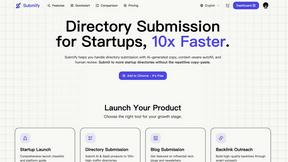
Product Launch Checklist
A free launch checklist for SaaS, apps, AI tools and more. Every step says why it matters and when you can skip it.


Magic Eraser
AI photo editor for removing objects and backgrounds, enhancing images, and creating visuals on web and mobile.

GPT Image 2 API
Production-ready GPT Image 2 image generation and editing for creators, marketers, and developers.
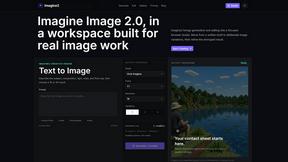
Imagine2
Private browser-based AI image generation and editing with text-to-image, targeted edits, and multi-image references.

Kogashitsuka AI
An online AI image tool that enhances photos and illustrations at their original size or upscales them by 2x or 4x.

Photo to Excel
Turn table photos and screenshots into editable Excel files with Photo to Excel. Merge images, remove duplicates, preview, download free.

About Shrinkpad Alternatives
Shrinkpad is an innovative batch image and video compression tool tailored for macOS users, designed to enhance digital workflows by optimizing media with ease. As users embrace the need for efficient storage solutions, they often seek alternatives that may better align with their unique requirements, whether it be pricing, additional features, or compatibility with different platforms. The quest for an alternative typically stems from the desire to find a product that not only meets specific needs but also offers a seamless user experience without compromising quality or security. When exploring alternatives to Shrinkpad, it’s crucial to consider factors such as batch processing capabilities, privacy measures, and format compatibility. Users should seek options that allow for efficient handling of multiple files and prioritize local processing to safeguard sensitive media. Additionally, ensuring that the alternative supports a wide range of file formats can significantly streamline the creative workflow and enhance productivity.
FAQs about Shrinkpad Alternatives
What is Shrinkpad?
Shrinkpad is a batch image and video compression tool for macOS that allows users to optimize their media files efficiently.
Who is Shrinkpad for?
Shrinkpad is ideal for photographers, designers, and content creators who need to manage large media libraries and reclaim disk space.
Is Shrinkpad free?
Shrinkpad is a paid application, but it offers powerful features that justify the investment for serious media users.
What are the main features of Shrinkpad?
The main features of Shrinkpad include batch compression, privacy-focused processing, and support for over 50 file formats.