

Alternatives to ComicsMaker
ComicsMaker turns your raw story ideas into structured comic panels and dialogue, ready to export as a visual draft.
20 alternatives found



Hotel Lobby AI Video Generator
Turn two photos into a Hotel Lobby dance video in the orange A COLORS SHOW booth


ideogram-45
AI image generation and editing with sharp typography, native 2K output, and localized edits that preserve the rest of your image.


nanobanana 21
A fast, simple image studio powered by Nano Banana 2.1. Create and edit high-quality AI images with readable text and consistent characters.

AI Album Cover Maker
Create release-ready album covers from a prompt or photo. Generate, refine, and export art for singles, EPs, mixtapes, and playlists.
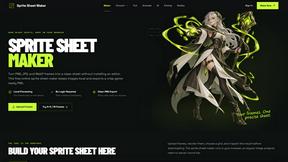
Sprite Sheet Maker
A free browser-based toolkit for creating, cutting, converting, and previewing sprite sheet animations.

SdanceAI
Create short-form AI videos from text or images with the Seedance 2.5 online generator and API from SdanceAI.

TryKlingAI
Create Kling AI videos from text, images, audio, and motion references with Kling 3.0, Motion Control, Lip Sync, and API workflows.

Flux Lora
Explore Flux LoRA online workflows and the roadmap for models, generation, and training.

VidhyaGen
Fast, free, and privacy-first browser tool to convert, crop, resize, and compress images locally without server uploads.

Seedream 5.0
Generate and edit production-ready images with Seedream 5.0 Pro and Lite for ecommerce, marketing, social media, and branded content.


Wan Video
Wan Video is an AI video generator and API for Wan 2.7, turning text or images into videos online.

Presentation Intelligence
AI-native presentation and visual content platform that turns prompts, documents, images, videos, and data into polished, shareable decks.



About ComicsMaker Alternatives
Every story begins with a single spark of an idea, and ComicsMaker was designed to fan that spark into a fully realized visual narrative. As an AI-powered tool nestled within the content creation and image generation category, it allows you to transform simple text prompts into comic strips, manga panels, storyboards, and polished visual drafts. It serves as a rapid bridge between your imagination and a tangible, export-ready product, making it invaluable for creators, marketers, and educators who need to move quickly from script to story. However, the creative journey often requires exploring different paths. Users commonly seek alternatives due to evolving needs around specific pricing models, the desire for a particular artistic style that differs from the platform’s default, or a need for deeper integration with other software in their existing production pipeline. When searching for a new creative companion, the key is to look beyond just the output and examine the journey itself. You should evaluate how intuitive the ideation process is—can you quickly iterate on a concept? Consider the consistency of the character designs across multiple panels, as this is crucial for professional storytelling. Also, think about the practical endgame: does the alternative offer the export formats and resolutions you need for your specific platform, be it a printed classroom project, a social media campaign, or a professional storyboard? The best alternative will feel like a natural extension of your workflow, removing friction from the creative process so you can focus on the tale you are trying to tell.
FAQs about ComicsMaker Alternatives
What is ComicsMaker?
ComicsMaker is an AI-powered comic maker built for creators, marketers, educators, and indie storytellers. It transforms text prompts into comic strips, manga panels, storyboard sequences, and export-ready visual drafts. The tool focuses on fast ideation and consistent comic-style output, allowing users to move from script or concept to visual storytelling without a full production pipeline.
Who is ComicsMaker for?
ComicsMaker is designed for a wide range of users including creators, marketers, educators, and indie storytellers. It is particularly useful for those experimenting with AI comics, manga-style concepts, webtoon drafts, visual campaigns, classroom storytelling, and rapid creative prototyping. The tool serves anyone who wants to turn ideas into polished comic visuals quickly and efficiently.
Is ComicsMaker free?
Based on the provided product description, specific pricing details for ComicsMaker are not mentioned. Users should visit the official ComicsMaker website or platform to check for any free tier, trial options, or subscription plans. The tool is positioned as a practical solution for teams and individuals, suggesting flexible access options may be available.
What are the main features of ComicsMaker?
ComicsMaker offers features centered around AI-driven comic creation from text prompts, enabling users to generate comic strips, manga panels, storyboards, and character scenes. It emphasizes fast ideation and consistent comic-style output, along with practical exports for social media, print, or professional drafts. The tool is built to help teams move from script to visual storytelling without requiring a full production pipeline.