X11.social
Transform your spoken ideas into engaging X posts with X11.social’s AI that writes, schedules, and optimizes.
Visit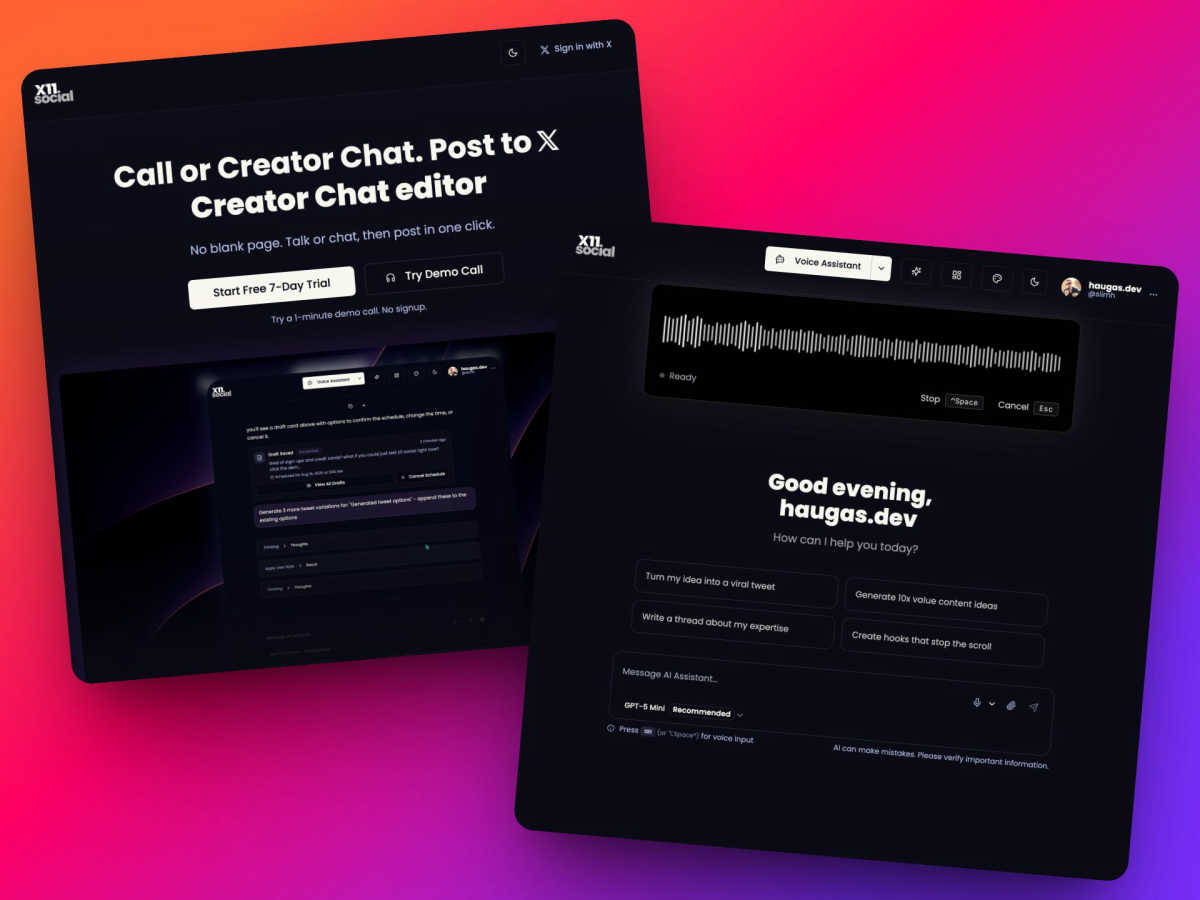
About X11.social
X11.social is not just another social media management tool; it is your AI-powered co-pilot for capturing and creating content effortlessly. Imagine being on a drive, struck by a brilliant idea for a Twitter thread, but by the time you park, that idea has vanished. X11.social is designed specifically for creators, thought leaders, and busy professionals who often find their best ideas outside the confines of a desk. With its innovative features, it transforms fleeting thoughts into polished, engaging posts that resonate with your unique voice. The platform offers two intuitive paths for content creation: a simple phone call that allows you to capture ideas hands-free while on the go, and a smart chat editor for those moments when precision is key. By bridging the gap between inspiration and execution, X11.social ensures you never lose a post idea again. It seamlessly integrates into your daily life, helping you grow your 𝕏 account with quality content that reflects who you are. The journey from thought to published post has never been smoother.
Features of X11.social
Call to Tweet
This revolutionary feature allows you to capture ideas on the go simply by dialing a local number. Whether you are driving, walking, or multitasking, just talk and let X11.social handle the rest by transforming your spoken thoughts into written posts.
Familiar Interface
X11.social boasts an interface that feels like second nature. If you can text, you can use this tool. Whether you prefer chatting or using your voice, the platform accommodates your natural communication style, making it easy and enjoyable to create content.
Auto Schedule
Never worry about forgetting to write again. X11.social automatically calls you when it senses you have ideas to share. Wake up to fresh posts that are ready to be published, ensuring a consistent stream of content without the hassle of manual scheduling.
Virality Analytics
Why risk a flop? With X11.social's virality analytics, you can analyze your posts before hitting send. The AI evaluates why a post might not perform well and provides suggestions to enhance its appeal, helping ensure that your content resonates with your audience.
Use Cases of X11.social
On-the-Go Content Creation
Whether you are commuting or taking a leisurely stroll, X11.social allows you to capture spontaneous thoughts and turn them into engaging posts effortlessly. This means you can leverage those fleeting moments of inspiration without any interruptions.
Enhancing Content from Multimedia
Use X11.social to transform engaging videos or insightful articles into captivating social media posts. The AI understands the context and extracts key points, allowing you to create threads or posts that resonate with your audience, all while you focus on other tasks.
Scheduling with Ease
With the auto-scheduling feature, you can ensure your content is consistently published without manual intervention. This is perfect for busy professionals who want to maintain an active social media presence without having to dedicate time to writing and scheduling posts.
Voice-Activated Posting
Imagine being able to create posts while cooking or exercising. With X11.social, you can use voice commands to draft, edit, and publish posts, making it an ideal solution for anyone who prefers a hands-free approach to content creation.
Frequently Asked Questions
How does the Call to Tweet feature work?
Simply dial the local number provided by X11.social, and start talking. The AI listens, understands, and formats your spoken ideas into social media posts, ensuring you never lose an idea again.
Can I use X11.social on multiple devices?
Yes, X11.social is designed to be versatile and can be accessed from various devices, including smartphones and computers, allowing you to create content wherever you are.
What if I don’t know how to use the platform?
X11.social features a user-friendly interface that requires no prior experience. If you can text, you can navigate the platform with ease. Plus, tutorials and support are available to help you along the way.
How does the AI learn my voice and style?
The AI in X11.social is designed to learn from your interactions. As you use the platform, it adapts to your unique voice and writing style, ensuring that the posts generated reflect your authentic tone and personality.
Explore more in this category:
Similar to X11.social

AIPetGen
Create anything with your pet. AI studio for pet images and short videos.

Hotel Lobby AI Video Generator
Turn two photos into a Hotel Lobby dance video in the orange A COLORS SHOW booth

LaunchBert
LaunchBert saves you hours launching to directories - with a curated roadmap, one-click badge integration, and a form auto-fill Chrome extension.

Enlisted
Search 20,000+ open-source and SaaS tools by the job you need done or the app you want to replace.

TrackMedia
Your Social Media Content Engine That Drives Revenue. Distribute content to every platform and track it in real time. Use AI agents to run it.


Forms Plugin
The #1 Native Form Builder Plugin for Framer - No Code, No Embeds, No External Platforms.