
TinyFast
Effortlessly compress images, videos, and PDFs on your Mac while keeping your files private and secure with TinyFast.
Visit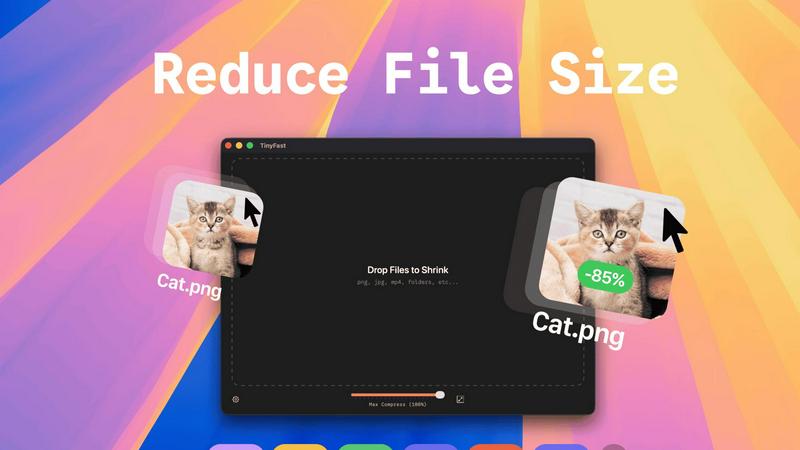
About TinyFast
TinyFast is a groundbreaking macOS application that redefines the way users approach file compression. Designed with developers, designers, and creators in mind, it simplifies the process of compressing a diverse range of file formats, including images, videos, documents, and audio files. The beauty of TinyFast lies in its commitment to privacy and speed, allowing users to compress files without ever having to upload them to the cloud. With a straightforward drag-and-drop interface, users can shrink file sizes within seconds, all while ensuring that sensitive materials remain safely stored on their local machines. This local-first approach not only enhances efficiency but also eliminates the security concerns associated with online compression tools. Born from the frustration of dealing with unreliable online services, TinyFast has already garnered a loyal following of over 500 Mac users who recognize the transformative power of this essential tool. For anyone dedicated to file management and efficiency on their Mac, TinyFast is not just an option; it is a necessity.
Features of TinyFast
Batch & Drag-Drop Shrink
With TinyFast, you can easily drop entire folders into the application and receive optimized outputs in just seconds. This batch processing feature allows you to save time and increase productivity, especially when dealing with multiple files at once.
Blazing-Fast Compression
TinyFast utilizes optimized native engines to deliver lightning-fast compression speeds. You can compress large files in mere seconds without the hassle of uploads and downloads. This feature ensures that your workflow remains uninterrupted and efficient.
Resize Resolution
The application offers an automatic resizing feature for images and videos. You can set TinyFast to adjust the resolution of your files based on your requirements, making it a versatile tool for creators who need tailored outputs.
100% Local & Private
Privacy is at the heart of TinyFast's design. All files remain on your device, ensuring complete confidentiality. You do not need to worry about sensitive assets being exposed online or stored on third-party servers; your files are protected with total privacy.
Use Cases of TinyFast
Streamlined Graphic Design
Graphic designers can use TinyFast to compress images for web and print projects without sacrificing quality. This helps in optimizing file sizes for faster loading times on websites, enhancing user experience without compromising on aesthetics.
Efficient Video Editing
Videographers can benefit from TinyFast by quickly compressing video files before sharing or uploading. This enables faster editing workflows and reduces the burden on storage space, making it easier to manage large video projects.
Secure Document Management
For professionals handling sensitive documents, TinyFast provides a secure way to compress and manage files without exposing them to online threats. This is particularly useful for legal and financial documents that require confidentiality.
Audio Production Optimization
Musicians and audio producers can leverage TinyFast to compress audio files efficiently. By reducing file sizes, they can streamline their workflows and make it easier to share tracks without the hassle of losing quality.
Frequently Asked Questions
What file formats does TinyFast support?
TinyFast supports a wide range of file formats, including images (PNG, JPG, TIFF, HEIC, WEBP, GIF, BMP, SVG), videos (MP4, MOV, M4V), documents (PDF, DOCX), code files (JS, CSS, JSON), and audio files (MP3), ensuring versatility for all users.
Is TinyFast really free to use?
Yes, TinyFast offers a free tier that allows users to compress up to five files per day while accessing all its features. This makes it an excellent option for casual users who need occasional file compression.
How does TinyFast ensure privacy?
TinyFast guarantees that all files remain on your device, with no uploads to external servers. This local-first approach is designed to protect your confidential files, ensuring that sensitive information is never at risk of exposure.
Can I compress multiple files at once?
Absolutely! TinyFast allows users to drag and drop entire folders for batch compression, making it easy to optimize multiple files in seconds. This feature is perfect for users who need to compress large quantities of files quickly.
Explore more in this category:
Similar to TinyFast

@fuck.it - email with attitude
Private email. Pure. Secure. Exclusive. No ads, no tracking, no data selling. GDPR compliant, EU-hosted.


ImageGenerator
Create and edit AI images online with multiple models, text-to-image, image-to-image, background removal, and upscaling.

Suparelay
Call landlines and mobiles in 200+ countries from your browser. The person you call needs no app. Prepaid, price shown before you dial.
Novastart
Apps and files on an infinite canvas where people and AI agents work together.
SightRadar
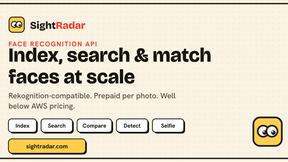
Face recognition API, a drop-in replacement for AWS Rekognition. Index, search, compare and detect faces, billed per photo with no subscription.

JevModel
JevModel helps teams make structured AI decisions with Choice, Score, and Noul frameworks.
EditTextPhoto
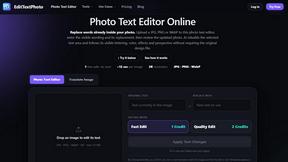
AI-powered image text editor to edit, replace, fix, or translate text in images while preserving the original font, color, size, and style.