
QuickTextTools
QuickTextTools empowers writers and creators with 76+ free online utilities to streamline text processing and boost productivity effortlessly.
Visit
About QuickTextTools
QuickTextTools is a dynamic online platform that serves as a one-stop-shop for anyone looking to enhance their productivity through effective text manipulation and analysis. With over 76 browser-based tools at your fingertips, QuickTextTools caters to a diverse audience, including writers, marketers, developers, students, SEO professionals, and content creators. The platform operates seamlessly within your web browser, allowing you to access powerful utilities without the hassle of complicated installations. Whether you need to clean up your text, analyze keyword density, or generate SEO meta tags, QuickTextTools offers fast, reliable, and privacy-focused solutions. By prioritizing user experience and efficiency, this toolkit empowers you to streamline your workflows, save time, and ultimately work smarter, not harder. With no sign-up required, users can dive right into their tasks and enhance their projects with just a few clicks.
Features of QuickTextTools
Text Formatter
The Text Formatter feature allows users to clean and organize messy text effortlessly. Whether you need to remove unwanted spaces or fix formatting, this tool simplifies the process, enabling you to present your content in a polished manner.
Keyword Density Checker
With the Keyword Density Checker, you can easily analyze your content for keyword usage. This tool calculates the frequency of keywords in your text, helping you optimize your writing for search engines and improve your SEO strategies.
Meta Tag Analyzer
The Meta Tag Analyzer lets you preview how your content will appear in search engine results. By analyzing your SEO meta tags, this tool ensures your website is set up for success with the right titles and descriptions, improving click-through rates.
Case Converter
The Case Converter is a versatile utility that allows you to change text capitalization with ease. Whether you need uppercase, lowercase, or title case, this tool provides instant results, perfect for any writing or formatting needs.
Use Cases of QuickTextTools
Streamlining Content Creation
Writers can utilize QuickTextTools to streamline their content creation process. By using tools like the Word Counter and Text Formatter, they can ensure their writing is concise, well-structured, and meets word count requirements effortlessly.
Enhancing SEO Strategy
SEO professionals can leverage tools like the Keyword Density Checker and Meta Tag Analyzer to refine their strategies. By analyzing keyword usage and optimizing meta tags, they can improve their website's visibility and search engine rankings.
Assisting Students with Assignments
Students can benefit from QuickTextTools by using features like the Reading Time Calculator and Character Counter. These tools help them manage their writing assignments effectively, ensuring they meet specific requirements and deadlines.
Supporting Developers in Text Management
Developers can take advantage of utilities like the JSON Formatter and URL Encoder to manage data and code efficiently. QuickTextTools offers essential tools that simplify the development process and enhance productivity.
Frequently Asked Questions
Is QuickTextTools really free to use?
Yes, QuickTextTools is completely free to use, with no hidden fees or subscription models. You can access all tools without the need for sign-up.
Do I need to download any software to use QuickTextTools?
No, all tools are browser-based, meaning you can access them directly from your web browser without any downloads or installations.
Can I access QuickTextTools on my mobile device?
Absolutely! QuickTextTools is designed to work seamlessly on mobile devices, allowing you to enhance your productivity wherever you are.
What types of tools are available on QuickTextTools?
QuickTextTools offers a variety of tools including text formatting, SEO analysis, writing assistants, keyword management, and developer utilities, all aimed at improving your workflow.
Explore more in this category:
Similar to QuickTextTools

JevModel
JevModel helps teams make structured AI decisions with Choice, Score, and Noul frameworks.
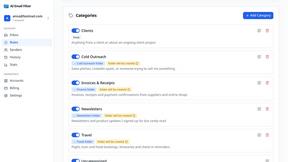
AI Email Filter
AI Email Filter sorts incoming mail into folders using plain-language prompts you write. Works with any IMAP mailbox; bring your own LLM if you want.

Kody Tools
Free collection of online developer utilities, code formatters, and digital converters designed to streamline your daily workflow.

JsonTranslate
Translate JSON, Markdown, and TXT while preserving keys, nested paths, and project structure.

tallycounterweb.com
Online tally counter for tracking attendance, workouts, inventory, visitors, sports scores, habits, and everyday counting tasks.

What's on the menu
Smart translate any restaurant menu

Forms Plugin
The #1 Native Form Builder Plugin for Framer - No Code, No Embeds, No External Platforms.

Product Launch Checklist
A free launch checklist for SaaS, apps, AI tools and more. Every step says why it matters and when you can skip it.