
Push My App
Push your app live from a single dashboard where AI writes metadata, flags rejection risks, and submits directly to both stores.
Visit
About Push My App
Picture this: you have just polished the final feature of your app, fixed the last bug, and are ready to share your creation with the world. But instead of celebrating, you are staring down the barrel of a launch week filled with tedious, manual tasks. You need to write the perfect app name, subtitle, and keywords. You need to craft compelling descriptions and release notes. You must resize screenshots for a dozen different device sizes. Then, you have to translate everything into multiple languages, all while praying that Apple or Google do not reject your hard work for a reason you missed. This is the grind that every indie developer and small studio knows too well. It is a process that can take days, pulling you away from the thing you love most: coding.
Push My App is the all-in-one platform built to end this launch-week nightmare. It is a single, unified dashboard designed specifically for indie developers and small studios who want to ship their iOS and Android apps to the App Store and Google Play Store with unprecedented speed and confidence. Instead of juggling multiple tools and spreadsheets, you get one command center. Push My App uses artificial intelligence to write your search-optimized metadata, including your app name, keywords, description, and release notes, in just seconds. It then automatically designs and resizes your screenshots for every required device format. A powerful Pre-Flight Rejection Scanner checks your build and listing against over 80 known rejection reasons from Apple and Google, catching potential issues before they can delay your launch. You can translate your entire listing into 14 different languages, with keywords re-optimized for each local market. Finally, you can drop your app file, and with a single click, submit directly to App Store Connect and Google Play Console. What used to take days by hand now takes minutes, allowing you to ship your next release up to five times faster. Push My App is your co-pilot for the final, critical leg of your app development journey.
Features of Push My App
AI-Generated ASO Metadata
Say goodbye to hours of keyword research and copywriting. Push My App leverages advanced AI to generate a complete set of App Store Optimization (ASO) metadata tailored specifically for your app. In seconds, the tool produces high-scoring suggestions for your app name, subtitle, keywords, and promotional text. It also crafts a compelling, conversion-focused description and release notes that resonate with your target audience. Each element is scored against ASO best practices, giving you a clear view of its potential performance before you even submit. This feature transforms a tedious, manual process into a simple, data-driven decision, ensuring your app is discoverable from day one.
Pre-Flight Rejection Scanner
There is nothing more disheartening than having an app rejected after a long submission process. Push My App acts as your safety net with its powerful Pre-Flight Rejection Scanner. Before you hit the submit button, this tool rigorously scans both your app binary and your entire listing metadata against a comprehensive database of over 80 known rejection reasons from Apple and Google. It checks for common pitfalls like missing privacy manifests, incorrect usage of APIs, and problematic metadata content. The scanner provides a clear pass or fail score for each store and highlights specific blockers, giving you actionable insights to fix issues proactively. This feature transforms the submission process from a gamble into a confident, predictable step.
Screenshot Resizer and Designer
Creating screenshots for every required device size is one of the most tedious parts of app launch. Push My App eliminates this drudgery completely. You simply upload one set of your best screenshots, and the tool automatically resizes and crops them to fit every required device size for both the App Store and Google Play Store. But it does not stop there. You can also apply dynamic marketing text overlays and device frames directly within the platform, creating professional, engaging screenshots that drive conversions. This feature saves you hours of manual graphic design work and ensures your app looks its best on every screen, from the latest iPhone to a budget Android tablet.
Direct Submission and App File Scanner
Push My App streamlines the final submission step by connecting directly to App Store Connect and Google Play Console. You can simply drag and drop your .ipa, .apk, or .aab file into the dashboard. The platform automatically extracts critical information like your bundle ID, version number, and app icon. It then validates your file for compliance issues before uploading it to the stores. With all your metadata, screenshots, and translations ready, you can submit to either store with a single click. The system also tracks the status of your submission automatically, so you always know exactly where your app stands in the review queue.
Use Cases of Push My App
The Solo Indie Developer Shipping Their First App
For a solo developer launching their first app, the process of getting it onto the stores can be overwhelming. You are already wearing the hats of coder, designer, and marketer. Push My App becomes your dedicated launch team. You can use the AI to generate your first set of keywords and descriptions, instantly creating a professional listing. The screenshot resizer ensures your visuals look great without you needing to learn complex design software. Most importantly, the rejection scanner gives you confidence that you have not missed a critical requirement, turning a daunting first launch into a manageable, guided experience.
A Small Studio Managing a Portfolio of Apps
A small studio with multiple apps in the market needs to update them regularly without spending all their time on administrative tasks. Push My App provides a single dashboard to manage the metadata, screenshots, and version history for every app in your portfolio, both iOS and Android. When it is time to release a new version, you can quickly generate new release notes, update keywords based on trending search terms, and submit updates for multiple apps in a fraction of the time. The built-in version history eliminates the need for a separate spreadsheet, giving you a clear audit trail of every change you have ever made.
The Developer Who Has Been Rejected Before
If you have ever had an app rejected for a reason you did not anticipate, you know the frustration of a delayed launch. Push My App is the perfect tool for developers who want to avoid that pain again. Before preparing a new submission, you can run your existing build and draft metadata through the Pre-Flight Rejection Scanner. It will highlight specific issues, such as a missing privacy manifest or a misleading keyword, that could lead to a rejection. This proactive approach allows you to fix problems before you invest time in the full submission process, ensuring a smoother, faster path to approval.
The Team Launching in Multiple International Markets
Expanding an app into new countries requires more than just translating the text. It requires re-optimizing keywords for different search behaviors and cultural contexts. Push My App simplifies this complex task with its App Translator feature. You can translate your entire listing into 14 languages with a few clicks. Crucially, the tool does not just do a word-for-word translation; it re-optimizes your keywords for each specific locale, helping your app rank higher in local search results. This allows a small team to effectively launch and market their app in multiple regions simultaneously, significantly expanding their global reach without a massive increase in workload.
Frequently Asked Questions
What file types does Push My App support for direct submission?
Push My App accepts the standard file formats required by each app store. For iOS apps, you can upload .ipa files. For Android apps, the platform supports both .apk and .aab (Android App Bundle) files. When you drop your file into the dashboard, the system automatically extracts your bundle ID, version number, and app icon, and validates the file for compliance before you proceed with the submission.
How does the Pre-Flight Rejection Scanner work?
The Pre-Flight Rejection Scanner is a proactive tool that analyzes your app binary and listing metadata against a database of over 80 known rejection reasons from Apple and Google. It scans for common issues such as missing privacy manifests, incorrect API usage, metadata that contains prohibited content, and binary problems that have historically led to rejections. After the scan, it provides a clear score for each store and highlights specific blockers, giving you actionable feedback to fix before you submit.
Can I use Push My App if I have already started my listing elsewhere?
Yes, absolutely. Push My App is designed to integrate into your existing workflow. You can start from scratch using the AI generator, or you can import your existing metadata and screenshots into the dashboard. The platform then allows you to enhance and optimize everything using its tools, such as the keyword scorer, screenshot resizer, and rejection scanner. It is a flexible tool that can either replace your entire manual process or augment the work you have already done.
Is the AI-generated content unique and optimized for my specific app?
Yes, the AI is designed to generate unique content based on the information you provide about your app. While it uses a large language model, it is specifically tuned for ASO best practices. You provide your app's core functionality and target audience, and the AI generates a name, subtitle, keywords, and description that are tailored to your app and optimized for discoverability. The content is scored against ASO metrics, but you always have the final say and can edit any of the suggestions before submitting.
Pricing of Push My App
Push My App offers a straightforward pricing structure designed to get you started with no risk. There is a free Starter plan available that requires no credit card. This plan allows you to explore the core features of the platform. For developers and studios who need more power, there is a Growth plan, which offers a 30-day free trial. This plan unlocks the full suite of features, including unlimited AI generations, advanced rejection scanning, and direct submission capabilities. You can see the full details of each plan and compare them on the official Push My App pricing page.
Similar to Push My App
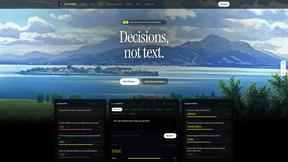
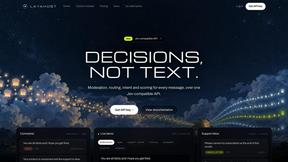
JevModel
JevModel helps teams make structured AI decisions with Choice, Score, and Noul frameworks.
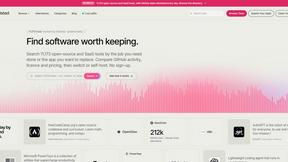
Enlisted
Search 20,000+ open-source and SaaS tools by the job you need done or the app you want to replace.
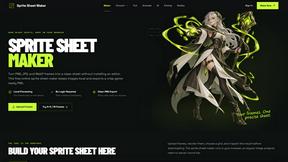
Sprite Sheet Maker
A free browser-based toolkit for creating, cutting, converting, and previewing sprite sheet animations.
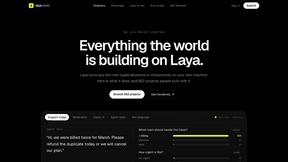
laya.tools
A free directory of 950+ projects built on Laya, the open-source decision model. Updated daily.
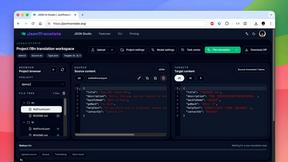
JsonTranslate
Translate JSON, Markdown, and TXT while preserving keys, nested paths, and project structure.
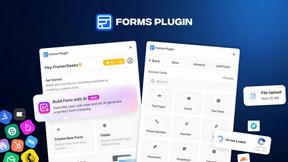
Forms Plugin
The #1 Native Form Builder Plugin for Framer - No Code, No Embeds, No External Platforms.