
HuntingPad
HuntingPad streamlines your job search with AI, helping you organize applications and secure interviews faster.
VisitPublished on:
August 21, 2025
Pricing:
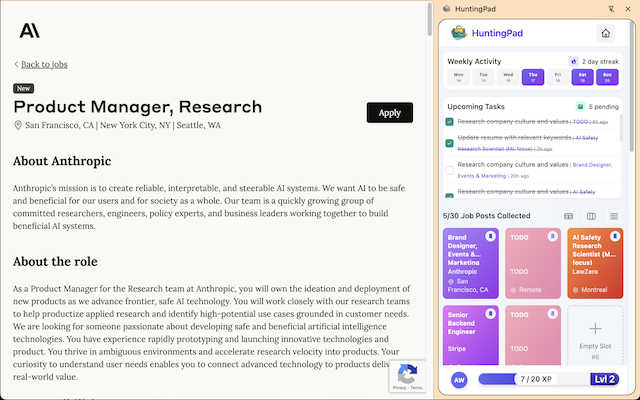
About HuntingPad
HuntingPad is a revolutionary Chrome extension designed specifically for ambitious job seekers who find themselves overwhelmed in the chaotic landscape of job hunting. In an era where applying for roles has become a full-time job, HuntingPad transforms the way you manage your job search. It integrates seamlessly into your browsing experience on platforms like LinkedIn, Indeed, and Glassdoor, allowing you to capture job postings with a single click. By organizing your applications and providing AI-powered insights into resume matches, HuntingPad helps you streamline your strategy without adding complexity. It's perfect for professionals at any stage of their career, from developers tracking tech stacks to managers orchestrating multiple opportunities. With your data secured locally and never stored on a server, HuntingPad empowers you to take control of your job search, turning chaos into an organized and strategic campaign.
Features of HuntingPad
One-Click Job Capture
With HuntingPad, capturing job postings from any site is as easy as a single click. This feature allows you to save job opportunities directly from your browser without the hassle of copying and pasting, ensuring you never miss out on a potential role.
AI-Powered Resume Insights
Receive tailored insights from AI that analyze your resume against job postings. This feature not only helps you understand your match percentage but also suggests specific tweaks to enhance your application, giving you a competitive edge.
Smart Reminders
Keep your job search on track with smart reminders that notify you of application deadlines and follow-up dates. This feature ensures that you stay organized and proactive, reducing the risk of missing critical opportunities.
Application Tracking
Automatic tracking of your applications means you can focus on what matters most—preparing for interviews and networking. HuntingPad organizes your applications in one place, making it easy to see your progress and follow up when necessary.
Use Cases of HuntingPad
Streamlined Job Searching
For professionals overwhelmed by multiple job boards, HuntingPad simplifies the process by allowing users to save job postings directly while browsing. This saves time and keeps everything organized in one place.
Enhanced Resume Customization
When applying for different roles, HuntingPad's AI insights help users customize their resumes effectively. By suggesting necessary adjustments, it ensures that each application is tailored for maximum impact.
Efficient Application Management
With automatic tracking of applications, users can easily manage their job search without sifting through spreadsheets. This feature allows for quick access to application status and deadlines, making the process more efficient.
Proactive Networking
HuntingPad not only helps with applications but also reminds users when to follow up with recruiters and network connections. This proactive approach enhances professional relationships and increases the chances of landing interviews.
Frequently Asked Questions
How does HuntingPad work?
HuntingPad is a Chrome extension that integrates into your browser. It allows you to capture job postings with one click, track applications, and receive AI-powered insights all while you search on platforms like LinkedIn and Indeed.
Is my data secure with HuntingPad?
Absolutely! Your data is stored locally on your device and never sent to a server, ensuring your privacy and security while you manage your job search.
Can I use HuntingPad for job boards other than LinkedIn?
Yes! HuntingPad works seamlessly with any job board or website where you find job postings, allowing you to capture opportunities from multiple sources effortlessly.
How long does it take to set up HuntingPad?
Setting up HuntingPad is quick and simple, taking only about 30 seconds. You can start organizing your job search immediately without any complicated processes or credit card requirements.
Similar to HuntingPad

Suparelay
Call landlines and mobiles in 200+ countries from your browser. The person you call needs no app. Prepaid, price shown before you dial.
Novastart
Apps and files on an infinite canvas where people and AI agents work together.

JevModel
JevModel helps teams make structured AI decisions with Choice, Score, and Noul frameworks.
AI Email Filter
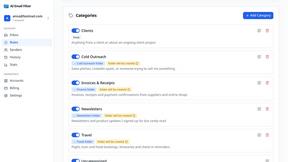
AI Email Filter sorts incoming mail into folders using plain-language prompts you write. Works with any IMAP mailbox; bring your own LLM if you want.
Kody Tools
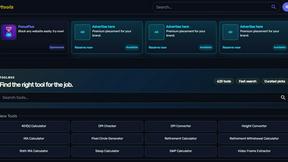
Free collection of online developer utilities, code formatters, and digital converters designed to streamline your daily workflow.
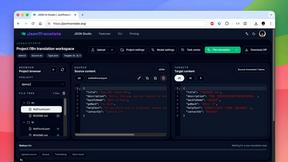
JsonTranslate
Translate JSON, Markdown, and TXT while preserving keys, nested paths, and project structure.
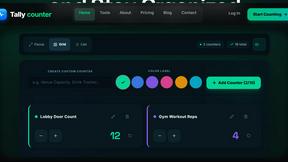
tallycounterweb.com
Online tally counter for tracking attendance, workouts, inventory, visitors, sports scores, habits, and everyday counting tasks.

What's on the menu
Smart translate any restaurant menu