
File Studio
Transform, edit, and manage your files and PDFs effortlessly and privately with File Studio's powerful offline tools.
Visit
About File Studio
File Studio is a powerful desktop application crafted for users who prioritize privacy, security, and efficiency in managing PDFs and images. Designed to operate entirely offline, it caters to a diverse audience, including photographers, freelancers, and remote workers who handle sensitive documents such as passports, IDs, and contracts. The application offers a comprehensive suite of tools that allow users to merge, split, reorder, rotate, and password-protect PDFs, while also providing the capability to convert files across more than 20 formats, including HEIC, WebP, AVIF, and various RAW types. Its one-time purchase model eliminates the hassle of subscriptions and accounts, making it a straightforward choice for anyone looking for reliable file management solutions. With compatibility for both Mac and Windows, File Studio empowers users to process their files securely, ensuring that their sensitive information remains on their devices.
Features of File Studio
Comprehensive PDF Management
File Studio offers five dedicated PDF tools that allow users to merge multiple PDFs, split documents into individual pages, reorder and rotate spreads, and remove passwords, all without requiring an internet connection. This comprehensive management ensures that users can handle their PDF documents efficiently and securely.
Versatile Image Tools
With ten image tools at your disposal, File Studio supports over 20 formats, including HEIC, WebP, AVIF, and various RAW types. Users can easily resize, compress, crop, add watermarks, and create collages, all while processing images offline. This versatility makes it an essential tool for photographers and graphic designers.
Batch Processing Capability
File Studio excels in efficiency with its batch processing feature, which allows users to convert, resize, or compress entire folders in a single operation. This capability is perfect for users handling large volumes of files, as it saves time and effort by processing multiple files simultaneously.
100% Offline Operation
One of the standout features of File Studio is its commitment to offline operation. All file processing occurs locally on your Mac or Windows PC, ensuring that no uploads or accounts are needed. This guarantees that sensitive documents remain private and secure throughout the entire process.
Use Cases of File Studio
Efficient Document Management for Freelancers
Freelancers often juggle multiple contracts and sensitive documents. File Studio simplifies this task by allowing them to merge, split, and reorder PDFs efficiently. They can manage their documents without the risk of exposing sensitive information online.
Secure Handling of Personal Documents
For individuals managing personal documents like passports or IDs, File Studio provides a safe environment to edit and compress files. Users can remove passwords and clean metadata without needing to upload their files to the cloud, ensuring their privacy is maintained.
Optimizing Images for Web Use
Photographers can effortlessly convert their RAW images to various formats using File Studio. Whether they need to compress images for web publishing or convert HEIC files from their smartphones, File Studio streamlines their workflow while keeping the quality intact.
Batch Processing for Bulk Tasks
Businesses that require processing large volumes of images or PDFs can leverage File Studio's batch processing capabilities. This feature allows users to convert or compress hundreds of files in one go, making it a perfect solution for teams handling extensive documentation or image libraries.
Frequently Asked Questions
Is my data ever uploaded?
No. File Studio processes everything locally on your device. Your files never leave your computer, ensuring 100% offline processing and maximum security for sensitive documents.
Do you offer a free trial?
Yes. File Studio allows users to try its features before committing to a purchase. This trial gives users a chance to explore the tools and see how they can enhance their workflow.
What operating systems are supported?
File Studio is compatible with both Mac and Windows operating systems. This cross-platform support ensures that users can enjoy its powerful features regardless of their preferred device.
How do I install File Studio?
Installing File Studio is straightforward. Simply download the application for your respective operating system, launch it, and you are ready to start processing files without any logins or complicated setups.
Explore more in this category:
Similar to File Studio

AI Email Filter
AI Email Filter sorts incoming mail into folders using plain-language prompts you write. Works with any IMAP mailbox; bring your own LLM if you want.

Kody Tools
Free collection of online developer utilities, code formatters, and digital converters designed to streamline your daily workflow.

JsonTranslate
Translate JSON, Markdown, and TXT while preserving keys, nested paths, and project structure.

tallycounterweb.com
Online tally counter for tracking attendance, workouts, inventory, visitors, sports scores, habits, and everyday counting tasks.

What's on the menu
Smart translate any restaurant menu
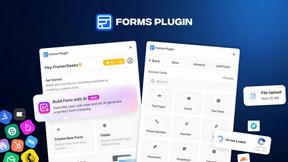
Forms Plugin
The #1 Native Form Builder Plugin for Framer - No Code, No Embeds, No External Platforms.

Product Launch Checklist
A free launch checklist for SaaS, apps, AI tools and more. Every step says why it matters and when you can skip it.
