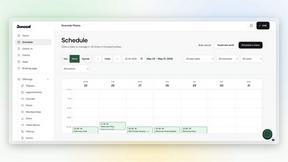
Dokta
Dokta transforms your scattered documents into a clear financial journey, automating invoices, quotes, and payments so you can focus on your work.
Visit
About Dokta
Imagine a Sunday evening, the last light fading, and you're hunched over a spreadsheet, chasing down unpaid invoices and trying to remember which contract expires next week. This was the reality for countless freelancers and small business owners—until Dokta arrived. Dokta is your AI-powered business partner, designed to liberate you from the administrative grind. It’s a document management platform that thinks for you. Simply drop any document—an invoice, a quote, a contract—and in under 60 seconds, Dokta’s AI engine reads, classifies, and extracts the key data. It doesn't just stop at analysis; it manages the entire document lifecycle. From creating professional invoices and quotes to tracking payments, automating reminders, managing contract deadlines, and even generating tasks, Dokta turns your documents into actionable intelligence. It builds your client database automatically, gives you a real-time view of your cash flow, and exports everything neatly for your accountant. Built with the needs of freelancers, solo entrepreneurs, auto-entrepreneurs, and SMBs in mind, Dokta is more than a tool; it's the end of lost files, missed deadlines, and wasted weekends. Your business deserves to run smoothly, with you focused on your craft, not your paperwork.
Features of Dokta
Instant AI Document Analysis
At the heart of Dokta is its powerful AI engine, powered by Claude from Anthropic. Within 60 seconds of uploading a photo, scan, or PDF, it performs automatic OCR reading, classifies the document type (invoice, quote, contract), and extracts critical data like amounts, due dates, and client details. This eliminates manual data entry, ensuring accuracy and saving you hours of tedious work every week.
Automated Invoicing & Quote Management
Dokta streamlines your entire billing workflow. Create professional invoices and quotes in just a few clicks. For freelancers on day-rate contracts, it can even automate monthly invoicing. A standout feature is the online quote acceptance; send a quote with a link for clients to approve, and convert it to an invoice with a single click, seamlessly moving from proposal to payment.
Real-Time Cash Flow Dashboard
Gain instant clarity on your financial health. Dokta’s dashboard provides a real-time overview of your invoiced revenue, collected cash, outstanding payments, and VAT. With a visual 12-month graph, you can track trends, forecast earnings, and make informed business decisions without ever opening a separate accounting spreadsheet.
Anomaly Detection & Client Intelligence
Dokta acts as your vigilant guardian. Its AI proactively detects anomalies in your documents, such as changed IBAN numbers, duplicate invoices, inconsistent VAT, or missing numbering. Furthermore, it automatically enriches contact details using SIRET numbers and provides payment scoring for clients and suppliers, building a smart, historical database of every business relationship.
Use Cases of Dokta
The Freelance Developer or IT Consultant
For the freelance developer managing time-based contracts, Dokta is a game-changer. Set up a recurring day-rate contract once, and Dokta automatically generates and sends invoices monthly. It tracks payments and sends polite, professional reminders for late payers. This allows the developer to focus entirely on coding, confident that their cash flow is managed automatically and reliably.
The Creative Project Freelancer (Designer, Photographer)
Managing the project lifecycle from quote to final payment is seamless with Dokta. A graphic designer can create a quote, send it for online client acceptance, and with one click, turn the approved quote into a formal invoice. The platform tracks the project’s payment status and manages deadlines, ensuring creatives spend more time designing and less time on administrative follow-ups.
The Auto-Entrepreneur / Micro-Entrepreneur
Simplicity and compliance are key for auto-entrepreneurs. Dokta ensures all invoices are compliant, tracks collections against the URSSAF income ceiling, and sends alerts for contribution deadlines. It provides a straightforward, stress-free way to manage documentation and cash flow without the complexity of traditional accounting software, perfect for those just starting out.
The Growing Small Business (SMB)
For a small retail shop or service-based SMB, Dokta centralizes all document management. It handles incoming supplier invoices, outgoing customer quotes, and contracts. The real-time cash flow dashboard gives the owner an immediate snapshot of the business's financial standing, while automated payment reminders help maintain healthy cash flow, supporting sustainable growth.
Frequently Asked Questions
How does Dokta ensure the security of my documents?
Dokta takes security and privacy very seriously. All data is 100% GDPR compliant and hosted on secure AWS servers located in Paris, Europe. Documents and data are protected with AES-256 encryption, the same standard used by banks. You retain full ownership of your data at all times.
What happens if I exceed my monthly document limit?
Your plan includes a set number of documents you can process each month. If you exceed this limit, you will be notified and given the option to upgrade your plan to one with a higher document allowance to continue using the service without interruption.
Can I try Dokta before committing to a paid plan?
Absolutely. Dokta offers a free Discovery tier that allows you to process up to 15 documents per month at no cost and without requiring a credit card. This is a great way to experience the core AI analysis and features firsthand. Paid plans also come with a 14-day free trial.
Does Dokta integrate with other software like accounting tools?
Currently, Dokta focuses on being a powerful, all-in-one hub for your document management. While it does not have direct live integrations with other accounting software, it provides a key feature: the ability to export all your financial data to a standardized CSV file, which can be easily imported into any accounting software your accountant uses.
Pricing of Dokta
Dokta offers simple, transparent pricing with no hidden modules. You can choose between monthly or annual billing (which offers a 17% discount).
Discovery: €0/month. Perfect for getting started, it includes 15 documents/month, a 5-page limit per document, a free invoice generator, and an unlimited client database. No credit card required.
Starter: €9/month. Designed for auto-entrepreneurs, it includes 50 documents/month, 20 pages per document, automated payment reminders, expense tracking, CSV accounting export, and email support.
Freelance: €12/month. The popular plan for freelancers with recurring contracts. It includes 100 documents/month and all Starter features, plus tools tailored for time-based contract management and automated invoicing.
Similar to Dokta
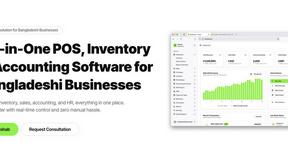
Hishab
All-in-one POS, inventory, accounting and HR software for Bangladeshi SMEs — real-time sales, stock and finance in one place.




IZIPAY
IZIPAY is a virtual and physical crypto card service that lets users top up with digital assets and pay online like with a regular card.
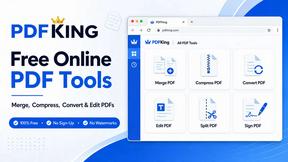
PDFKing
Free online PDF tools to merge, compress, convert, edit, sign, and manage documents—no signup, watermarks, or daily limits.
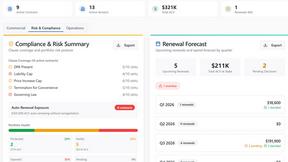
Venduris
Venduris is a renewal intelligence platform that gives mid-size companies control over SaaS & AI contract renewals before leverage disappears.