
Dokie AI
Transform your ideas into stunning presentations effortlessly with Dokie AI, the ultimate tool for creating professional PPT slides in minutes.
Visit
About Dokie AI
Dokie AI is a groundbreaking presentation maker designed to empower individuals and organizations with the ability to create stunning presentations effortlessly. Leveraging the advanced capabilities of Claude Opus 4.6, Dokie AI transcends traditional template-based tools by utilizing true AI generation for content structuring, layout selection, typography, and visual design. This innovative software caters to a diverse audience, including business professionals, educators, marketers, and startup founders, making it an essential tool for anyone seeking to create polished and impactful presentations without the need for design skills. With modes such as Generate, Beautify, Speech, and document-to-PPT conversions, Dokie AI offers a comprehensive solution for transforming ideas into engaging visual narratives in mere minutes.
Features of Dokie AI
AI Generate PPT
The AI Generate PPT feature allows users to describe their presentation topic in plain text, and in return, the AI generates a complete slide deck. This includes professional layouts, engaging charts, and compelling content that resonates with the audience. It simplifies the presentation creation process, enabling users to focus on their message rather than the design, thus saving time and effort.
AI Beautify PPT
The AI Beautify PPT feature is designed for those who already have existing presentations but seek to enhance their visual appeal. By uploading current slides, users can let the AI improve the overall design, fix layout issues, and apply professional styling. This transformation turns ordinary presentations into visually stunning showcases that capture attention and elevate the speaker’s effectiveness.
Speech Notes Generation
With Dokie AI’s Speech Notes Generation feature, users can automatically generate detailed speaker notes tailored to each slide. This feature assists presenters by providing comprehensive talking points that enhance their delivery. It ensures that speakers can convey their messages confidently and clearly, making their presentations more engaging and impactful.
Multi-Format Conversions
Dokie AI offers multi-format conversion capabilities, allowing users to transform various document types, such as PDFs, Word documents, and even YouTube videos, into PowerPoint presentations. This feature simplifies the process of incorporating diverse content into presentations, enabling users to create rich multimedia experiences without the hassle of manual formatting.
Use Cases of Dokie AI
Business Presentations
Business professionals can leverage Dokie AI to create impactful presentations for meetings, pitches, or reports. By simply inputting their ideas or topics, they receive a polished slide deck that effectively communicates their message, saving time and ensuring professionalism.
Educational Lectures
Educators can utilize Dokie AI to craft engaging lecture presentations that capture students' attention. By generating visually appealing slides from their lesson plans, teachers can enhance the learning experience and facilitate better understanding of complex topics.
Marketing Campaigns
Marketers can create compelling presentations to showcase campaign strategies or results. With Dokie AI, they can generate visually stunning slides that highlight key metrics and creative concepts, making their pitches more persuasive to stakeholders or clients.
Startup Pitches
Startup founders can employ Dokie AI to develop powerful pitch decks that attract investors. By transforming their business ideas into engaging presentations, they can effectively convey their vision, business model, and growth potential, thereby increasing their chances of securing funding.
Frequently Asked Questions
What is Dokie AI?
Dokie AI is an advanced AI-powered presentation maker that enables users to create professional presentations quickly and easily. It utilizes Claude Opus 4.6 technology to handle design, layout, and content automatically, making it accessible for anyone without design skills.
How does the AI beautification process work?
The AI beautification process allows users to upload existing PowerPoint slides. Dokie AI then analyzes the content and enhances the design by fixing layouts and applying professional styles, ensuring that the final presentation is visually appealing and coherent.
Can I generate speaker notes for my presentation?
Yes, Dokie AI includes a feature for generating detailed speaker notes automatically. This assists presenters by providing structured talking points for each slide, enhancing their delivery and helping them stay on track during presentations.
What types of documents can be converted into PowerPoint presentations?
Dokie AI supports various document conversions, including PDF to PPT, Word to PPT, HTML to PPT, and even YouTube videos to PPT. This versatility allows users to incorporate a wide range of content into their presentations seamlessly.
Similar to Dokie AI

EditTextPhoto
AI-powered image text editor to edit, replace, fix, or translate text in images while preserving the original font, color, size, and style.

Remove Text
Remove text from images online with AI
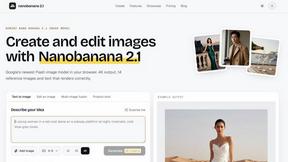
nanobanana 21
A fast, simple image studio powered by Nano Banana 2.1. Create and edit high-quality AI images with readable text and consistent characters.

qwenimage-21
AI image generation and editing with detailed prompts, reference images, portrait and typography refinement, and transparent RGBA output.

VidhyaGen
Fast, free, and privacy-first browser tool to convert, crop, resize, and compress images locally without server uploads.

Presentation Intelligence
AI-native presentation and visual content platform that turns prompts, documents, images, videos, and data into polished, shareable decks.

Magic Eraser
AI photo editor for removing objects and backgrounds, enhancing images, and creating visuals on web and mobile.

GPT Image 2 API
Production-ready GPT Image 2 image generation and editing for creators, marketers, and developers.