
Customer Connect CRM
Customer Connect CRM centralizes your leads and streamlines follow-ups with AI, helping you close deals faster and.
VisitPublished on:
January 8, 2026
Pricing:

About Customer Connect CRM
Customer Connect CRM is a streamlined customer relationship management tool tailored for small and medium-sized businesses. Designed to simplify the customer inquiry process, it integrates various lead sources into a single, user-friendly platform. This enables users to manage inquiries and follow up efficiently, ultimately reducing administrative burden and enhancing productivity. Whether you are a freelancer, consultant, or part of a small team, Customer Connect CRM helps improve your sales processes without the complexities often associated with traditional CRM systems. Its primary value proposition lies in its simplicity; with features that allow for easy lead tracking from initial contact to deal closure, no inquiry goes unnoticed. This not only elevates customer satisfaction but also significantly enhances sales performance, allowing businesses to focus on what truly matters: building relationships and closing deals.
Features of Customer Connect CRM
All Leads in One Place
Customer Connect CRM consolidates all inquiries from various channels, including forms, emails, and manual entries, into a single dashboard. This holistic view ensures that no lead is overlooked, making follow-ups more manageable and efficient for users.
Clear Lead Cards
Each lead within the system is represented by a clear and concise lead card, detailing the source, potential value, and next steps. This visual representation allows users to quickly assess their pipeline and prioritize follow-ups based on urgency and importance.
Custom Sales Board
The platform offers a customizable sales board that adapts to your specific sales process. Users can create and modify sales stages, ensuring that the workflow aligns with their unique business needs and enhances overall team productivity.
Smart AI Features
Leveraging artificial intelligence, Customer Connect CRM provides intelligent insights and suggestions for leads and deals. These smart features help users make informed decisions, optimize their sales strategies, and ultimately increase conversion rates.
Use Cases of Customer Connect CRM
Freelancers
Freelancers seeking to manage client inquiries more effectively can utilize Customer Connect CRM to streamline their process. By having all leads in one place, they can respond quickly and maintain better relationships with potential clients.
Small Teams
Small teams looking to improve efficiency can benefit from the AI-driven features that assist with lead management. By automating repetitive tasks, team members can focus more on nurturing relationships and closing deals.
Consultants
Consultants can use Customer Connect CRM to organize and track multiple client inquiries. The clear lead cards and customizable sales board allow for tailored approaches to each client, enhancing the overall consulting experience.
Event Management
Businesses in event management can streamline their inquiry handling by using Customer Connect CRM. With all inquiries gathered in one location, they can ensure timely follow-ups for event bookings, leading to higher conversion rates and satisfied clients.
Frequently Asked Questions
What is Customer Connect?
Customer Connect is a straightforward CRM system designed specifically for small businesses, allowing them to manage incoming customer inquiries and deals without unnecessary features or complexity.
How does Customer Connect differ from other CRM systems?
Unlike traditional CRM systems, Customer Connect prioritizes simplicity and ease of use. It requires no extensive training, enabling users to visualize their leads and track them from initial contact to closure effortlessly.
What channels are supported for receiving inquiries?
Customer Connect supports various inquiry channels, including website forms and email inboxes (such as Gmail and Office365). Users can also manually add direct messages, ensuring all leads are captured within the CRM.
Can I customize the process for my business?
Absolutely! Customer Connect allows users to create custom steps, tags, and fields tailored to their specific business processes, helping to categorize and manage inquiries effectively.
Similar to Customer Connect CRM
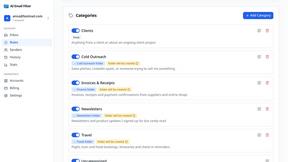
AI Email Filter
AI Email Filter sorts incoming mail into folders using plain-language prompts you write. Works with any IMAP mailbox; bring your own LLM if you want.
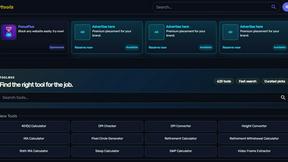
Kody Tools
Free collection of online developer utilities, code formatters, and digital converters designed to streamline your daily workflow.
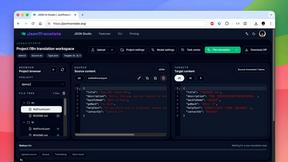
JsonTranslate
Translate JSON, Markdown, and TXT while preserving keys, nested paths, and project structure.
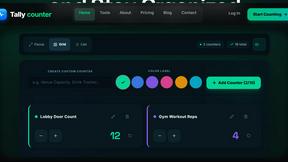
tallycounterweb.com
Online tally counter for tracking attendance, workouts, inventory, visitors, sports scores, habits, and everyday counting tasks.


What's on the menu
Smart translate any restaurant menu
Forms Plugin
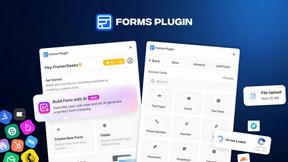
The #1 Native Form Builder Plugin for Framer - No Code, No Embeds, No External Platforms.