
CheckoutReceipt
Turn every transaction into a professional receipt in under sixty seconds with no signup, just your story and our templates.
Visit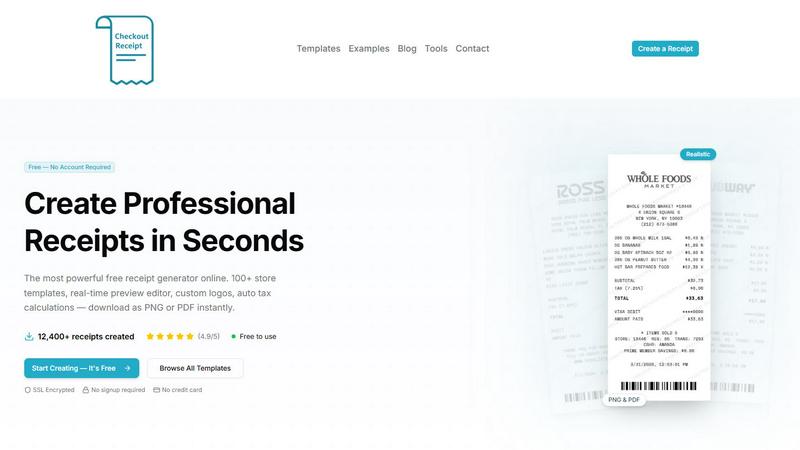
About CheckoutReceipt
Every small business owner, freelancer, or entrepreneur has faced that awkward moment when a customer asks for a receipt and you scramble for a pen and a scrap of paper. CheckoutReceipt was born to end that struggle forever. It is a free, browser-based receipt generator that lets anyone create professional, realistic receipts in under sixty seconds, with no account creation, no software downloads, and no hidden costs. Whether you run a bustling coffee shop, manage a dog walking service, or need a quick proof of payment for a garage sale, CheckoutReceipt gives you over one hundred customizable templates that mimic the exact look and feel of receipts from major retailers, restaurants, service providers, and more. You simply pick a template, fill in the details, and download your finished receipt as a high-quality PNG or PDF. The entire process happens live in your browser, meaning every change you make appears instantly in a real-time preview. You can upload your own logo, adjust fonts, add realistic barcode numbers, and even apply paper textures for that authentic thermal print look. With over twelve thousand receipts already created and a 4.9 out of 5 star rating from users worldwide, CheckoutReceipt has become the go-to tool for anyone who needs a clean, credible receipt fast. It is designed strictly for legitimate business, creative, and educational purposes, and the platform actively prohibits any use intended to commit fraud or deceive others. From tracking expenses to providing customers with a polished record of their purchase, CheckoutReceipt turns a mundane task into a seamless, satisfying experience.
Features of CheckoutReceipt
Over 100 Realistic Store Templates
The heart of CheckoutReceipt is its massive library of over one hundred store-specific receipt templates. These are not generic, one-size-fits-all designs. Each template is carefully crafted to mirror the actual receipt formats used by popular retailers like Target, Walmart, Home Depot, Whole Foods, Subway, Dunkin, and dozens more. You also get specialized formats for restaurants, automotive services, hotels, medical offices, and utility bills. This variety means you can always find a template that feels authentic to the context, whether you need a grocery receipt, an oil change record, or a donation acknowledgment. The templates include realistic header layouts, item line spacing, and total breakdowns, so your final receipt looks like it came straight from a point-of-sale system.
Real-Time Live Preview Editor
Gone are the days of guessing how your receipt will look after you hit print. CheckoutReceipt features a powerful live preview editor that updates every single change you make instantly. As you type a store name, add a line item, adjust a price, or change the tax rate, the preview pane refreshes in real time to show you exactly what the final download will look like. This immediate feedback allows you to fine-tune every detail until the receipt matches your exact vision. You can experiment with different fonts, test various paper textures, and rearrange sections without ever leaving the editing interface. It makes the entire creation process feel intuitive, fast, and even a little bit fun.
Custom Logo Upload and Branding
Your receipts should reflect your business identity, not just look like generic slips of paper. CheckoutReceipt lets you upload your own business logo with just a few clicks. Once uploaded, you can adjust the logo’s size and position within the receipt header to ensure it fits perfectly alongside the store name and address. For users who prefer not to upload a custom logo, the platform also includes a library of built-in store logos that match the available templates. This branding capability is essential for freelancers, small business owners, and service providers who want every customer touchpoint to reinforce their professional image, including the humble receipt.
Automatic Barcode Generation and Customization
A receipt without a barcode can sometimes look incomplete or less authentic. CheckoutReceipt solves this by automatically generating realistic barcodes for every receipt you create. The barcodes are not just decorative images; they are dynamically generated based on customizable numbers that you can set to match your own internal tracking or order systems. You can adjust the barcode style and placement to fit the template you are using. This feature adds an extra layer of realism to your receipts, making them indistinguishable from those printed at a physical store. It also helps with organization if you need to catalog receipts by a unique identifier.
Flexible Export Options: PNG and PDF
Once your receipt looks perfect, you need to get it out into the world. CheckoutReceipt offers two high-quality export formats: PNG and PDF. The PNG export is ideal for digital sharing, embedding in emails, or uploading to expense tracking apps. It renders crisp text and clear graphics at any resolution. The PDF export is optimized for printing, maintaining the exact layout and scaling you designed in the editor. Both formats download instantly to your device with no watermarks or branding from CheckoutReceipt itself. This flexibility ensures that whether you need a digital copy for a client or a physical printout for your records, you have the right file ready to go.
Use Cases of CheckoutReceipt
Small Business Expense Tracking and Reimbursement
For freelancers and small business owners, keeping accurate records of every transaction is crucial for tax season and financial planning. CheckoutReceipt allows you to quickly generate a professional receipt for any cash or informal payment you receive. If you buy supplies for a client project and need to show proof of purchase, you can create a detailed receipt that includes item descriptions, prices, and tax amounts. This practice not only helps you stay organized but also provides a clear paper trail that accountants and tax authorities appreciate. Instead of relying on handwritten notes or memory, you can produce a clean, digital receipt in seconds.
Providing Customers with a Proof of Purchase
Service-based businesses like plumbers, electricians, dog walkers, and cleaning crews often operate without a traditional point-of-sale system. When a customer pays at the end of a job, they frequently ask for a receipt. With CheckoutReceipt, you can pull out your phone or laptop, select a service receipt template, fill in the customer’s name, the services performed, and the total amount, and then email them a PDF or show them a PNG on the spot. This instant professionalism builds trust and reduces the chance of disputes later. It also makes your business look more established and reliable, even if you are just starting out.
Educational and Training Demonstrations
Teachers, trainers, and workshop leaders often need realistic receipts for classroom exercises, financial literacy programs, or role-playing scenarios. CheckoutReceipt provides a safe, easy way to create sample receipts that look completely authentic without using any real customer data. A business instructor can demonstrate how to read a receipt, calculate sales tax, or identify different line items. A retail training program can use generated receipts to teach cashiers how to handle returns or verify purchases. Because the tool is free and requires no account, students can even practice creating their own receipts as part of a lesson, making the learning experience more interactive and hands-on.
Personal Record Keeping and Budgeting
On a personal level, CheckoutReceipt is a handy tool for anyone who wants to keep better track of their spending. If you lose a physical receipt from a grocery store or restaurant, you can recreate it digitally using the appropriate template. This is especially useful for budgeting apps that require receipt images for expense categorization. You can also use it to document cash gifts, garage sale transactions, or payments to a roommate for shared bills. Having a digital copy of every significant expense helps you maintain a complete financial picture, and CheckoutReceipt makes the process of recreating a lost receipt quick and painless.
Frequently Asked Questions
Do I need to create an account or sign up to use CheckoutReceipt?
No, you do not need to create an account or sign up for anything. CheckoutReceipt is completely free to use with no registration required. You can visit the website, choose a template, customize your receipt, and download it instantly without providing any personal information. This commitment to privacy and ease of access is one of the reasons over ten thousand users have chosen the platform.
Is CheckoutReceipt really free, or are there hidden costs?
CheckoutReceipt is genuinely free to use. There are no hidden fees, no credit card requirements, and no limitations on the number of receipts you can create. You have full access to all one hundred plus templates, the live preview editor, custom logo uploads, barcode generation, and both PNG and PDF downloads at no cost. The platform is supported by its community of users and operates with the goal of providing a valuable tool for legitimate business, creative, and educational purposes.
Can I use CheckoutReceipt to create fake receipts for fraud?
No. CheckoutReceipt is explicitly designed for legitimate business, creative, and educational use only. The platform’s terms of service strictly prohibit generating receipts to commit fraud, deceive others, or create counterfeit documents. Any attempt to use the tool for illegal or unethical purposes is a violation of those terms. The platform encourages all users to employ the tool responsibly and ethically.
What file formats can I download my receipt in?
You can download your completed receipt in two formats: PNG and PDF. The PNG format is a high-resolution image file that is perfect for digital sharing, uploading to apps, or inserting into documents. The PDF format is ideal for printing because it preserves the exact layout, fonts, and scaling you designed. Both downloads are free of watermarks or promotional branding from CheckoutReceipt.
Explore more in this category:
Similar to CheckoutReceipt

Suparelay
Call landlines and mobiles in 200+ countries from your browser. The person you call needs no app. Prepaid, price shown before you dial.
Novastart
Apps and files on an infinite canvas where people and AI agents work together.
JevModel
JevModel helps teams make structured AI decisions with Choice, Score, and Noul frameworks.
AI Email Filter
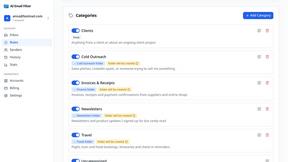
AI Email Filter sorts incoming mail into folders using plain-language prompts you write. Works with any IMAP mailbox; bring your own LLM if you want.
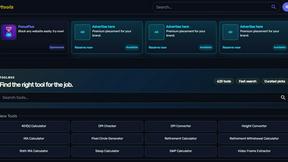
Kody Tools
Free collection of online developer utilities, code formatters, and digital converters designed to streamline your daily workflow.
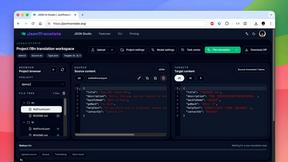
JsonTranslate
Translate JSON, Markdown, and TXT while preserving keys, nested paths, and project structure.
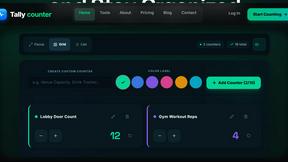
tallycounterweb.com
Online tally counter for tracking attendance, workouts, inventory, visitors, sports scores, habits, and everyday counting tasks.
What's on the menu
Smart translate any restaurant menu