
BudgetSheet
Effortlessly import live bank transactions into Google Sheets, giving you complete control over your budgeting journey.
Visit
About BudgetSheet
BudgetSheet is a revolutionary tool designed to simplify the way individuals manage their finances. By seamlessly integrating live bank transactions into Google Sheets, it eliminates the tedious process of manual exports and the hassle of copying and pasting data from CSV files. This product is perfect for anyone who wants to take control of their financial data, whether you are a busy professional, a student managing expenses, or a family planning a budget. With BudgetSheet, you can easily import bank transactions from over 10,000 financial institutions, including checking accounts, savings accounts, credit cards, investment accounts, and loans. The main value proposition of BudgetSheet lies in its ability to empower users with complete control over their financial data, allowing for personalized budgeting and expense tracking in a familiar spreadsheet interface. This innovative solution leverages secure technology through Plaid, ensuring your financial connections are safe and reliable.
Features of BudgetSheet
Live Bank Transactions
With BudgetSheet, you can import live bank transactions directly into your Google Sheets, ensuring that your financial data is always up-to-date. This feature eliminates the need for manual data entry, saving you time and reducing the likelihood of errors.
Seamless Integration with Google Sheets
BudgetSheet integrates effortlessly with Google Sheets, allowing you to leverage the powerful functionalities of spreadsheets for budgeting and financial planning. You can create custom templates and utilize advanced formulas to manipulate your financial data however you see fit.
Security with Plaid
BudgetSheet uses Plaid to securely connect to your financial institutions. This means that your bank login information is never stored or handled by BudgetSheet, providing peace of mind when linking your accounts. You can trust that your financial data is secure and protected.
Autofetch Feature
The Autofetch feature allows you to automate the process of fetching new bank transactions, ensuring that your financial data is updated nightly. This automation provides a hassle-free experience, allowing you to focus on analyzing your spending rather than worrying about data input.
Use Cases of BudgetSheet
Personal Budgeting
Individuals looking to gain control over their finances can use BudgetSheet for personal budgeting. By importing transactions directly into a Google Sheet, users can create customized budgets that reflect their actual spending habits, allowing for more accurate financial planning.
Expense Tracking for Families
Families managing multiple income sources and expenses can benefit from BudgetSheet's ability to consolidate financial data. By linking various bank accounts, parents can track household expenses, plan for savings, and ensure that everyone is on the same page financially.
Small Business Financial Management
Small business owners can utilize BudgetSheet to track business expenses and revenues in real-time. By integrating bank transactions into Google Sheets, they can create tailored reports and budgets that help them manage cash flow effectively.
Financial Reporting and Analysis
For finance professionals or data analysts, BudgetSheet provides a powerful tool for financial reporting. Users can pull detailed transaction data into customizable spreadsheets, allowing for complex analyses, budget forecasting, and financial modeling.
Frequently Asked Questions
How do I install BudgetSheet?
Installing BudgetSheet is simple. You can enable the BudgetSheet Addon in your Google account by visiting the Google Workspace Marketplace, then follow the instructions provided to set it up in your Google Sheets.
Is my data safe with BudgetSheet?
Absolutely! BudgetSheet does not store or handle any of your bank logins. It uses Plaid for all bank connections, ensuring that your data is securely transmitted and stored. Only a read-only access token is stored, which is encrypted for your security.
Can I try BudgetSheet for free?
Yes! BudgetSheet offers a 15-day free trial that requires no credit card information. This allows you to explore all of its features before deciding to upgrade to a paid plan.
What types of accounts can I link with BudgetSheet?
BudgetSheet supports a wide variety of financial accounts, including checking accounts, savings accounts, credit cards, investment accounts, and loans. With over 10,000 financial institutions supported, you can check the list of supported banks to see if yours is included.
Similar to BudgetSheet

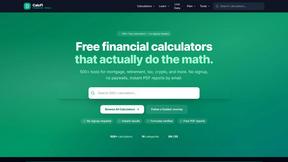
CalcFi
CalcFi empowers you to make informed financial decisions with over 500 free calculators, synthesizing your financial picture in real time.

Redbark
Redbark effortlessly syncs your Australian bank and brokerage data to apps like Google Sheets and YNAB for seamless.

Ricco - Financial Literacy Game
Master your money with Ricco, the engaging game that builds real-life financial skills through fun and risk-free.
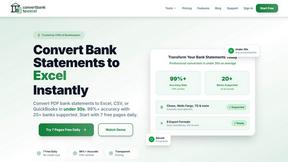
ConvertBankToExcel
ConvertBankToExcel effortlessly transforms your bank statements from PDF to Excel and more in under 30 seconds with 99%.
ExpenseManager
ExpenseManager simplifies tracking expenses, splitting bills, and scanning receipts, empowering users to manage their.

Portfolio Genius
Your AI companion builds and manages a smarter investment portfolio for you.
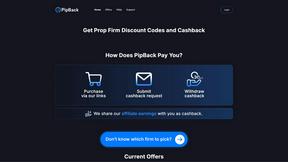
PipBack
Begin your funded trading journey with exclusive discounts and real cashback on every challenge.