
BlueHumanizer
BlueHumanizer turns stiff AI text into clear, natural writing that keeps your meaning intact, all in one click.
Visit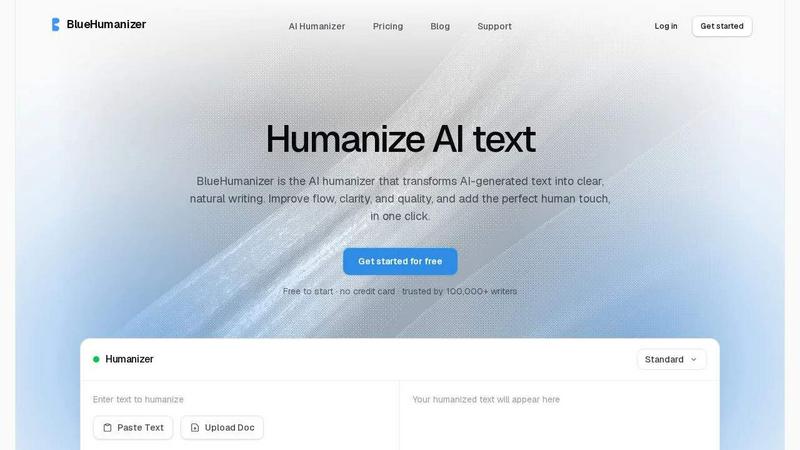
About BlueHumanizer
Imagine this: you have just spent time working with an AI tool like ChatGPT or Claude. You have a draft that has all the right facts and ideas, but something feels off. The sentences are stiff, the rhythm is robotic, and the voice does not sound like you. You know the writing needs to feel more human, but you do not have hours to rewrite every paragraph. This is where BlueHumanizer steps in. BlueHumanizer is an AI humanizer that transforms AI-generated text into clear, natural writing in a single click. It is built for anyone who writes with AI, from students refining essays to marketers polishing campaign copy. Unlike basic tools that simply swap words for synonyms, BlueHumanizer reshapes sentence structure and restores the natural rhythm that makes writing feel real. It keeps your meaning, tone, and key points intact while improving flow and sharpening phrasing. Quotes, citations, and references remain untouched, so researchers and academics can trust their work stays accurate. With support for over 50 languages, adjustable humanization levels, and tone controls, BlueHumanizer adapts to your needs. It is trusted by over 100,000 writers and is free to start with no credit card required. Whether you are working on an academic paper, a blog post, or a daily email, BlueHumanizer helps your writing read clean, natural, and ready to publish.
Features of BlueHumanizer
Humanize AI Text in One Click
The process is as simple as copy, paste, and humanize. There is no setup, no learning curve, and no complicated interface. You take text from ChatGPT, Gemini, Claude, or any AI writer, paste it into BlueHumanizer, and with a single click, the tool rewrites it into clear, polished prose. The output flows smoothly and reads naturally, saving you time and effort. This feature is designed for writers who need quick results without sacrificing quality.
Clearer, Smoother Writing
BlueHumanizer does more than just replace words. It tightens phrasing, varies sentence rhythm, and improves overall flow. The result is writing that reads smoothly and naturally, without changing what you actually said. For example, a stiff input like "Physics delves into the intricate relationships between matter and energy" becomes "The field of physics looks at how matter and energy form the entire universe." The meaning stays the same, but the language becomes clearer and more accessible.
Keeps Your Intent and Tone Intact
One of the biggest fears when using an AI humanizer is losing your voice. BlueHumanizer preserves your tone, your intent, and your key points. Whether you are writing a formal research paper or a casual blog post, the tool ensures the rewrite maintains your original style. The output is cleaner and smoother, but it still sounds like you. This makes it ideal for writers who want to enhance their work without losing their personal touch.
Protects Quotes and Citations
For researchers, academics, and students, citations are non-negotiable. BlueHumanizer understands this. Your quotes, citations, and references stay exactly as they are. Only the writing around them changes. This means you can humanize your entire paper or essay without worrying about accidentally altering a critical source. It is a small but powerful detail that sets BlueHumanizer apart from basic synonym-swapping tools.
Use Cases of BlueHumanizer
Students Refining Essays and Assignments
Students often use AI to generate initial drafts for essays and assignments. However, these drafts can sound robotic and lack the natural flow of human writing. BlueHumanizer helps students transform these drafts into clear, well-structured writing that reads authentically. By improving sentence rhythm and phrasing, the tool ensures the final submission feels polished and thoughtful. It is like having a writing coach that works in seconds, helping students present their best work without the stress of endless revisions.
Researchers and Academics Polishing Papers
Researchers and academics frequently rely on AI to draft papers, abstracts, and literature reviews. The challenge is making that text sound natural while keeping every citation intact. BlueHumanizer solves this problem by rewriting the prose around quotes and references without touching the citations themselves. The result is a paper that flows smoothly and reads clearly, making complex ideas more accessible to readers. It is a practical tool for anyone who wants to maintain academic rigor while improving readability.
Marketers and Content Teams Shipping Brand Copy
Marketers need content that reads on-brand, sounds human, and engages audiences. AI-generated drafts can be a great starting point, but they often lack the nuance and tone required for effective marketing. BlueHumanizer allows marketers to adjust the humanization level and tone, ensuring the final copy matches the brand voice. Whether it is a blog post, an email campaign, or landing page copy, the tool delivers polished, natural-sounding text that is ready to publish. It helps content teams ship high-quality work faster without compromising on quality.
Non-Native Writers Making English Flow Naturally
For non-native English speakers, writing fluently in English can be a challenge. AI tools can help generate text, but the output may still feel awkward or unnatural. BlueHumanizer smooths out these rough edges, making AI-generated English flow as naturally as if it were written by a native speaker. The tool supports over 50 languages, automatically detects the input language, and produces human-sounding output. This empowers non-native writers to communicate their ideas clearly and confidently, whether they are writing emails, reports, or creative pieces.
Frequently Asked Questions
How does BlueHumanizer differ from other AI humanizers?
Most humanizers simply swap words for synonyms, which can make the text sound awkward or change the meaning. BlueHumanizer goes deeper by reshaping sentence structure and restoring natural rhythm. It rewrites the way a person would, so the result actually flows and reads clearly. The tool also preserves your original meaning, tone, and key points, while leaving quotes and citations untouched. This makes it a more sophisticated and reliable choice for writers who need high-quality output.
Is BlueHumanizer free to use?
Yes, BlueHumanizer is free to start with no credit card required. You can paste text and humanize it immediately without any upfront commitment. The free tier allows you to experience the core functionality and see the quality of the output. For users who need more advanced features, such as higher word limits or additional tone controls, there are paid plans available. However, the free version is robust enough for most everyday writing tasks.
Can BlueHumanizer handle text from any AI tool?
Yes, BlueHumanizer is designed to work with text from any AI writer, including ChatGPT, Claude, Gemini, Mistral AI, and many others. It does not matter which model or platform you used to generate the text. The tool analyzes the input and rewrites it for smoother flow and clearer phrasing. This flexibility makes it a versatile companion for anyone who uses multiple AI tools in their workflow.
Does BlueHumanizer change my quotes or citations?
No, BlueHumanizer leaves your quotes, citations, and references untouched. Only the writing around them changes. This is a critical feature for researchers, academics, and students who need to maintain the integrity of their sources. You can humanize your entire document without worrying about accidentally altering a citation or misquoting a source. The tool is built with precision and respect for your original work.
Pricing of BlueHumanizer
BlueHumanizer is free to start with no credit card required. For users who need more advanced features, such as higher word limits, additional tone controls, or priority support, paid plans are available. Specific pricing details for these plans can be found on the BlueHumanizer website. The free tier provides a robust experience for most everyday writing tasks, making it accessible to students, researchers, marketers, and anyone who writes with AI.
Similar to BlueHumanizer



AI UGC Video Generator
Create AI UGC video ads from a product URL, image, or script with lifelike creators, natural voices, captions, and clear CTAs.


amaze.directory
A hand-checked directory of AI tools. Every listing was opened and used by a person before it went in, pricing is printed on the card, and nothing can

Ornold
AI browser automation for MCP agents across Chromium and antidetect profiles.

benchmark.directory
An independent directory of 146 AI tools. Every listing was paid for, set up and used on real work. Nobody can buy a place or a score.