
Blueberry
Blueberry is your all-in-one Mac workspace, seamlessly integrating editor, terminal, and browser to enhance product.
Visit
About Blueberry
Blueberry is a revolutionary macOS application designed for modern product builders, providing an integrated and focused workspace that combines your editor, terminal, and browser into one seamless environment. In a world where developers often juggle multiple applications, Blueberry streamlines the process, allowing users to build and ship web applications more efficiently. Whether you are a seasoned developer or just starting your journey, Blueberry’s AI-native platform equips you with tools to enhance productivity and creativity. By connecting with powerful AI models like Claude, Codex, and Gemini through its built-in MCP server, Blueberry offers real-time access to project files, terminal outputs, and live previews, ensuring that context is always at your fingertips. This innovative approach eliminates the frustration of copy-pasting and switching between apps, allowing you to focus on what truly matters—building exceptional products that delight users.
Features of Blueberry
Integrated Workspace
Blueberry combines the functionalities of a terminal, code editor, and preview browser, all within one workspace. This integration means you can work on code, execute commands, and see real-time previews without the hassle of switching between different applications.
AI Contextual Awareness
With Blueberry, your AI models have immediate access to your entire project context, including code, running applications, and browser views. This constant context allows for more informed responses and suggestions from AI, enhancing your productivity and reducing miscommunication.
Pinned Apps
Never lose track of essential tools again. Blueberry allows you to pin applications like GitHub, Linear, Figma, and PostHog directly within your workspace. These apps load alongside your project and share live context with your AI, streamlining your workflow.
Visual Context Features
Capture screenshots or select elements directly from the preview browser to provide your AI with visual context. This feature allows for more accurate guidance and feedback, making it easier to troubleshoot and refine your projects.
Use Cases of Blueberry
Rapid Prototyping
Developers can quickly prototype web applications by using Blueberry's integrated features. With instant access to code editing, terminal commands, and live previews, you can iterate rapidly and bring ideas to life without losing focus.
Collaborative Development
Blueberry supports collaborative workflows by allowing teams to share their workspace. By integrating pinned apps and real-time AI assistance, team members can communicate effectively and work together to solve problems and innovate.
Learning and Experimentation
For those new to coding or exploring new technologies, Blueberry provides an ideal environment for learning. The combined editor and preview features allow learners to experiment with code while immediately seeing the results, fostering a hands-on learning experience.
Efficient Debugging
When debugging web applications, Blueberry’s all-in-one workspace simplifies the process. You can view terminal outputs, edit code, and see how changes affect the live preview—all in one place, which significantly speeds up troubleshooting.
Frequently Asked Questions
What operating system does Blueberry support?
Blueberry is currently available exclusively for macOS users, making it a tailored solution for Apple developers.
Is there a cost associated with using Blueberry during the beta?
Blueberry is completely free during its beta phase, allowing users to explore its features without any financial commitment.
Can I use my existing AI models with Blueberry?
Yes, Blueberry supports integration with various AI models, including Claude, Codex, and Gemini, allowing you to choose the model that best fits your workflow.
How does Blueberry enhance collaboration among teams?
Blueberry enhances collaboration by enabling teams to work within a shared workspace, where they can pin essential apps and access real-time AI assistance, thus improving communication and productivity.
Explore more in this category:
Similar to Blueberry

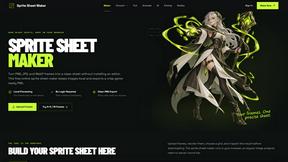
Sprite Sheet Maker
A free browser-based toolkit for creating, cutting, converting, and previewing sprite sheet animations.
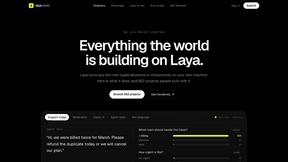
laya.tools
A free directory of 950+ projects built on Laya, the open-source decision model. Updated daily.
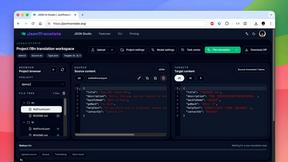
JsonTranslate
Translate JSON, Markdown, and TXT while preserving keys, nested paths, and project structure.
Forms Plugin
The #1 Native Form Builder Plugin for Framer - No Code, No Embeds, No External Platforms.


Product Launch Checklist
A free launch checklist for SaaS, apps, AI tools and more. Every step says why it matters and when you can skip it.