
archmaster
Upload a photo of any room or building, pick a style, and in seconds Archmaster transforms your space into a photorealistic design.
Visit
About archmaster
Imagine standing in your living room, wishing it felt brighter, more modern, or maybe a little more Scandinavian. Now imagine snapping a photo with your phone, selecting a style, and watching your space transform before your eyes in less than a minute. That is the reality archmaster delivers. Archmaster is an AI-powered interior design and architectural rendering platform that turns ordinary photos of rooms, exteriors, and outdoor spaces into photorealistic redesigns. You do not need any 3D modeling software, CAD files, or a professional designer to create stunning visualizations. Simply upload a picture, choose from 20 style presets ranging from Scandinavian minimalist to Cyberpunk drama, and receive a designer-quality render in under 60 seconds. The platform is built for homeowners planning renovations, renters visualizing non-permanent changes, real estate agents creating virtual stagings, interior designers generating early-stage client concepts, and architects presenting ideas to clients. Archmaster goes beyond simple room transformations. It offers six core capabilities: interior redesign, exterior redesign, sketch-to-image conversion, AI render enhancement, architecture video generation, and targeted AI inpainting. Additional free tools include a room size calculator, paint calculator, renovation cost estimator, and color palette generator. Trusted by over 800 designers and homeowners, archmaster democratizes design by making professional-grade visualization accessible to everyone. No skills required, just your imagination and a photo.
Features of archmaster
Interior AI Design
Transform any interior space with a single click. Upload a photo of your living room, bedroom, bathroom, or kitchen, select one of 20 style presets, and watch the AI reimagine the entire room. The result is a photorealistic render that shows new furniture arrangements, color schemes, flooring, wall treatments, and decor elements. You can compare the before and after using an interactive slider to see exactly how your space would look transformed. This feature is perfect for homeowners exploring renovation ideas or designers presenting multiple style options to clients.
Exterior and Facade Design
Your home's exterior makes the first impression, and archmaster helps you reimagine it completely. Upload a photo of your house, front yard, or outdoor space, choose a style, and receive a photorealistic render of the transformed facade. Whether you want a modern minimalist look, a rustic farmhouse feel, or a tropical paradise, the AI applies architectural changes, new paint colors, landscaping elements, and structural modifications. This feature is invaluable for homeowners planning curb appeal upgrades and architects presenting exterior concepts to clients.
Sketch to Render
Bridge the gap between imagination and reality with the sketch-to-render feature. Take a hand-drawn architectural sketch, a rough floor plan, or even a simple doodle on a napkin, upload it to archmaster, and the AI converts it into a photorealistic image. This capability is a game-changer for architects and designers who want to quickly visualize early-stage concepts without spending hours in CAD software. It turns abstract ideas into tangible, shareable visuals that clients can understand and approve instantly.
AI Render Enhancer and Edit and Modify
Archmaster includes two powerful tools for perfecting your designs. The AI Render Enhancer upscales and sharpens any architectural visualization, turning standard renders into print-ready, high-resolution images suitable for presentations, portfolios, or marketing materials. The Edit and Modify feature uses AI inpainting to let you change specific parts of an existing render. Want to swap out a sofa, change a wall color, or add a window? Simply select the area and describe what you want. This granular control ensures every design is exactly as you envision it.
Use Cases of archmaster
Homeowners Planning Renovations
For homeowners, renovating a space is a significant investment of time and money. Archmaster eliminates the guesswork by letting you visualize any change before committing. Upload a photo of your outdated kitchen and see it transformed with new countertops, cabinets, and layouts. Try different styles like modern, rustic, or coastal to find the perfect look. You can experiment with paint colors, flooring, and furniture arrangements without buying a single sample. This confidence in your design choices leads to better renovation outcomes and fewer costly mistakes.
Interior Designers Presenting Concepts
Interior designers can use archmaster to rapidly generate multiple design concepts for clients. Instead of spending hours creating mood boards and 3D renderings, upload a photo of the client's actual room and apply different style presets in seconds. Show a client how their living room would look in Scandinavian, Bohemian, or Luxury styles side by side. The before-and-after slider creates a powerful visual narrative that helps clients understand the potential of their space. This speeds up the approval process and allows designers to focus on the creative aspects of their work.
Real Estate Agents Creating Virtual Stagings
Real estate agents can dramatically increase the appeal of listings by virtually staging empty or outdated properties. Upload a photo of a vacant living room and archmaster adds furniture, decor, and warm lighting to create an inviting space. Show potential buyers how a home could look with modern furnishings and stylish finishes. Virtual staging is far more cost-effective than physical staging and can be done for multiple rooms in minutes. It helps properties sell faster and at higher prices by helping buyers emotionally connect with the space.
Architects Visualizing Client Projects
Architects can use archmaster to quickly visualize building concepts and exterior designs for client presentations. Upload a sketch of a proposed facade and convert it into a photorealistic render that shows materials, colors, and landscaping. Generate short animated walkthrough videos of architectural renders to give clients a sense of moving through the space. The AI render enhancer ensures all visualizations are sharp and professional. This accelerates the conceptual phase of projects and helps clients approve designs faster with greater confidence.
Frequently Asked Questions
What is a credit and how does it work?
A credit is the basic unit of usage on archmaster. One credit allows you to generate one new design, upscale an existing render, or perform one edit using the modify feature. Multi-view generation, which creates multiple angles of a single design, costs three credits. Architecture video generation, which animates a still render into a short walkthrough video, costs five credits. Credits are automatically renewed each week with your subscription plan. You can use them at any time during your billing period, and unused credits do not roll over to the next week.
What photo formats are supported by archmaster?
Archmaster supports standard image formats including JPEG, PNG, and WEBP. For best results, upload clear, well-lit photos that show the entire room or building facade without obstructions. The AI works best with images that have good resolution and minimal clutter. You can upload photos directly from your phone, computer, or cloud storage. There is no need to crop or edit your photos beforehand, as the AI automatically analyzes the space and applies the design transformation to the relevant areas.
Can archmaster redesign building exteriors and outdoor spaces?
Yes, absolutely. Archmaster is specifically designed to transform building exteriors, facades, front yards, and outdoor spaces. Upload a photo of your house, apartment building, or commercial property, select a style, and the AI will reimagine the entire exterior. Changes can include new paint colors, siding materials, roofing, windows, doors, landscaping, patios, and outdoor structures. This feature is popular with homeowners planning curb appeal upgrades, property developers visualizing renovations, and architects presenting exterior concepts to clients.
Are my uploaded photos used to train AI models?
Archmaster takes your privacy seriously. Your uploaded photos are used solely to generate the designs you request and are not used to train or improve the company's AI models. The platform processes your images in real-time and does not store them permanently unless you choose to save your designs. You can review the full privacy policy on the archmaster website for complete details about data handling and storage practices. Your creative ideas and personal spaces remain confidential.
Pricing of archmaster
Archmaster offers a simple, transparent pricing model with no hidden fees. The single plan costs $9.99 per week and includes 30 credits that auto-renew each week. One credit covers one generation, one upscale, or one edit. Multi-view generation costs 3 credits, and architecture video generation costs 5 credits. You can cancel your subscription at any time. There are no long-term contracts or commitments. The platform also provides several free tools including a room size calculator, paint calculator, renovation cost estimator, and color palette generator, allowing you to explore design possibilities without any financial commitment.
Similar to archmaster

AI Wedding Photo Generator
Begin your story by transforming a simple selfie into a stunning AI-generated wedding portrait.
SimpleDraw
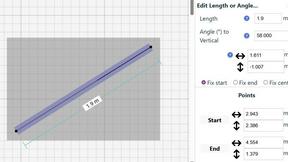
Effortlessly create precise floor plans and scale drawings online with SimpleDraw's intuitive web-based tool.