
AnyToURL
Transform your files into shareable links in seconds with AnyToURL's effortless drag-and-drop simplicity and secure.
Visit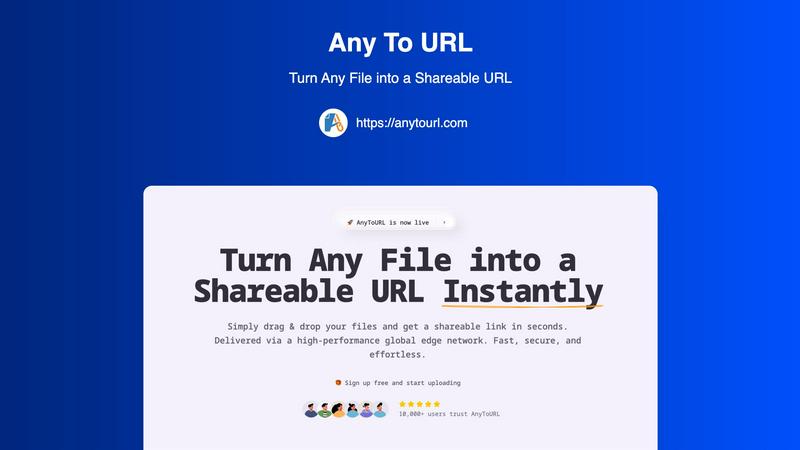
About AnyToURL
AnyToURL is an innovative file-sharing solution that transforms the way individuals and businesses share files online. It simplifies file transfers by allowing users to effortlessly drag and drop files—including images, videos, PDFs, and text documents—turning them into shareable links in mere seconds. This platform is tailored for a diverse array of users, including designers, marketers, and team collaborators, who prioritize efficiency and speed in their workflow. The core value proposition of AnyToURL is its high-speed file delivery, powered by a global edge CDN, ensuring that shared content is accessible seamlessly from any location. With a strong emphasis on security and user-friendliness, AnyToURL not only enhances productivity but also fosters collaboration, allowing users to share files securely and effortlessly. Whether you are sending project assets to a client or sharing vital documents with your team, AnyToURL stands as a reliable partner in your file-sharing journey.
Features of AnyToURL
Effortless Drag & Drop Upload
With AnyToURL, uploading files is as simple as dragging and dropping them onto the platform. This user-friendly feature eliminates the need for complicated forms or lengthy upload processes, making file sharing quick and efficient.
Instant Shareable Links
Once your file is uploaded, you receive an instant, short URL that you can copy and share anywhere—via email, chat, or social media. This feature allows you to distribute your files without delays, ensuring that your recipients have immediate access.
Smart File Preview
AnyToURL allows recipients to preview images, PDFs, and documents directly in their browser without the need to download them. This smart file handling enhances the user experience, making it easy for your audience to view content on-the-fly.
Global Edge CDN
Delivering files via a high-performance global edge network, AnyToURL guarantees lightning-fast access to your shared content, no matter where your recipients are located. This feature ensures that file transfer speeds remain optimal, improving overall efficiency.
Use Cases of AnyToURL
Design Collaboration
Designers can use AnyToURL to share mockups, wireframes, and prototypes with clients in real-time. The instant preview feature allows clients to provide feedback quickly, fostering a more collaborative design process.
Marketing Campaign Distribution
Marketing teams can effortlessly distribute campaign assets, brand materials, and media files to their colleagues. The ability to preview files in the browser ensures that team members can access the information they need without unnecessary downloads.
Project Management
Product managers can share essential documentation, specifications, and resources with distributed teams. AnyToURL's global CDN delivery guarantees that every team member can access files quickly, regardless of their physical location.
Secure File Sharing
For sensitive materials, users can leverage AnyToURL's password protection feature to share files securely. This is particularly useful for legal documents or proprietary information, ensuring that only authorized individuals can access these files.
Frequently Asked Questions
What file types does AnyToURL support?
AnyToURL supports over 50 file types, including images, PDFs, and text documents. This versatility makes it suitable for a wide range of file-sharing needs.
How large can my files be for the free tier?
For free users, the maximum file size is 50MB. This allows you to share a variety of files without needing to upgrade immediately.
How long do my files stay available on AnyToURL?
Files uploaded by free users expire after 24 hours. However, upgrading to a paid plan allows for permanent storage of your files.
Is my data secure with AnyToURL?
Yes, AnyToURL prioritizes security with features such as password protection and strict isolation from malware, ensuring that your files are safe throughout the sharing process.
Explore more in this category:
Similar to AnyToURL
AI Email Filter
AI Email Filter sorts incoming mail into folders using plain-language prompts you write. Works with any IMAP mailbox; bring your own LLM if you want.
Kody Tools
Free collection of online developer utilities, code formatters, and digital converters designed to streamline your daily workflow.
JsonTranslate
Translate JSON, Markdown, and TXT while preserving keys, nested paths, and project structure.
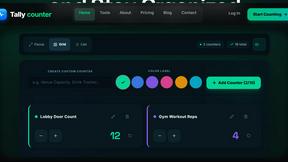
tallycounterweb.com
Online tally counter for tracking attendance, workouts, inventory, visitors, sports scores, habits, and everyday counting tasks.
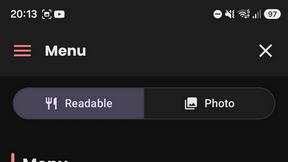
What's on the menu
Smart translate any restaurant menu
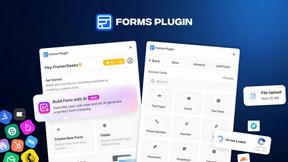
Forms Plugin
The #1 Native Form Builder Plugin for Framer - No Code, No Embeds, No External Platforms.

Product Launch Checklist
A free launch checklist for SaaS, apps, AI tools and more. Every step says why it matters and when you can skip it.
