
Latest Software in Startup Vessel
See the newest products added to Startup Vessel across founder workflows, early operations, and startup execution categories.
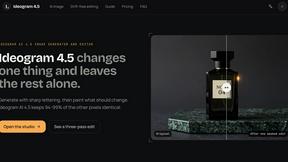
ideogram-45
AI image generation and editing with sharp typography, native 2K output, and localized edits that preserve the rest of your image.
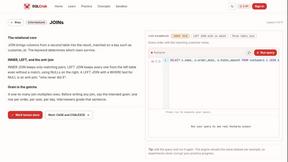
SQLCrab
SQLCrab (sqlcrab.com) is an interactive, browser-based SQL learning platform that lets you practice database queries directly in your browser.

Image to Layers AI
Turn any image into editable transparent PNG/PSD layers with AI

TryH3 - MiniMax H3 Video Generator
Try MiniMax Hailuo H3 video generation in the browser

BillionVerify
BillionVerify is a professional email verification service built to solve one problem: bad email data costs businesses money.
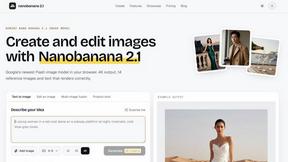
nanobanana 21
A fast, simple image studio powered by Nano Banana 2.1. Create and edit high-quality AI images with readable text and consistent characters.

LaunchBert
LaunchBert saves you hours launching to directories - with a curated roadmap, one-click badge integration, and a form auto-fill Chrome extension.
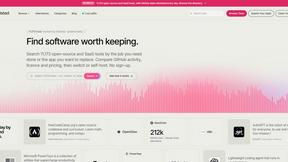
Enlisted
Search 20,000+ open-source and SaaS tools by the job you need done or the app you want to replace.



Clever AI Humanizer
Clever AI Humanizer is a free tool that makes AI-generated text sound more human.

BetterKnocks
One powerful software for D2D (Door to door) fields reps to manage their sales and their teams to easily track territories and complete powerhouse CRM

qwenimage-21
AI image generation and editing with detailed prompts, reference images, portrait and typography refinement, and transparent RGBA output.





Botmonster Tech
Botmonster Tech is a hands-on tech blog about AI, self-hosting, smart home, coding, web development and hardware, tested in Botmonster's homelab.

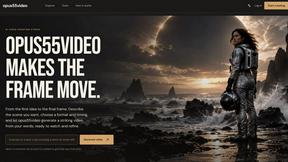
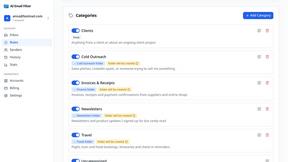
AI Email Filter
AI Email Filter sorts incoming mail into folders using plain-language prompts you write. Works with any IMAP mailbox; bring your own LLM if you want.

hotel-lobby
Two-person AI video concept in a warm orange booth, with two performers sharing one microphone.



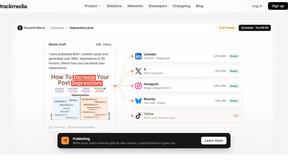
TrackMedia
Your Social Media Content Engine That Drives Revenue. Distribute content to every platform and track it in real time. Use AI agents to run it.

AI Album Cover Maker
Create release-ready album covers from a prompt or photo. Generate, refine, and export art for singles, EPs, mixtapes, and playlists.





Wordy
Learn languages with real movie and TV show clips.

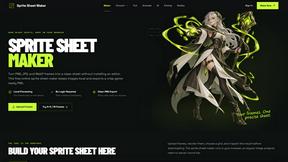
Sprite Sheet Maker
A free browser-based toolkit for creating, cutting, converting, and previewing sprite sheet animations.
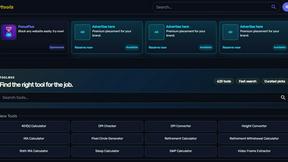
Kody Tools
Free collection of online developer utilities, code formatters, and digital converters designed to streamline your daily workflow.


laya.tools
A free directory of 950+ projects built on Laya, the open-source decision model. Updated daily.

JsonTranslate
Translate JSON, Markdown, and TXT while preserving keys, nested paths, and project structure.
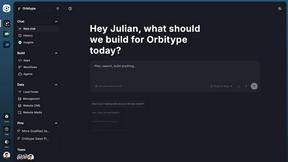

tallycounterweb.com
Online tally counter for tracking attendance, workouts, inventory, visitors, sports scores, habits, and everyday counting tasks.
Browse Products by Category
About Latest products
The latest page tracks newly added products in Startup Vessel so founders can review fresh software, newly listed tools, and recent alternatives across important startup categories.
Every new product is reviewed by our editorial team before it appears here, so you can trust that recent additions meet our standards for quality, accuracy, and relevance. New listings span a wide range of categories and pricing models, giving you early access to emerging options that may not yet appear in broader search results or mainstream review sites.
Check back regularly to see the newest startup software added to the directory.
Frequently Asked Questions
How often are new products listed?
We add new products to our directory regularly, typically several times per week. Our team reviews every submission before publishing it.
What types of products do you cover?
We feature a broad range of digital products including SaaS platforms, desktop applications, mobile apps, browser extensions, and more.
Can I submit my product?
Yes. We encourage product creators to submit their products through our submission page. Every submission goes through our editorial review.
How are the latest products ordered?
Products on this page are sorted by date added, with the newest listings appearing first so you always see the freshest additions.
Are new listings verified before appearing here?
Yes. Every product goes through our editorial review process to verify accuracy, functionality, and relevance before it is published. Only approved listings appear on the latest page.
How are the newest listings sorted?
Listings are displayed in reverse chronological order with the most recently published products shown first. This ensures you always see the freshest additions at the top of the page.