
RocketShare vs SupaSidebar
Side-by-side comparison to help you choose the right product.

RocketShare
Share your files on a private journey where only you hold the key.
Last updated: March 4, 2026

SupaSidebar
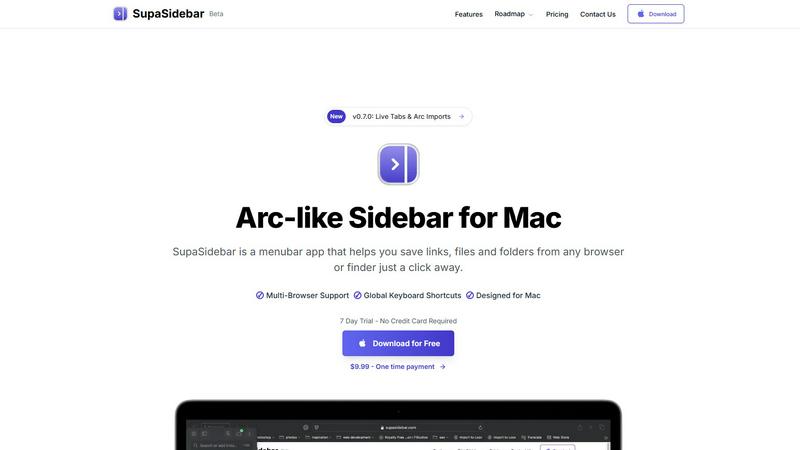
SupaSidebar elevates your Mac experience by providing instant access to links, files, and folders with just one click.
Last updated: February 28, 2026
Visual Comparison
RocketShare

SupaSidebar
Feature Comparison
RocketShare
Zero-Knowledge Encryption
This is the cornerstone of your privacy journey. Every file you upload is encrypted locally on your device using a unique key before it is transmitted. This key never leaves your possession, meaning RocketShare's servers only ever handle encrypted, unreadable data. It's a fundamental design that guarantees not even the platform's own engineers can access your files, placing you in complete and absolute control of your data from start to finish.
Local Peer-to-Peer Sharing
For the ultimate in speed and privacy, RocketShare offers a local sharing mode. This feature creates a direct, encrypted connection between your device and the recipient's device, allowing files to travel directly without ever being stored on a central server. It's the digital equivalent of handing over a sealed envelope in person, perfect for sharing extremely large files or when you require the absolute minimum data footprint on the internet.
EU-Based Data Storage
Your encrypted data resides on servers located within the European Union, a region known for its stringent data protection laws like the GDPR. This geographic commitment provides an additional layer of legal and regulatory security, ensuring that data sovereignty is respected and that your information is managed under some of the world's most robust privacy frameworks.
Simple, Self-Serve Interface
RocketShare believes powerful security should not come with a complex setup. The platform is designed with a clean, intuitive drag-and-drop interface. You can start sharing protected files in moments, with no IT department required. This elegant simplicity ensures that everyone, from a solo freelancer to a large team, can embark on their secure sharing journey without any friction or learning curve.
SupaSidebar
Natural Swipe & Show on Finder
SupaSidebar introduces a natural swipe feature that allows you to effortlessly access your sidebar while using Finder or any application. This intuitive design means you can switch contexts without losing your workflow, making it easier to manage your files and links seamlessly.
Global Keyboard Shortcuts
Designed with efficiency in mind, SupaSidebar offers global keyboard shortcuts that allow you to save or copy URLs in a flash. With simple commands like CMD CTRL S to save and CMD CTRL C to copy, you can streamline your digital tasks and reduce the time spent navigating through menus.
Fast Search Functionality
Finding what you need instantly is crucial in a fast-paced environment. SupaSidebar includes a powerful search feature that lets you press CMD CTRL K and type to find any file, folder, website, or app without the hassle of scrolling through countless options. This feature ensures that your productivity is never hampered by searching for resources.
Recents Tracking
SupaSidebar tracks every website you've visited in the last 48 hours, allowing you to quickly access your recent work without having to remember or search for it. This feature is particularly useful for professionals who juggle multiple tasks and need quick access to their most recently used links.
Use Cases
RocketShare
Legal Document Exchange
A law firm needs to send sensitive case files, client contracts, and deposition videos to co-counsel. Using RocketShare, attorneys can share these documents with the ironclad guarantee of zero-knowledge encryption. They can prove to clients that confidentiality is technically enforced, not just promised, meeting strict ethical and compliance obligations while streamlining their workflow.
Creative Asset Delivery
A photographer or videographer delivering final galleries or raw footage to a client can use RocketShare to protect their intellectual property. The platform ensures high-resolution files are transferred securely, preventing unauthorized access or piracy. Creators can share download links with confidence, knowing their work is safe until it reaches the intended recipient's hands.
Healthcare Collaboration
Medical researchers or clinics collaborating on patient studies or trial data require HIPAA-level security for sensitive health information. RocketShare's encryption model provides a robust method for sharing anonymized datasets, imaging files, or reports, ensuring patient privacy is maintained throughout the collaborative process without relying on complex, institution-specific systems.
Internal Business Communications
Teams working on confidential projects, such as merger details, financial forecasts, or unreleased product designs, need a secure channel for internal file exchange. RocketShare acts as a trusted digital courier, allowing team members to share drafts, spreadsheets, and presentations with the assurance that leaks or unauthorized internal access are technically impossible.
SupaSidebar
Streamlined Research
For researchers who often browse multiple sources, SupaSidebar serves as a powerful tool to save and organize links related to their studies. With quick access to recent sites and a dedicated space for favorites, it allows users to maintain focus and avoid distractions.
Efficient Content Creation
Content creators can benefit from SupaSidebar by organizing their references, inspiration, and tools in one easy-to-access sidebar. This organization helps streamline the creative process, making it easier to pull from various resources without losing momentum.
Multitasking Professionals
SupaSidebar is ideal for multitasking professionals who juggle various applications and web pages simultaneously. With its fast search capabilities and global shortcuts, users can effortlessly switch between tasks, keeping their workflow smooth and efficient.
Organizing Personal Projects
If you manage personal projects or hobbies that require various online resources, SupaSidebar can help you keep everything organized. By pinning important links and tracking recent activity, you can ensure that all the information you need is always just a click away.
Overview
About RocketShare
Imagine a world where sending a file feels as secure as locking it in a personal safe, handing over the only key, and then watching that safe travel to its destination completely untouched. This is the journey RocketShare offers. It is a secure file-sharing platform built on a radical promise: your privacy is non-negotiable. Designed for individuals and businesses who handle sensitive information, RocketShare operates on a zero-knowledge encryption model. This means your files are encrypted on your own device before they ever leave your computer. The encryption key remains solely with you, often embedded directly in the share link. To the servers, your data is nothing but unreadable, encrypted noise. This ensures that no third party, not even RocketShare itself, can ever access the content of your files. It provides enterprise-grade security wrapped in a beautifully simple, self-serve package. Whether you're sending confidential legal documents, delivering high-value creative work, or collaborating on secret projects, RocketShare ensures your intellectual property and private data remain exactly that—private. With the flexibility of both cloud-based and local peer-to-peer sharing, and with all data securely stored within the EU, RocketShare is the trusted companion for anyone who values simplicity without ever compromising on top-tier security.
About SupaSidebar
SupaSidebar is an elegantly designed menubar application for Mac that revolutionizes how users manage their digital workspace. It is crafted with inspiration from the intuitive design of the Arc browser, SupaSidebar provides a beautifully crafted sidebar that allows users to save, access, and organize links, files, and folders from any browser or Finder with just a click. It is tailored for anyone feeling overwhelmed by the clutter of open tabs and scattered bookmarks. Whether you are a researcher, content creator, or a multitasking professional, SupaSidebar empowers you to stay organized, browse faster, and maintain your flow with ease. With seamless integration across all major browsers—such as Safari, Chrome, Firefox, Brave, and Arc—SupaSidebar ensures that your data remains accessible and manageable. Experience the joy of a distraction-free sidebar that is lightweight, efficient, and designed to fit perfectly into your macOS environment.
Frequently Asked Questions
RocketShare FAQ
How does zero-knowledge encryption work?
With RocketShare, encryption happens on your device before upload. You create a share link, which contains or points to the unique decryption key. Your files are scrambled into unreadable ciphertext using this key and then sent to our servers. Since we never receive the key, we cannot decrypt the data. Only someone with the correct link (and key) can unlock and download the original files.
What is the difference between Cloud Share and Local Share?
Cloud Share uploads your encrypted files to RocketShare's secure servers in the EU, allowing recipients to download them at any time, ideal for asynchronous sharing. Local Share establishes a direct, encrypted connection between your device and the recipient's device for the transfer; files are never stored on our servers, offering maximum speed and privacy for immediate, peer-to-peer exchanges.
Can I share files with someone who doesn't have a RocketShare account?
Absolutely. RocketShare is designed for effortless sharing with anyone. You generate a secure link and send it via email, messaging app, or any method you prefer. The recipient simply clicks the link to download the files directly in their browser—no account or software installation is required on their end, making the receiving journey just as simple.
Where are my files stored, and for how long?
All files shared via Cloud Share are stored in their encrypted form on servers located within the European Union. You have full control over the lifespan of your shares. You can set expiration dates for links or manually delete files from the server at any time. Once deleted, the encrypted data is permanently removed from our systems.
SupaSidebar FAQ
Is SupaSidebar a browser extension?
No, SupaSidebar is a standalone menubar application designed specifically for macOS. It integrates with all major browsers, allowing you to manage links and files without being tied to a single browser environment.
Which browsers does SupaSidebar work with?
SupaSidebar supports all major browsers, including Safari, Chrome, Firefox, Brave, and the Arc browser. This compatibility ensures that you can access and organize your digital workspace regardless of your preferred browsing tool.
What macOS version do I need?
SupaSidebar requires macOS 13 or higher to operate smoothly. This ensures that users have access to the latest features and improvements provided by Apple's operating system.
Where is my data stored?
Your data with SupaSidebar remains on your Mac, ensuring complete privacy and security. No information is sent to external servers unless explicitly shared by you, allowing you to manage your workspace with peace of mind.
Alternatives
RocketShare Alternatives
In the world of secure file sharing, RocketShare stands out as a champion of privacy. It belongs to a category of tools designed not just to move data, but to protect it fiercely with end-to-end encryption, ensuring that your sensitive documents, creative work, and confidential communications remain for your eyes only. People often explore other options for various reasons. Perhaps they need a different pricing model, specific collaboration features like real-time editing, or deeper integration with their existing software ecosystem. The quest for the right tool is a personal journey, shaped by unique workflow needs and budget considerations. When searching for a different path, focus on what matters most to your mission. Prioritize the core principles of security and privacy, examine the practicalities of storage limits and transfer speeds, and consider how seamlessly a new service will fit into your daily digital landscape. The goal is to find a trustworthy companion that aligns with your values and empowers your work.
SupaSidebar Alternatives
SupaSidebar is a beautifully crafted menubar application for Mac, designed to transform how users manage their digital workspace. It belongs to the productivity and management category, specifically catering to individuals who seek an efficient way to save, access, and organize their links, files, and folders. Users often find themselves looking for alternatives due to various reasons such as pricing concerns, feature limitations, or specific platform requirements. The ideal alternative should offer a sleek user experience, robust functionality, and seamless integration with existing tools to enhance productivity. When searching for an alternative, consider what features are most important to your workflow. Look for options that prioritize user interface design and ease of access, as well as those that provide real-time updates and organizational capabilities. Additionally, ensure that the alternative you choose is compatible with your preferred browsers and operating systems, allowing for a more cohesive experience in managing your digital life.