
Mailopoly vs SupaSidebar
Side-by-side comparison to help you choose the right product.

Mailopoly
Mailopoly transforms your inbox into a smart assistant, organizing emails, extracting details, and drafting replies.
Last updated: February 27, 2026

SupaSidebar
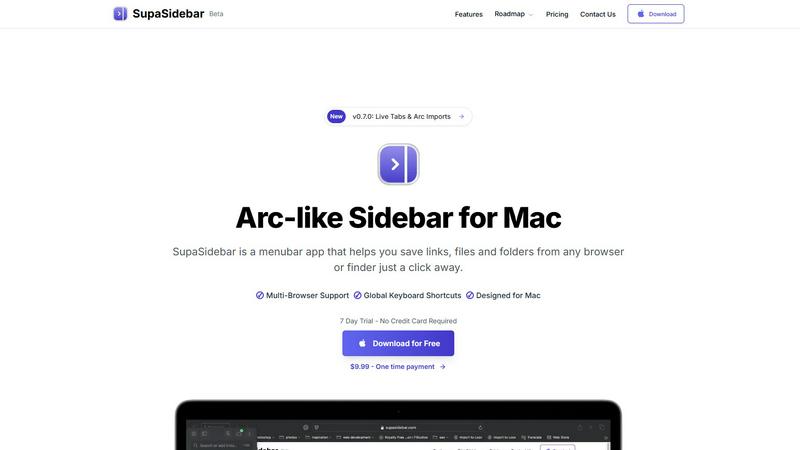
SupaSidebar elevates your Mac experience by providing instant access to links, files, and folders with just one click.
Last updated: February 28, 2026
Visual Comparison
Mailopoly

SupaSidebar
Feature Comparison
Mailopoly
Cleanbox – Only the Emails That Matter
Mailopoly’s Cleanbox feature ensures that only the most relevant emails reach your attention. By filtering out unnecessary noise, it allows you to keep your focus on important matters with ease. The system is accurate from day one, requiring no complicated setup or rules. Notifications are streamlined to highlight only real priorities, making your day organized without the usual overwhelm.
Instant Information Extraction
With Mailopoly, there is no need to open each email to find what you are looking for. The platform automatically extracts key information such as invoice amounts, booking details, dates and times, meetings, delivery updates, attachments, and tasks. This feature allows you to get a snapshot of everything important at a glance, significantly reducing the time spent sifting through your inbox.
AI-Powered Reply Drafting
No more worrying about how to respond to emails. Mailopoly drafts replies for you in your own voice, capturing your style, tone, and energy. The AI provides multiple suggestions for your responses, allowing you to edit or send in just seconds. This feature is perfect for managing personal, work-related, and side-hustle communications, freeing you from the burden of constant typing.
Poly – Your AI Life Assistant
Poly is your dedicated AI assistant, integrated directly into Mailopoly. It helps manage your life admin, side hustles, bills, and travel plans by answering your queries. Whether you need to know what bills are due this week or get a summary of important emails, Poly is there to assist you instantly. This built-in support makes it easier than ever to stay organized and on top of your responsibilities.
SupaSidebar
Natural Swipe & Show on Finder
SupaSidebar introduces a natural swipe feature that allows you to effortlessly access your sidebar while using Finder or any application. This intuitive design means you can switch contexts without losing your workflow, making it easier to manage your files and links seamlessly.
Global Keyboard Shortcuts
Designed with efficiency in mind, SupaSidebar offers global keyboard shortcuts that allow you to save or copy URLs in a flash. With simple commands like CMD CTRL S to save and CMD CTRL C to copy, you can streamline your digital tasks and reduce the time spent navigating through menus.
Fast Search Functionality
Finding what you need instantly is crucial in a fast-paced environment. SupaSidebar includes a powerful search feature that lets you press CMD CTRL K and type to find any file, folder, website, or app without the hassle of scrolling through countless options. This feature ensures that your productivity is never hampered by searching for resources.
Recents Tracking
SupaSidebar tracks every website you've visited in the last 48 hours, allowing you to quickly access your recent work without having to remember or search for it. This feature is particularly useful for professionals who juggle multiple tasks and need quick access to their most recently used links.
Use Cases
Mailopoly
Streamlining Work Communications
For professionals who juggle multiple projects, Mailopoly’s ability to filter and highlight critical emails ensures that important communications never get lost. Users can quickly access what matters most, making them more efficient in their daily tasks.
Managing Personal Finances
With Mailopoly, users can track invoice amounts and payment deadlines easily. The system’s automatic extraction of financial details means you are always informed about your financial commitments, helping to avoid late fees and missed payments.
Organizing Events and Meetings
Mailopoly simplifies event planning by automatically extracting details about meetings and gatherings. Users can manage invitations and track responses effortlessly, ensuring that their social calendar remains organized and stress-free.
Enhancing Side Hustle Productivity
For side hustlers, Mailopoly’s features provide a significant advantage. By organizing emails related to multiple projects and drafting replies, it allows users to focus on growing their side businesses without being bogged down by administrative tasks.
SupaSidebar
Streamlined Research
For researchers who often browse multiple sources, SupaSidebar serves as a powerful tool to save and organize links related to their studies. With quick access to recent sites and a dedicated space for favorites, it allows users to maintain focus and avoid distractions.
Efficient Content Creation
Content creators can benefit from SupaSidebar by organizing their references, inspiration, and tools in one easy-to-access sidebar. This organization helps streamline the creative process, making it easier to pull from various resources without losing momentum.
Multitasking Professionals
SupaSidebar is ideal for multitasking professionals who juggle various applications and web pages simultaneously. With its fast search capabilities and global shortcuts, users can effortlessly switch between tasks, keeping their workflow smooth and efficient.
Organizing Personal Projects
If you manage personal projects or hobbies that require various online resources, SupaSidebar can help you keep everything organized. By pinning important links and tracking recent activity, you can ensure that all the information you need is always just a click away.
Overview
About Mailopoly
Mailopoly is not just another email client; it represents a revolutionary shift in how we manage our digital communication and daily tasks. Designed for busy individuals juggling multiple responsibilities, Mailopoly leverages advanced AI technology to transform your inbox into a personal command center. By automatically extracting essential information from your emails, it allows you to focus on what truly matters, reducing the noise that often overwhelms traditional email platforms. Beyond conventional email management, Mailopoly integrates an intelligent AI chatbot named Poly, which knows your preferences, schedules, and priorities. This innovative tool not only helps you manage your personal finances, events, and shipments but also drafts replies in your unique voice, ensuring your communications remain authentic. Whether you are a professional, a multitasking parent, or a side hustler, Mailopoly empowers you to reclaim control of your inbox, streamline your life, and enhance productivity like never before.
About SupaSidebar
SupaSidebar is an elegantly designed menubar application for Mac that revolutionizes how users manage their digital workspace. It is crafted with inspiration from the intuitive design of the Arc browser, SupaSidebar provides a beautifully crafted sidebar that allows users to save, access, and organize links, files, and folders from any browser or Finder with just a click. It is tailored for anyone feeling overwhelmed by the clutter of open tabs and scattered bookmarks. Whether you are a researcher, content creator, or a multitasking professional, SupaSidebar empowers you to stay organized, browse faster, and maintain your flow with ease. With seamless integration across all major browsers—such as Safari, Chrome, Firefox, Brave, and Arc—SupaSidebar ensures that your data remains accessible and manageable. Experience the joy of a distraction-free sidebar that is lightweight, efficient, and designed to fit perfectly into your macOS environment.
Frequently Asked Questions
Mailopoly FAQ
How does Mailopoly reduce email clutter?
Mailopoly uses advanced AI to filter out unnecessary emails and extract only the important information, effectively reducing the clutter in your inbox and allowing you to focus on what matters.
Is Mailopoly compatible with various email providers?
Yes, Mailopoly supports multiple email providers including Gmail, Outlook, Yahoo, Hotmail, and any IMAP provider. This ensures that you can manage all your accounts in one place.
Do I need to set up complex rules to use Mailopoly?
No, Mailopoly is designed to work seamlessly without any complicated setup. It learns your preferences automatically and starts organizing your inbox right away.
Is my data secure with Mailopoly?
Absolutely. Mailopoly is SOC 2 certified and designed with a privacy-first approach, ensuring that your data is secure and handled with the utmost care.
SupaSidebar FAQ
Is SupaSidebar a browser extension?
No, SupaSidebar is a standalone menubar application designed specifically for macOS. It integrates with all major browsers, allowing you to manage links and files without being tied to a single browser environment.
Which browsers does SupaSidebar work with?
SupaSidebar supports all major browsers, including Safari, Chrome, Firefox, Brave, and the Arc browser. This compatibility ensures that you can access and organize your digital workspace regardless of your preferred browsing tool.
What macOS version do I need?
SupaSidebar requires macOS 13 or higher to operate smoothly. This ensures that users have access to the latest features and improvements provided by Apple's operating system.
Where is my data stored?
Your data with SupaSidebar remains on your Mac, ensuring complete privacy and security. No information is sent to external servers unless explicitly shared by you, allowing you to manage your workspace with peace of mind.
Alternatives
Mailopoly Alternatives
Mailopoly is an innovative AI-powered email client designed to revolutionize how you manage your inbox. By automatically extracting key information from emails, it effectively reduces inbox clutter and notifications, transforming your email experience into a streamlined personal command center. This tool not only enhances productivity but also integrates features like task management, personal finance tracking, and an AI chatbot for seamless assistance. As users explore their options, they often seek alternatives due to various reasons, including pricing, specific features, and compatibility with different platforms. When searching for an alternative, it's essential to consider factors such as ease of use, integrations with other tools, available features, and overall value for money. Finding the right fit can significantly enhance your email experience and boost your productivity.
SupaSidebar Alternatives
SupaSidebar is a beautifully crafted menubar application for Mac, designed to transform how users manage their digital workspace. It belongs to the productivity and management category, specifically catering to individuals who seek an efficient way to save, access, and organize their links, files, and folders. Users often find themselves looking for alternatives due to various reasons such as pricing concerns, feature limitations, or specific platform requirements. The ideal alternative should offer a sleek user experience, robust functionality, and seamless integration with existing tools to enhance productivity. When searching for an alternative, consider what features are most important to your workflow. Look for options that prioritize user interface design and ease of access, as well as those that provide real-time updates and organizational capabilities. Additionally, ensure that the alternative you choose is compatible with your preferred browsers and operating systems, allowing for a more cohesive experience in managing your digital life.