
Decode This Text vs SupaSidebar
Side-by-side comparison to help you choose the right product.

Decode This Text
Decode This Text gives you a wise, human-like analysis of any confusing conversation in just 30 seconds.
Last updated: February 28, 2026

SupaSidebar
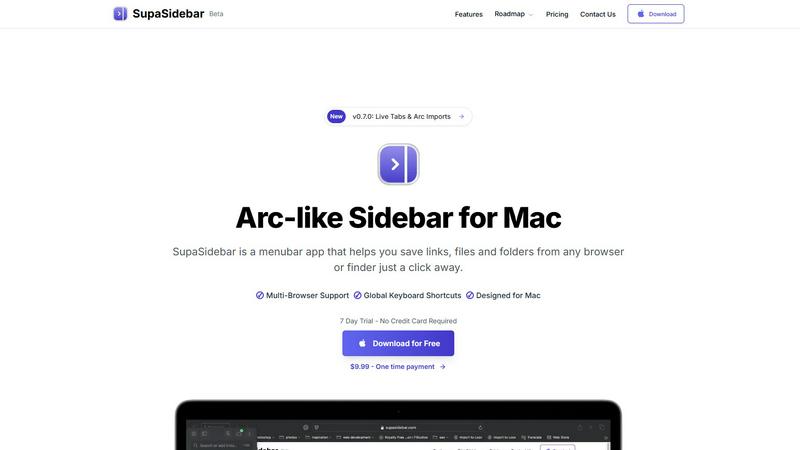
SupaSidebar elevates your Mac experience by providing instant access to links, files, and folders with just one click.
Last updated: February 28, 2026
Visual Comparison
Decode This Text

SupaSidebar
Feature Comparison
Decode This Text
The Vault & Screenshot Upload
Why type it all out when a picture tells the story? This feature understands the modern way we communicate. Simply take a screenshot of your confusing chat thread and upload it directly. The tool reads the entire conversation for you, context and all, saving you time and ensuring you don't miss a single detail. It's the easiest way to start your journey from confusion to clarity, turning your visual chat history into actionable insight without the manual hassle.
Tone & Intent Analysis
Words are just the surface; the real message is in the tone. This feature acts as your emotional thermometer, measuring the hidden temperature of any message. Is that "Hey, crazy day at work" text genuinely friendly, subtly cold, or passively aggressive? By analyzing word choice, punctuation, and phrasing, it provides a clear percentage breakdown of the sender's emotional state and true intent, so you never have to wonder if you're misreading the signals again.
Pattern Detection
Sometimes, the truth isn't in a single message, but in the pattern of behavior. This intelligent feature looks at what you might overlook: the timing of messages, repeated avoidance of questions, or consistently short replies. It connects the dots across the entire conversation history to reveal consistent behaviors, helping you see the bigger picture and understand if someone's actions truly align with their words.
Smart Response Builder
Stuck on what to say next? The journey doesn't end with understanding; it culminates in a confident reply. This feature provides you with three tailored response options based on the analysis. Whether you need a calm, diplomatic approach, a direct question, or a firm boundary-setting message, you get actionable scripts. It empowers you to close the loop and communicate effectively, turning insight into positive action.
SupaSidebar
Natural Swipe & Show on Finder
SupaSidebar introduces a natural swipe feature that allows you to effortlessly access your sidebar while using Finder or any application. This intuitive design means you can switch contexts without losing your workflow, making it easier to manage your files and links seamlessly.
Global Keyboard Shortcuts
Designed with efficiency in mind, SupaSidebar offers global keyboard shortcuts that allow you to save or copy URLs in a flash. With simple commands like CMD CTRL S to save and CMD CTRL C to copy, you can streamline your digital tasks and reduce the time spent navigating through menus.
Fast Search Functionality
Finding what you need instantly is crucial in a fast-paced environment. SupaSidebar includes a powerful search feature that lets you press CMD CTRL K and type to find any file, folder, website, or app without the hassle of scrolling through countless options. This feature ensures that your productivity is never hampered by searching for resources.
Recents Tracking
SupaSidebar tracks every website you've visited in the last 48 hours, allowing you to quickly access your recent work without having to remember or search for it. This feature is particularly useful for professionals who juggle multiple tasks and need quick access to their most recently used links.
Use Cases
Decode This Text
Decoding Dating Ambiguity
The journey from a great first date to radio silence is fraught with confusing texts. "I had fun last night... I'll let you know." Are they interested or fading away? Instead of agonizing for days or bombarding friends for the hundredth time, paste the conversation. Get a clear read on their level of effort and genuine interest, understand why they might have disappeared, and craft a response that protects your peace and dignity.
Navigating Workplace Nuance
A one-word email from your boss or a vague "we'll keep your resume on file" can trigger professional anxiety. Is your manager angry or just swamped? What does that feedback really mean? Decode This Text helps you cut through the corporate politeness and cryptic cues. Understand the true tone and subtext of professional messages so you can craft appropriate, confident responses and navigate office dynamics with skill.
Interpreting Friend & Family Dynamics
You sent something to the group chat, and now it's eerily quiet. Is your friend's short reply a sign they're upset with you, or just distracted? Family messages can carry generations of subtext. This tool helps you objectively analyze interactions with loved ones, providing a reality check on the emotional undercurrents. It fosters healthier communication by helping you respond thoughtfully rather than reactively.
Preventing Regretful Messages
In the heat of emotion, it's easy to draft a text you'll forever wish you could unsend. This use case is about pausing the spiral. Before you hit send on an angry, anxious, or overly vulnerable message, run it through the decoder. The analysis acts as that wise, older sibling, offering a moment of clarity and perspective that can save you from unnecessary conflict and lasting regret.
SupaSidebar
Streamlined Research
For researchers who often browse multiple sources, SupaSidebar serves as a powerful tool to save and organize links related to their studies. With quick access to recent sites and a dedicated space for favorites, it allows users to maintain focus and avoid distractions.
Efficient Content Creation
Content creators can benefit from SupaSidebar by organizing their references, inspiration, and tools in one easy-to-access sidebar. This organization helps streamline the creative process, making it easier to pull from various resources without losing momentum.
Multitasking Professionals
SupaSidebar is ideal for multitasking professionals who juggle various applications and web pages simultaneously. With its fast search capabilities and global shortcuts, users can effortlessly switch between tasks, keeping their workflow smooth and efficient.
Organizing Personal Projects
If you manage personal projects or hobbies that require various online resources, SupaSidebar can help you keep everything organized. By pinning important links and tracking recent activity, you can ensure that all the information you need is always just a click away.
Overview
About Decode This Text
Imagine staring at your phone screen, your mind racing in circles trying to decipher a short, vague message. "I'll let you know," they said. But what does that really mean? Are they genuinely busy, politely brushing you off, or just unsure? This is the modern communication maze, where a few words can send you spiraling into doubt and overanalysis for hours. Decode This Text is your guide out of that maze. It's more than a tool; it's a trusted companion for the conversations that matter most. By simply pasting a confusing text, uploading a screenshot, or describing a murky situation, you embark on a journey from uncertainty to clarity. In about 30 seconds, you receive a comprehensive, human-feeling analysis that deciphers the underlying intentions, emotional tone, and hidden patterns you might have missed. Designed for anyone navigating the complexities of dating, work, friendships, or family dynamics, it empowers you to respond with confidence instead of anxiety. Your privacy is sacred; no human ever reads your texts, ensuring 100% anonymity. This is the end of second-guessing and the beginning of understanding, helping you build better relationships one decoded message at a time.
About SupaSidebar
SupaSidebar is an elegantly designed menubar application for Mac that revolutionizes how users manage their digital workspace. It is crafted with inspiration from the intuitive design of the Arc browser, SupaSidebar provides a beautifully crafted sidebar that allows users to save, access, and organize links, files, and folders from any browser or Finder with just a click. It is tailored for anyone feeling overwhelmed by the clutter of open tabs and scattered bookmarks. Whether you are a researcher, content creator, or a multitasking professional, SupaSidebar empowers you to stay organized, browse faster, and maintain your flow with ease. With seamless integration across all major browsers—such as Safari, Chrome, Firefox, Brave, and Arc—SupaSidebar ensures that your data remains accessible and manageable. Experience the joy of a distraction-free sidebar that is lightweight, efficient, and designed to fit perfectly into your macOS environment.
Frequently Asked Questions
Decode This Text FAQ
How does Decode This Text work?
You start by sharing the story: paste the direct text, upload a screenshot of the conversation, or simply describe what happened in your own words. Our advanced AI then gets to work, analyzing the words, timing, tone, and patterns in the context you provided. Within about 30 seconds, it delivers a comprehensive, human-like analysis that explains the likely intentions, emotional tone, and provides you with smart, contextual ways to respond.
Is my conversation private and anonymous?
Absolutely. Your privacy is our foundational principle. We built this tool for sensitive, personal conversations, so we guarantee that no human being will ever read the texts, screenshots, or descriptions you submit. Every analysis is performed by our secure AI systems, ensuring 100% anonymity. You can explore your most confusing messages with complete confidence and discretion.
What kind of messages can I analyze?
Decode This Text is designed for the messy, meaningful conversations of real life. This includes confusing texts from someone you're dating, vague emails from colleagues or bosses, puzzling messages from friends or family members, and even your own draft replies that you're unsure about sending. It's built to bring clarity to any written interaction where the subtext is unclear.
How is this better than asking a friend for advice?
While friends mean well, they bring their own biases, experiences, and limited time to your situation. Decode This Text offers an instant, objective, and private second opinion. It analyzes the conversation data without emotional baggage, detects subtle patterns even a friend might miss, and is available anytime you're stuck in a thought spiral—not just when your friend is free to listen.
SupaSidebar FAQ
Is SupaSidebar a browser extension?
No, SupaSidebar is a standalone menubar application designed specifically for macOS. It integrates with all major browsers, allowing you to manage links and files without being tied to a single browser environment.
Which browsers does SupaSidebar work with?
SupaSidebar supports all major browsers, including Safari, Chrome, Firefox, Brave, and the Arc browser. This compatibility ensures that you can access and organize your digital workspace regardless of your preferred browsing tool.
What macOS version do I need?
SupaSidebar requires macOS 13 or higher to operate smoothly. This ensures that users have access to the latest features and improvements provided by Apple's operating system.
Where is my data stored?
Your data with SupaSidebar remains on your Mac, ensuring complete privacy and security. No information is sent to external servers unless explicitly shared by you, allowing you to manage your workspace with peace of mind.
Alternatives
Decode This Text Alternatives
Ever felt a knot in your stomach after reading a text, unsure of the true meaning behind the words? Decode This Text is a productivity tool designed to be your guide through those moments of communication fog, offering clarity with a quick, human-like analysis. It’s for anyone who wants to navigate conversations with more confidence and less guesswork. People often explore other options on this journey for various reasons. Perhaps they need a solution that fits a specific budget, integrates with other platforms they use daily, or offers a different set of analytical features. The quest for the right tool is deeply personal, shaped by individual needs and communication challenges. When searching for a different path, consider what matters most for your peace of mind. Look for a tool that respects your privacy, delivers insights in a way you understand, and fits seamlessly into your daily rhythm. The goal is to find a companion that empowers your conversations, turning potential misunderstandings into opportunities for clearer connection.
SupaSidebar Alternatives
SupaSidebar is a beautifully crafted menubar application for Mac, designed to transform how users manage their digital workspace. It belongs to the productivity and management category, specifically catering to individuals who seek an efficient way to save, access, and organize their links, files, and folders. Users often find themselves looking for alternatives due to various reasons such as pricing concerns, feature limitations, or specific platform requirements. The ideal alternative should offer a sleek user experience, robust functionality, and seamless integration with existing tools to enhance productivity. When searching for an alternative, consider what features are most important to your workflow. Look for options that prioritize user interface design and ease of access, as well as those that provide real-time updates and organizational capabilities. Additionally, ensure that the alternative you choose is compatible with your preferred browsers and operating systems, allowing for a more cohesive experience in managing your digital life.