
QuickData.ai vs TrafficClaw
Side-by-side comparison to help you choose the right product.

QuickData.ai
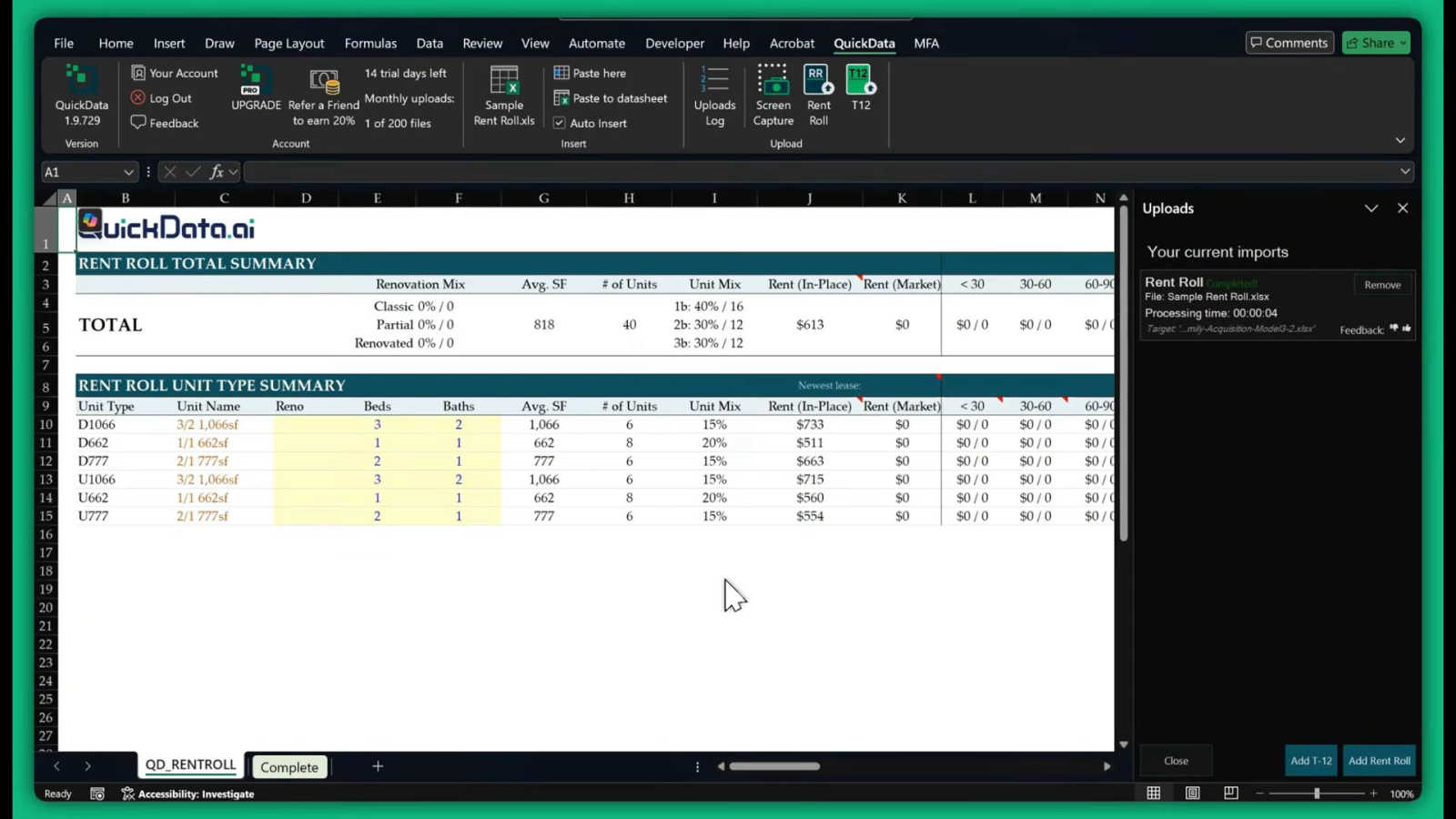
QuickData.ai automates your rent roll and T12 data entry, turning hours of underwriting into minutes.
Last updated: March 1, 2026

TrafficClaw
Talk to your SEO & Analytics data - it finally talks back
Visual Comparison
QuickData.ai
TrafficClaw

Overview
About QuickData.ai
Imagine the journey of a multifamily real estate underwriter: a mountain of deal documents, a ticking clock, and the daunting task of manually transferring thousands of data points from rent rolls and T12 statements into complex Excel models. It's a story of late nights, eye strain, and the ever-present risk of a simple typo derailing an entire analysis. This is the chapter before QuickData.ai. Our product is the revolutionary next chapter—an AI-powered Excel add-in designed to transform this arduous journey into a streamlined path to clarity and confidence. QuickData.ai is specifically crafted for the heroes of multifamily real estate: acquisitions teams, brokers, lenders, and accounting firms. It acts as your intelligent data co-pilot, automatically extracting critical financial and operational data from essential documents like offering memorandums (OMs), rent rolls, and trailing twelve-month (T12) statements, and populating it directly into your Excel underwriting models. The core value proposition is profound liberation: liberating over 15 hours per month from manual drudgery, liberating your team from error-prone processes, and liberating your firm to analyze more deals with greater accuracy. With QuickData.ai, the future of underwriting isn't a distant promise; it's a reality you can deploy in minutes, turning data chaos into decisive insight 10 times faster.
About TrafficClaw
Your traffic dropped. Google Analytics says nothing useful. Search Console shows graphs. Cool. Now what? TrafficClaw lets you just ask - "Why did my traffic drop?" and actually get an answer. Backed by your real data, not some generic blog post advice. Connect GA4 + Search Console. Ask questions. Get fixes. That's it.